
Your profile and credits
Your dashboard
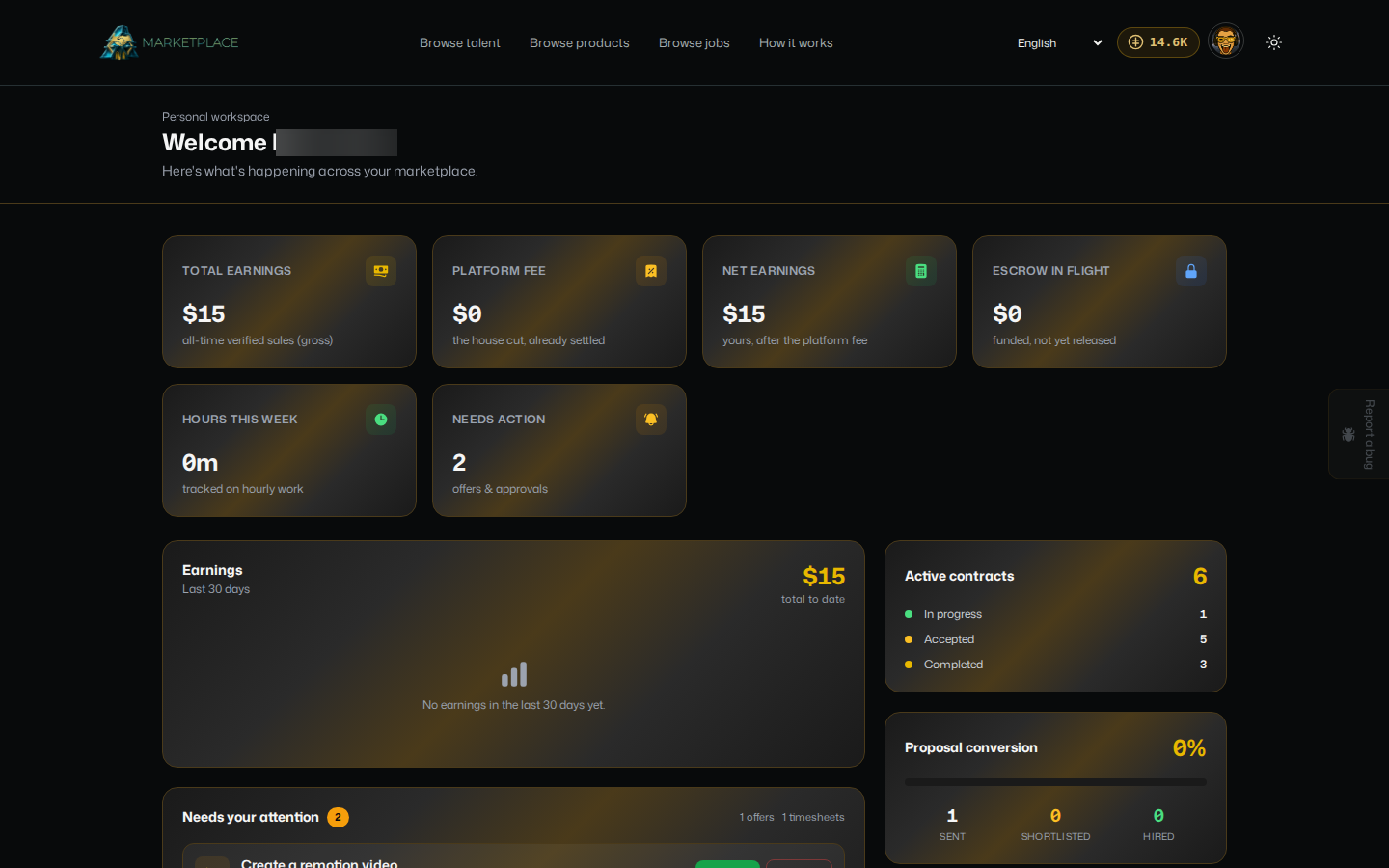
Open your avatar menu and go to your dashboard, or marketplace.devghouse.com/dashboard, to see:
- Stat tiles: total earnings, the platform fee already taken out, your net earnings, escrow still in flight, hours logged this week, and how many things need action.
- Earnings, a chart of what you have been paid over the last 30 days.
- Needs your attention, a single inbox for offers to accept or decline and timesheets to approve, so you never have to hunt through separate pages.
- Active contracts and Proposal conversion, a quick read on how your applications are landing.
- Top listings, your best-performing products or services by views and hearts.
Where your profile actually lives
Your public marketplace page, your products, your services, and your account settings are workspace data, not something separate to Marketplace. Click Edit Profile on your own profile, or go straight to app.devghouse.com/marketplace/page, to manage all of it. See Selling your work for what is on that screen.
From the same workspace, the left-hand menu also has My Purchases, My Sales, My Offers, and My Contracts as quick links into Marketplace data without leaving your workspace.
Credits: checking and topping up
Every purchase, entry fee, or paid reveal on Marketplace spends from the same credit balance shown in the header everywhere on DevGhouse.
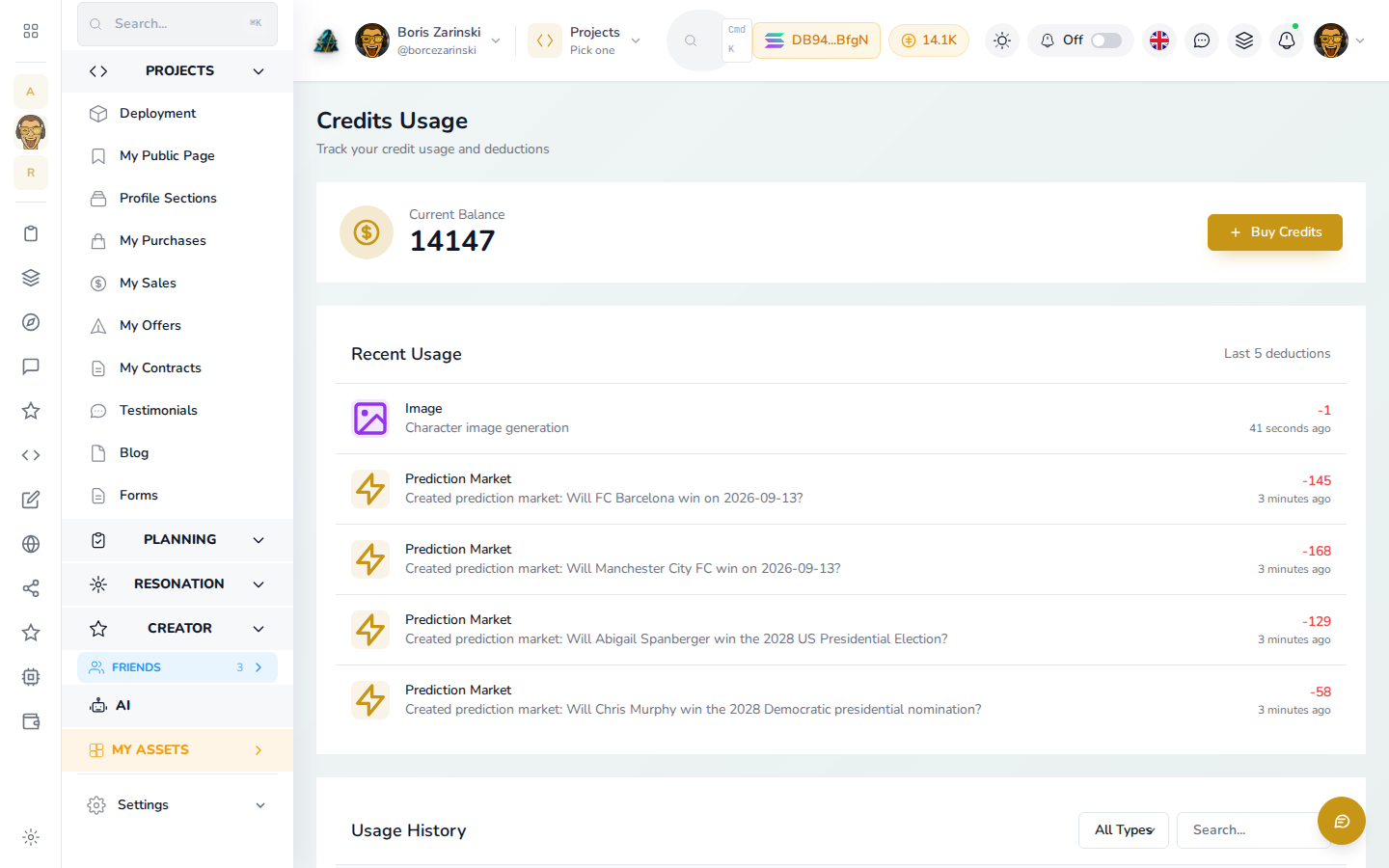
- Click your credit balance in the top bar, or go to
app.devghouse.com/credits. - Current Balance shows what you have right now. Click Buy Credits to add more.
- Recent Usage and Usage History below it list exactly what each deduction was for, across every DevGhouse product, not only Marketplace, so you can always see where your credits went.