
Communication
Communication is the module inside your workspace that pulls in Gmail, Outlook, any IMAP mailbox, and your Telegram account, then sorts what needs your attention from what doesn't. Instead of checking three or four apps every morning, you check one inbox.
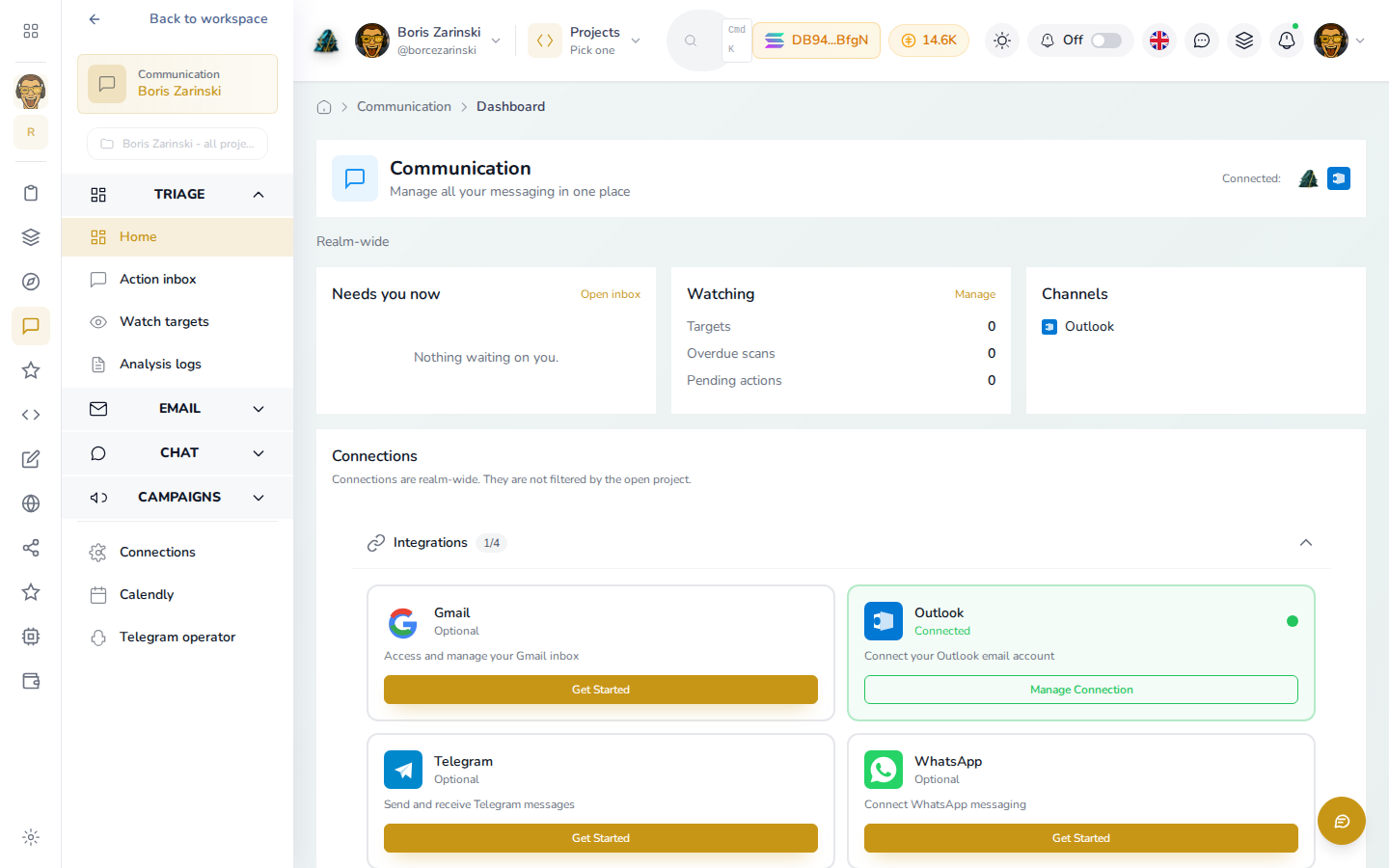
It is for anyone who runs their own replies: freelancers, small studios, and founders who don't have a dedicated support team yet. If you have ever missed a client email because it was buried under newsletters, this is built for that problem.
What you can do
| Feature | What it does |
|---|---|
| Connect a mailbox or chat | Link Gmail, Outlook, an IMAP mailbox, or your personal Telegram account. Each connection is optional, and you can use just one. |
| Needs a reply | One queue across every connected source, sorted into Urgent, Respond, Follow Up, Schedule, Review and Archive, so you work through what matters instead of scrolling a mailbox. |
| Followed conversations and drafted replies (Fixer) | Point Communication at one thread, sender or chat, and it scans on a schedule, writes a draft reply, and waits for you to approve, edit, or send it. Nothing goes out without you seeing it first. |
| Turn a message into a task | Instead of replying, send a message straight into your workspace as a task, with the original message attached. |
| Gmail, Outlook and IMAP inboxes | Read, search, reply, and organize mail from inside your workspace, without opening Gmail or Outlook separately. |
| Telegram and Telegram bots | Read and send messages from your own Telegram account, or connect a bot that answers customers on its own. |
| Monitoring settings | Choose exactly which labels, folders or chats get scanned, so a personal newsletter never gets treated the same as a client thread. |
| Scan history | A history of every scan, what it found, and whether it needed a response. |
| Campaigns (newsletters and Google Ads) | Build a subscriber list, design a newsletter, and send it, or manage Google Ads campaigns, all under the Campaigns section of this same sidebar. See Campaigns. |
WhatsApp shows up as a connection option today but isn't ready to use yet. It's listed as "coming soon" wherever it appears.
The bottom of the sidebar, under Connections, holds Telegram operator, joined by Calendly once you've connected it. Neither is part of messaging triage; they're general workspace connections that share this sidebar for convenience. See Calendly and Telegram operator for what each one actually does and where to connect Calendly for the first time.
How it fits your workspace
Your connections (Gmail, Outlook, Telegram) belong to you or to your workspace, not to one project. When you open Communication from your workspace's home screen, you see everything across every project by default. If you have a project open (for example, one client's work), Communication can narrow Needs a reply and your followed conversations to just that project, so a message tied to borisz.online doesn't show up while you're heads-down on something else. A link on the page lets you switch back to seeing everything.
Run it with an AI assistant
If you connect Claude, Codex or another assistant to your workspace, it can work through your Communication queue for you: read what's pending, draft or send a reply, follow a conversation, or turn a message into a task. The assistant uses the same communication tools this guide describes, for example get_communication_actions, execute_communication_action, fixer_add_watch_target, and fixer_scan_watchlist, gated to whichever mailboxes and chats you've actually connected.
You can also set up a routine (a scheduled or triggered automation) that runs on its own, for example checking your inbox every morning and turning anything urgent into a task before you sit down to work. Routines live under Agents in your workspace; see Run it with an agent for how that connects to Communication specifically.
Credits
Connecting an account, reading your mail or chats, and using Needs a reply are all free. The part that spends credits is AI work: scanning a watchlist and drafting a reply, or running a routine that touches Communication. Manual replies you type yourself never cost anything. Building a newsletter list and sending a campaign are free too; only letting AI write the copy for you spends a credit.