
Automations
An automation, also called a routine, is a saved job that runs on its own: on a schedule, when a webhook fires, or when a form is submitted. Unlike a chat, nobody has to type the request each time it runs.
What you can do
| Feature | What it does |
|---|---|
| Your automations | A list of every routine you have set up, whether it is on or off, and when it last ran. |
| New automation | Build one from scratch or from a ready-made template. |
| Run now | Fire a routine immediately, without waiting for its schedule. |
| Runs | See the history of a routine's past runs and their results. |
1. See your automations
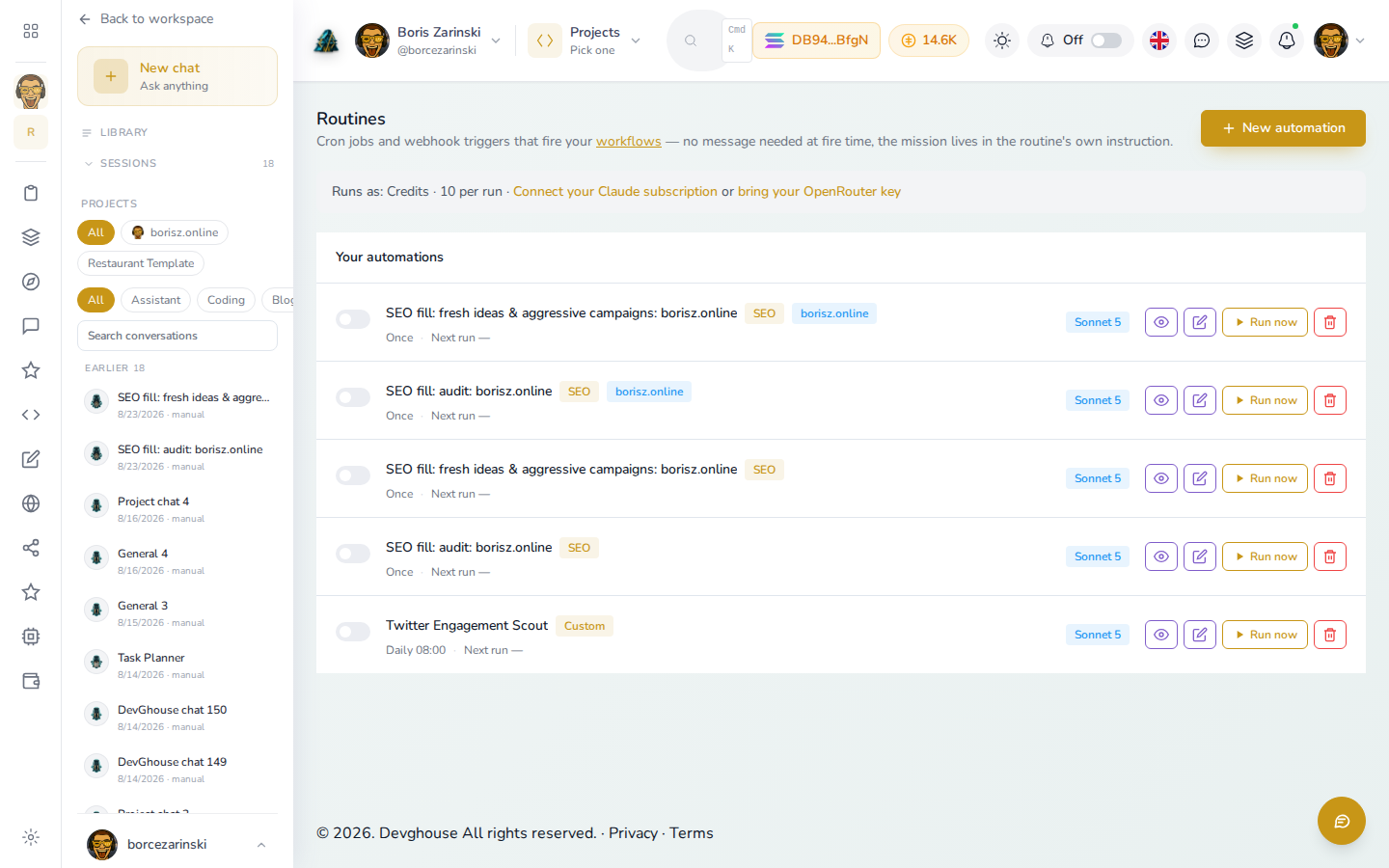
- Click Routines in the left menu on your dashboard.
- Each row shows the automation's name, what it is scoped to (a project or website, if any), which AI model it runs on, and when it next runs.
- Toggle the switch on the left to turn one on or off without deleting it.
2. Create an automation
- Click New automation.
- Pick a starting point: a blank instruction, or a template for a common job like an SEO refresh or a social post.
- Write the instruction in plain English, for example "Every Monday morning, check my website's SEO keywords and suggest three new blog topics."
- Set the trigger: a schedule (once, daily, weekly), or a webhook for something like a form submission.
- Pick which AI model runs it, and save.
3. Run one now or check its history
- Click Run now on any automation to fire it immediately.
- Click the eye icon to see its past runs and what each one produced.
- Click the pencil icon to edit its instruction or schedule.
- Click the trash icon to delete it.
4. What it costs
Automations run as credits by default, shown as 10 per run on the Routines page, or for free if you connect your own Claude, Codex, or Kimi subscription in AI settings and pick bring your own key.
Run this with an AI assistant
An assistant connected to your account can read and manage your automations directly:
list_agent_routines(module)lists your saved routines, optionally filtered to one feature arealist_agent_routine_templates()lists the ready-made templates you can start fromlist_agent_routine_runs(routine_id)shows a routine's run historyroutine_report_result(run_id, result)lets a routine report back what it produced, so the run history stays accurate
A routine that names a project automatically gets briefed on that project (its website, its code, its plan) before it takes its first action, the same way a manual chat inside that project would be.