
Making a cartoon
Open Make a cartoon from My cartoons, or walk the three-step setup from the home page first. Either way you land on the same builder.
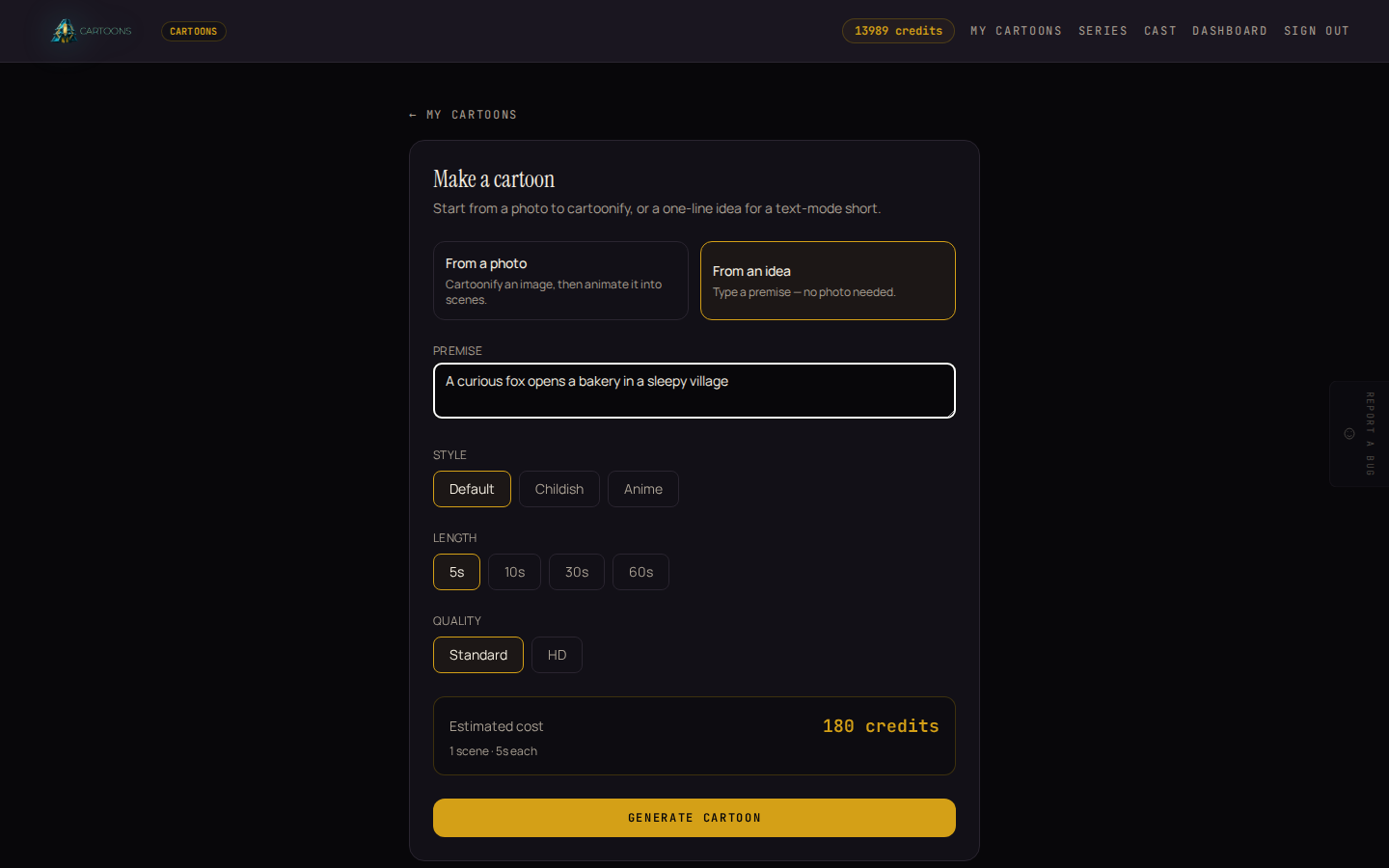
1. Choose how you're starting
- From a photo: upload a clear photo of a person or subject, then optionally add a story hint (a short nudge for the direction, like "make it a hero-arrives-home ending"). The studio cartoonifies the photo and writes the story from there.
- From an idea: skip the photo and write a one-line premise instead, such as "A curious fox opens a bakery in a sleepy village." The studio writes the whole story from your sentence.
2. Pick a style, a length, and a quality
- Style: Default, Childish, or Anime. This is the look every scene in the cartoon shares.
- Length: 5, 10, 30, or 60 seconds. Longer means more scenes.
- Quality: Standard or HD. HD costs roughly 1.4 times as much per scene.
3. Check the cost before you generate
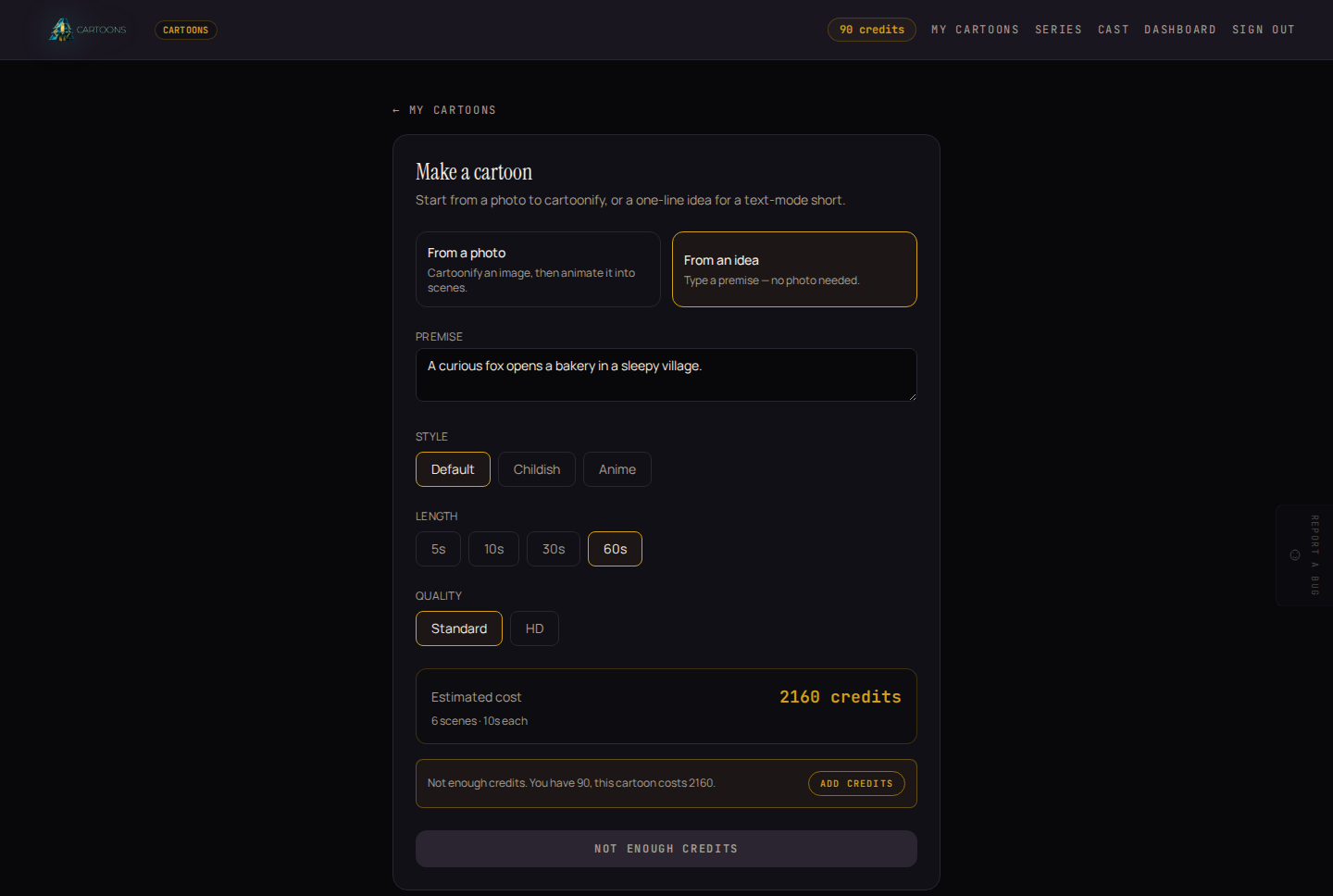
The Estimated cost box updates the moment you change style, length, or quality, showing the exact credit total, the scene count, and how long each scene runs. This is the real price: the studio charges exactly what it previews here, and refunds match it too.
If your balance is lower than the estimate, a warning appears with your balance, the cost, and an Add credits button, right there in the builder, before you press anything.
4. Generate
Click Generate cartoon. You're taken straight to the cartoon's own page, where it renders scene by scene. See Your cartoons for what happens next, and what each stage looks like.
What's next
- Follow your cartoon while it renders, and see the finished result: Your cartoons.
- Want the same cast and style to carry across many episodes instead of one cartoon? See Series and episodes.