
Series and episodes
A series locks a title, a premise, a style, and a cast of 1 to 6 saved characters once. Every episode after that reuses the same cast and look, so you never rebuild the setup to keep a story going.
Start a series
Starting a series doesn't spend any credits. Only generating an episode does.
- Open Series in the studio header, then Start a series.
- Give it a title and, optionally, a premise the episode writer leans on when you don't give it a specific idea.
- Pick a locked style: Default, Childish, or Anime.
- Pick 1 to 6 characters from your character library. The order you tap sets their billing and display order.
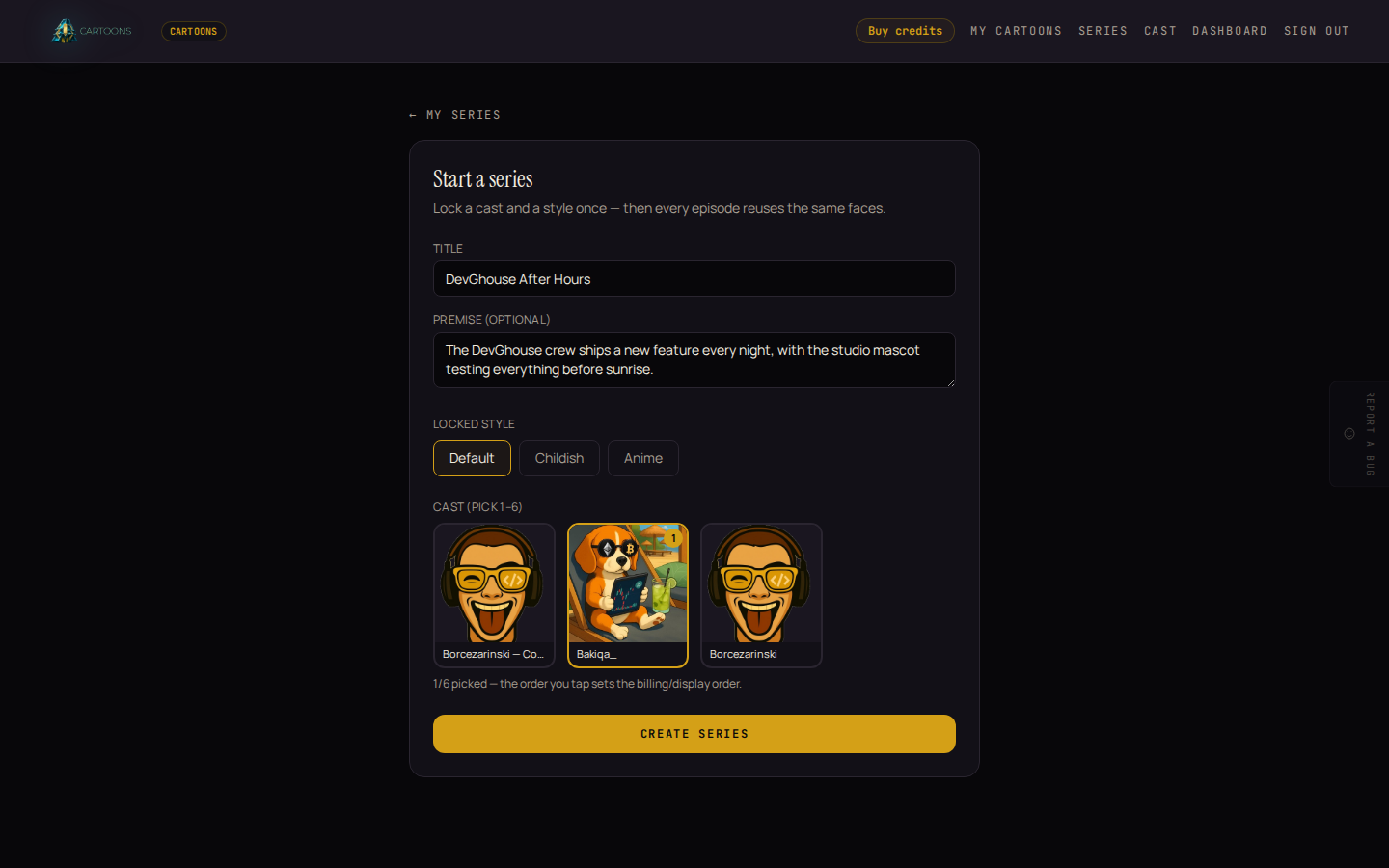
If you have no saved characters yet, this screen explains that and links to the character builder. See Character library for how to build one.
- Click Create series. You land on the series page, with its cast and style shown at the top and no episodes yet.
Generate an episode
From the series page, type an optional one-line idea for the episode, or leave it blank to let the writer riff on the series premise, then check the estimated cost and click Generate episode. Every episode runs at a fixed 10 seconds, standard quality, so the cost is the same each time. If your balance is too low, the same warning and Add credits shortcut you'd see in the standalone builder appears here too.
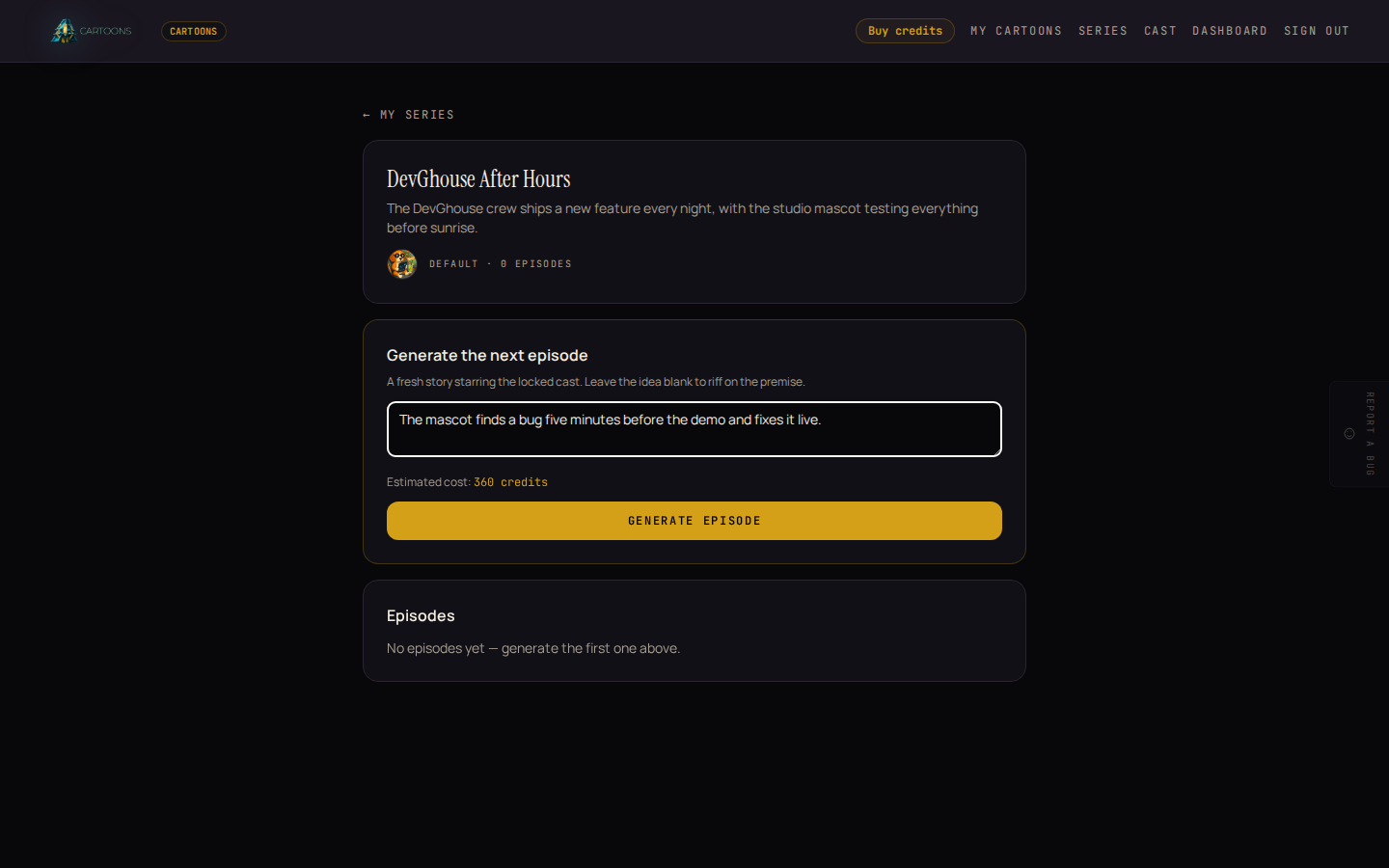
The new episode opens on its own page and renders exactly like a standalone cartoon. See Your cartoons for what each stage looks like. Once it's done, it's also listed on the series page, numbered in order, so you can always find every episode from one place.
What's next
- Want to add another character to your cast before starting a series? See Character library.
- Curious what an episode costs, or what happens if one fails? See Credits and billing.