
Credits and topping up
Where credits come from
Everything in City costs credits: placing an idea and renewing one, at $1 = 100 credits. This is the same balance shown in the top corner of every DevGhouse product, not something separate to City. A new account starts with a small number of free credits.
Check your balance
Your balance shows as a small pill in the header once you are signed in, right above whatever a spot costs, so you can always see balance against price before you commit to a placement.
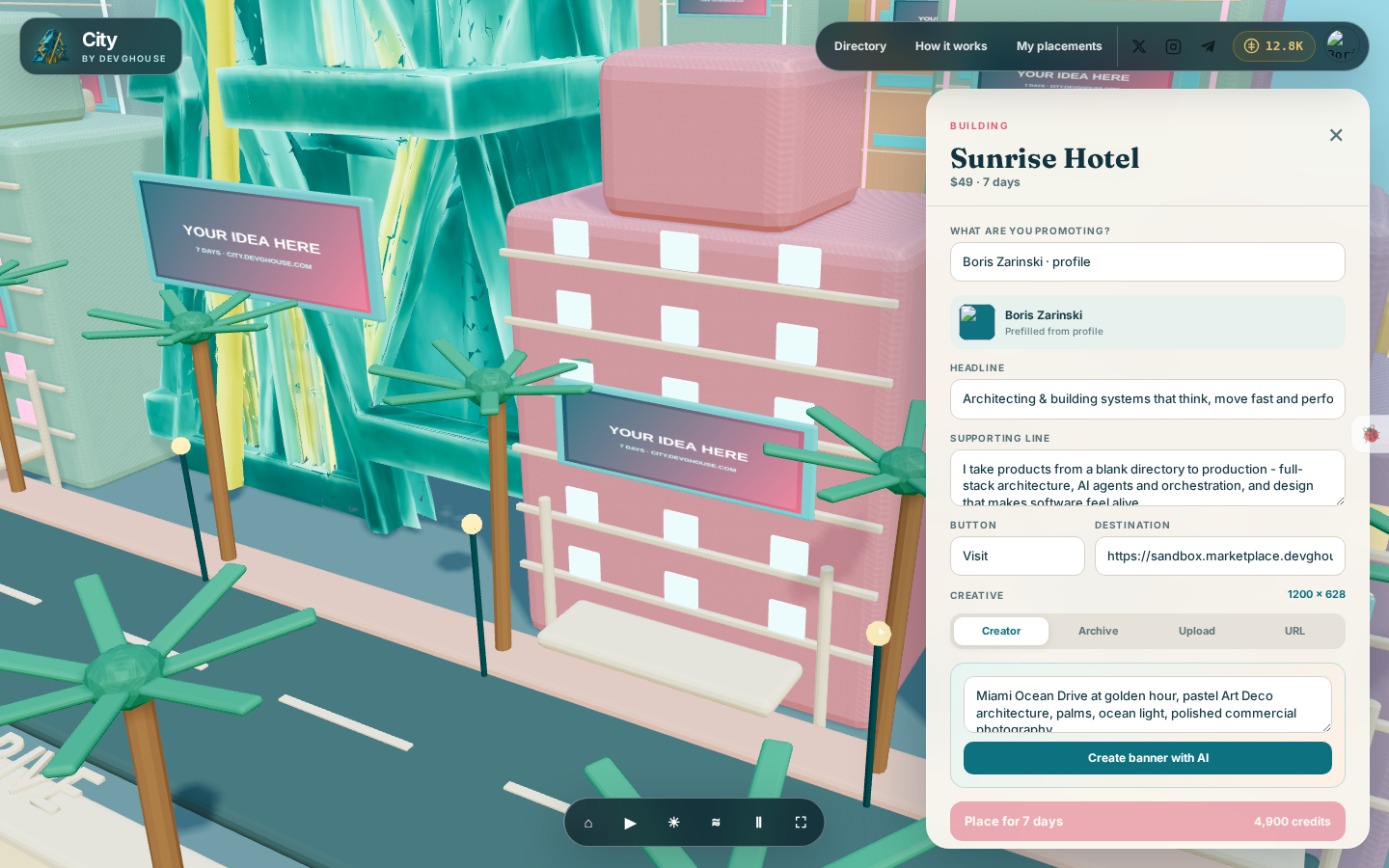
If you belong to more than one workspace, opening your account menu from the avatar in the header and choosing Switch context lets you move between your personal balance and any workspace you are part of. Whichever one is active is what City spends from and what the header shows, so check you are in the right one before you place something.
Buy more credits
Click the credit pill in the header to open Purchase Credits.
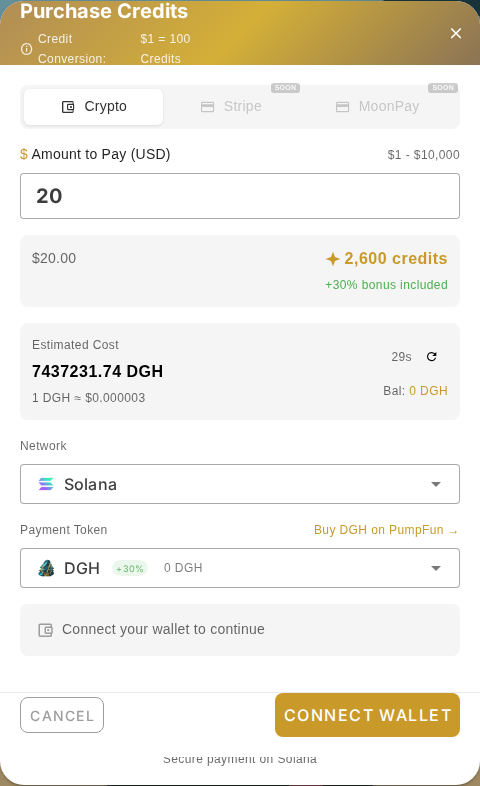
- Enter how much you want to pay, in US dollars.
- The window shows how many credits that buys, and any bonus for paying with DGH, DevGhouse's own token.
- Choose a network and a token, then Connect Wallet to pay with crypto on Solana. Card payments (Stripe, MoonPay) are marked Soon and are not available yet.
- Once the payment confirms, the credits land in whichever context (personal or workspace) you had active when you opened the window.
There is also a Credits & wallet link in your account menu that takes you to the full credits page in your workspace, with your usage history across every DevGhouse product, not just City.