
Becoming a trainer
Selling on Fitness uses the same seller setup as every DevGhouse product, so if you already paid the entry fee or finished this setup elsewhere on DevGhouse, you will not see it again.
1. Marketplace Entry
The first time you open a page that needs a seller account, you land on the entry step.
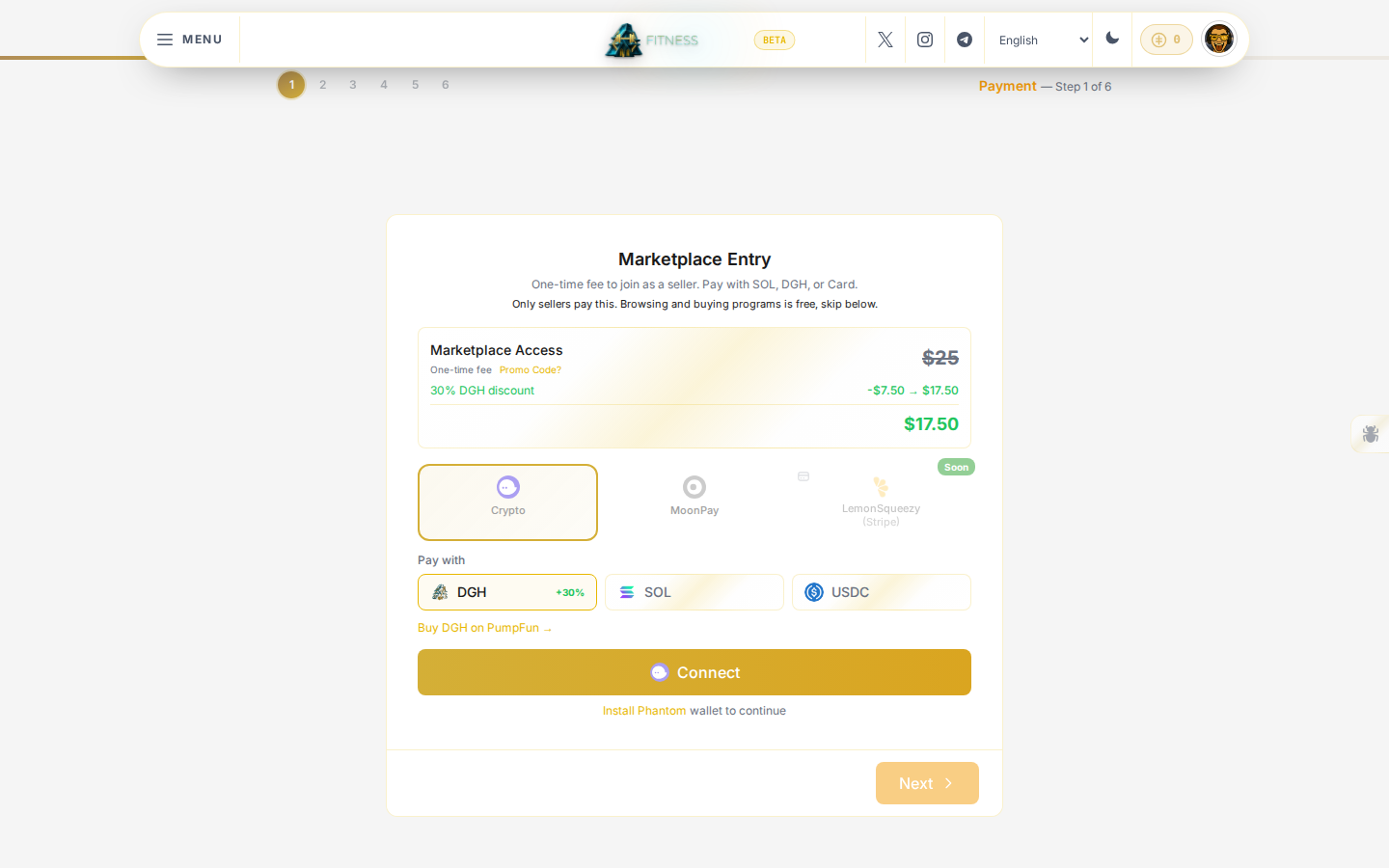
- Planning to publish and sell your own workout programs? Pay the one-time fee shown, with crypto, card, or DGH.
- Only here to buy a program or hire a trainer? Look underneath the payment box for Not a seller? Skip payment, then Continue as Buyer Only on the next screen. You do not need to pay anything to buy a program.
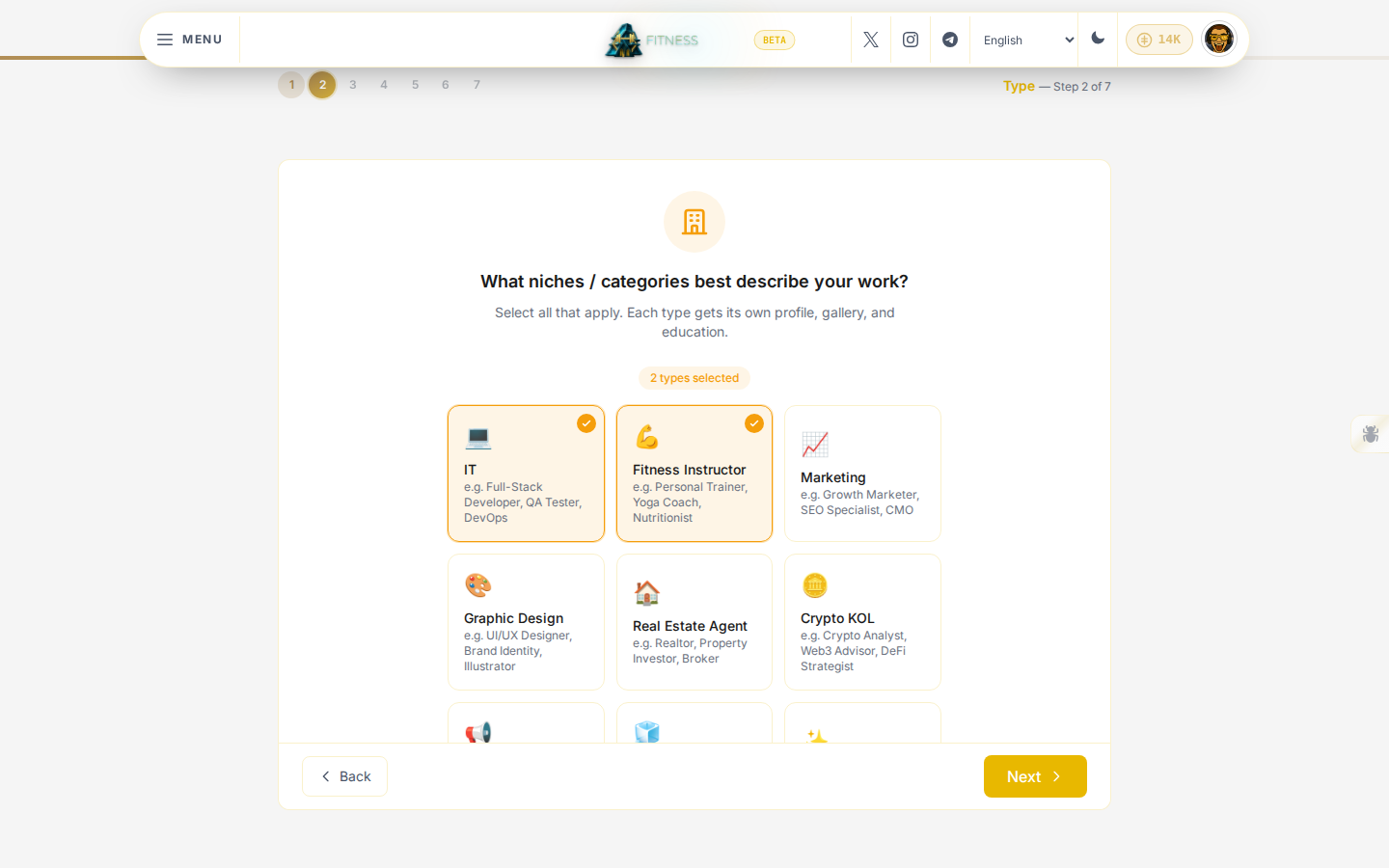
2. Choose Fitness Instructor as your type
This step decides which niche your profile and tools belong to. Select every type that applies to you; you need Fitness Instructor ticked here to publish programs from the trainer studio later.
3. Finish the rest of your profile
The remaining steps are short and mostly optional:
- Profile: confirm your username and display name.
- Basic Info: write a short line about what you do, or import it from a CV.
- Details: your title, location, and headline; these show on your public trainer profile.
- Photos: your avatar and an optional cover photo.
- Wallet: connect Phantom or generate a DevGhouse wallet, so buyers have somewhere to pay you. If you already connected a wallet before (for example from your workspace settings), this step shows it as already connected.
Click Finish & View Profile on the last step. You can now open the trainer studio and build your first template.