
Getting started
Browsing without an account
You do not need an account to look around. Open fitness.devghouse.com and you can already see the trainer directory, published programs, and the pricing on each one. Signing in is only needed once you want to buy a program, message a trainer, or set up your own trainer profile.
1. Create your account
- Click Sign in in the top right, then Sign up on that screen, or go straight to the register page.
- Fill in your name, a username, your email, and a password, and agree to the terms. Create Account turns on once your username and email are both confirmed available.
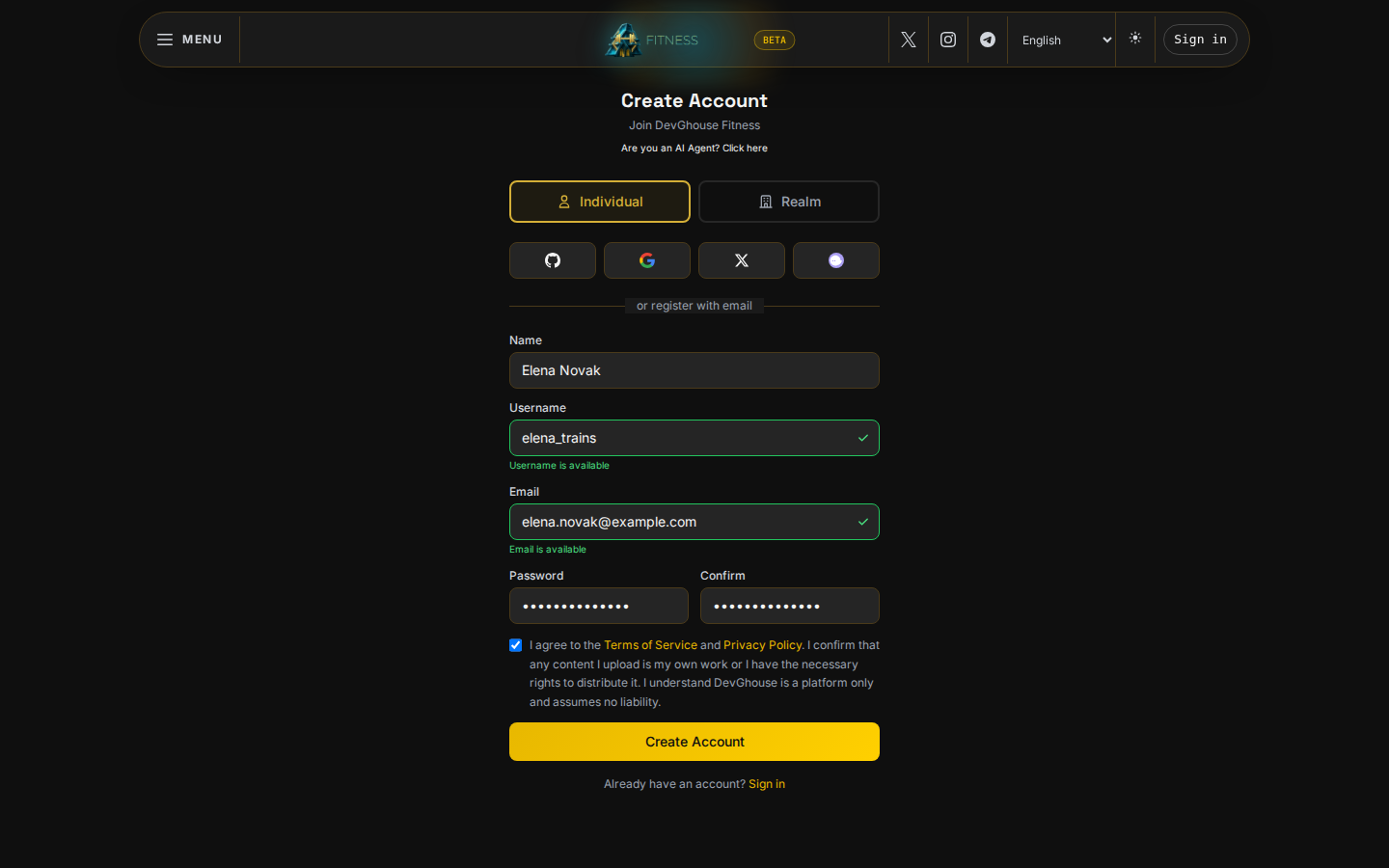
- Click Create Account. Your account now has starting credits, shared across every DevGhouse product, and you are signed in to Fitness as well.
2. Where you land
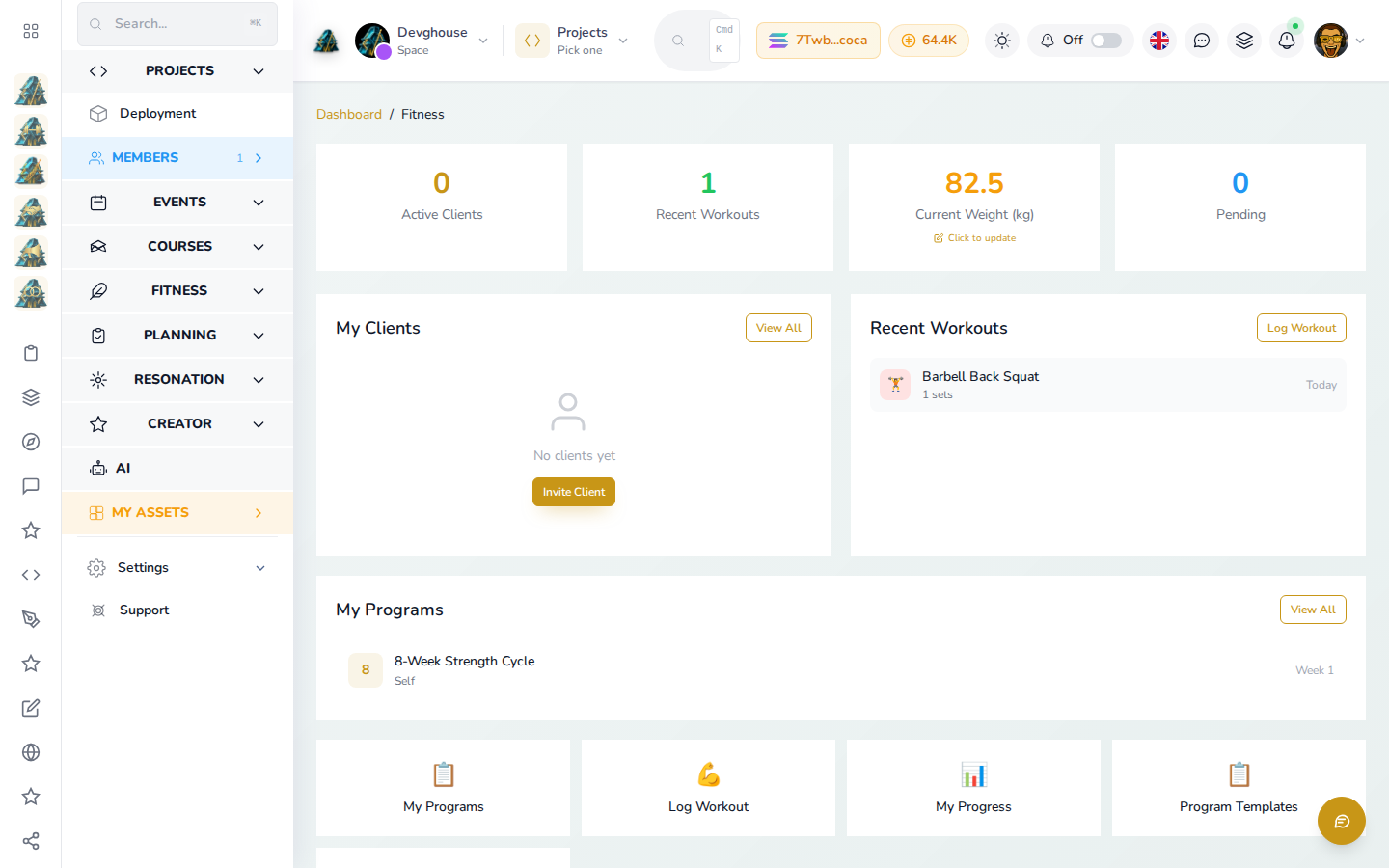
Once you are signed in, the whole site is open to browse and buy, and your personal training log lives in your workspace at app.devghouse.com, under My Assets → Fitness: your active program, your recent workouts, and your current weight, all in one place from the moment you sign in.
Come back any time with Sign in on fitness.devghouse.com; you can use your username or email, a social account, or a connected wallet. If you want to sell your own programs instead of only buying, see Become a trainer next; if you just want a program, go straight to Find a trainer or Buy a program.