
Credits and common problems
What costs credits
Buying a program, browsing trainers, messaging, and logging your own workouts and check-ins are all free. A handful of AI-assisted tools spend credits, and each one shows its exact cost before you confirm:
- AI generate workout, drafting a full set of sections and exercises for a template in the trainer studio.
- AI generate diet and AI generate exercises, the same idea for diet plans and one-off exercises.
- Analyzing a meal photo, when a trainer reviews a photo you log with a meal.
If you do not have enough credits, the same screen shows a Top up credits link straight to your balance.
Checking and topping up your credits
Every credit-spending action on Fitness uses the same balance shown in the header everywhere on DevGhouse.
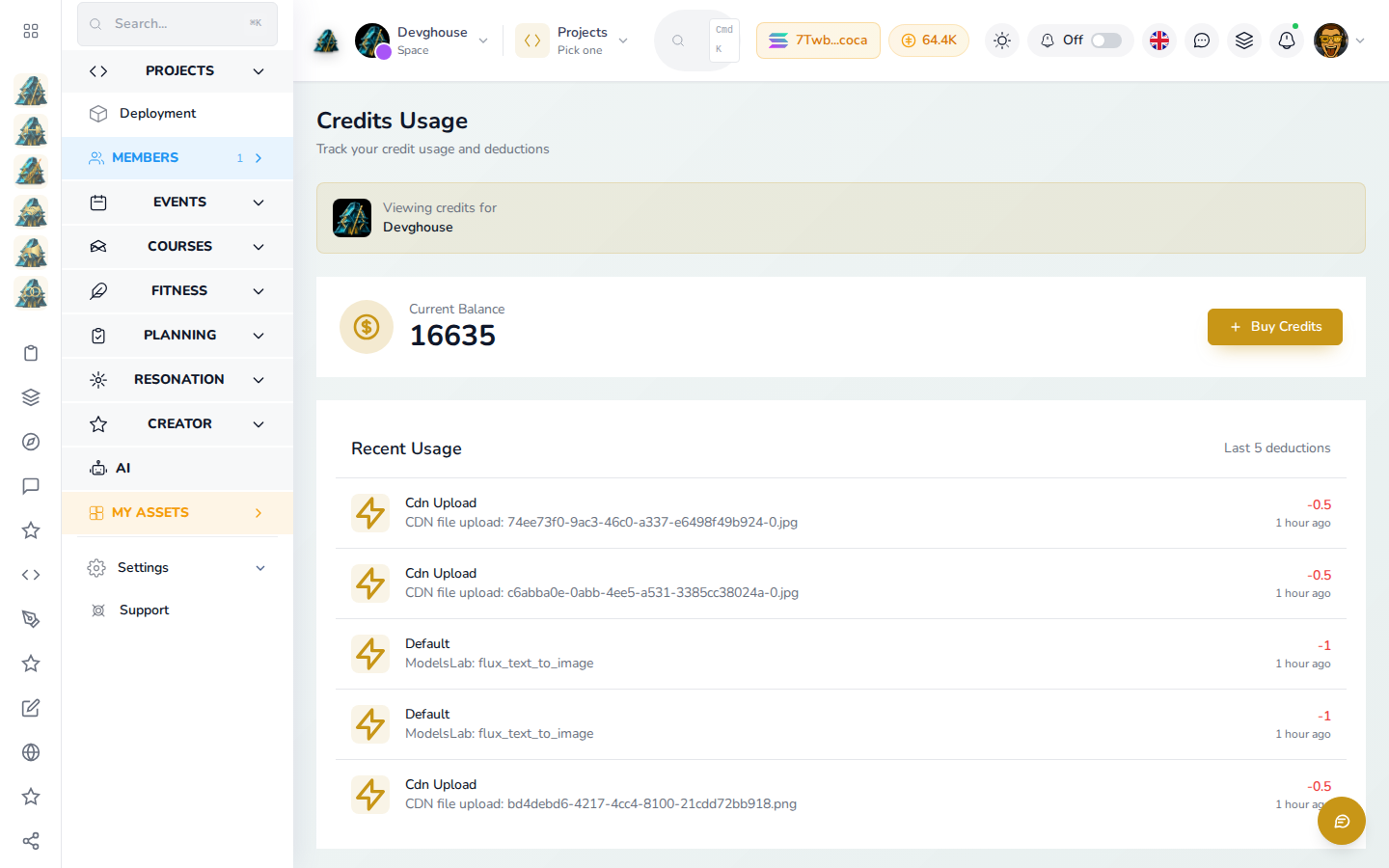
- Click your credit balance in the top bar, or go to
app.devghouse.com/credits. - Current Balance shows what you have right now; click Buy Credits to add more.
- Recent Usage below it lists exactly what each deduction was for, across every DevGhouse product, not only Fitness.
Common problems
"I keep landing on a payment screen"
That is the Marketplace Entry step, shared across DevGhouse. If you only want to buy a program, you do not need to pay it: look for Not a seller? Skip payment underneath the payment box, then Continue as Buyer Only on the next step. See Becoming a trainer for the full walkthrough; you can always pay later from the same screen.
"Publish says I'm not a fitness trainer"
Building a template never requires anything extra, but publishing it does: your account needs Fitness Instructor ticked on the type step of Becoming a trainer. If you set up as a seller for a different niche earlier, go back through that step and add Fitness Instructor to your existing types, then publish again.
"I don't show up in the trainer directory"
The directory only lists trainers with Accepting New Clients turned on. Check that toggle on your trainer settings page in your workspace; it can take a moment to reflect after you save.
"I bought a program but can't find it"
Check My Purchases first; if it looks empty despite a real purchase, open the program's own page again; it also shows your purchase there. Message the trainer on the contract if the delivery itself has not shown up.
"There's no way to book a specific time"
Correct for now: a trainer's weekly availability is shown for reference only, there is no time-slot booking yet. Use the contract chat after you buy a program to arrange anything time-based directly with the trainer.
"I signed in but I'm still asked to sign in again"
Make sure you are signing in with the same DevGhouse account you registered with. If you are part of a shared workspace, check the account switcher in the header to confirm which context you are in; credits, purchases, and client relationships do not carry over between your personal account and a shared workspace.