
Tracking your own workouts
Your personal training log lives in your workspace, not on fitness.devghouse.com itself. Open app.devghouse.com, then My Assets → Fitness in the left menu. This works whether or not you have ever bought or sold a program.
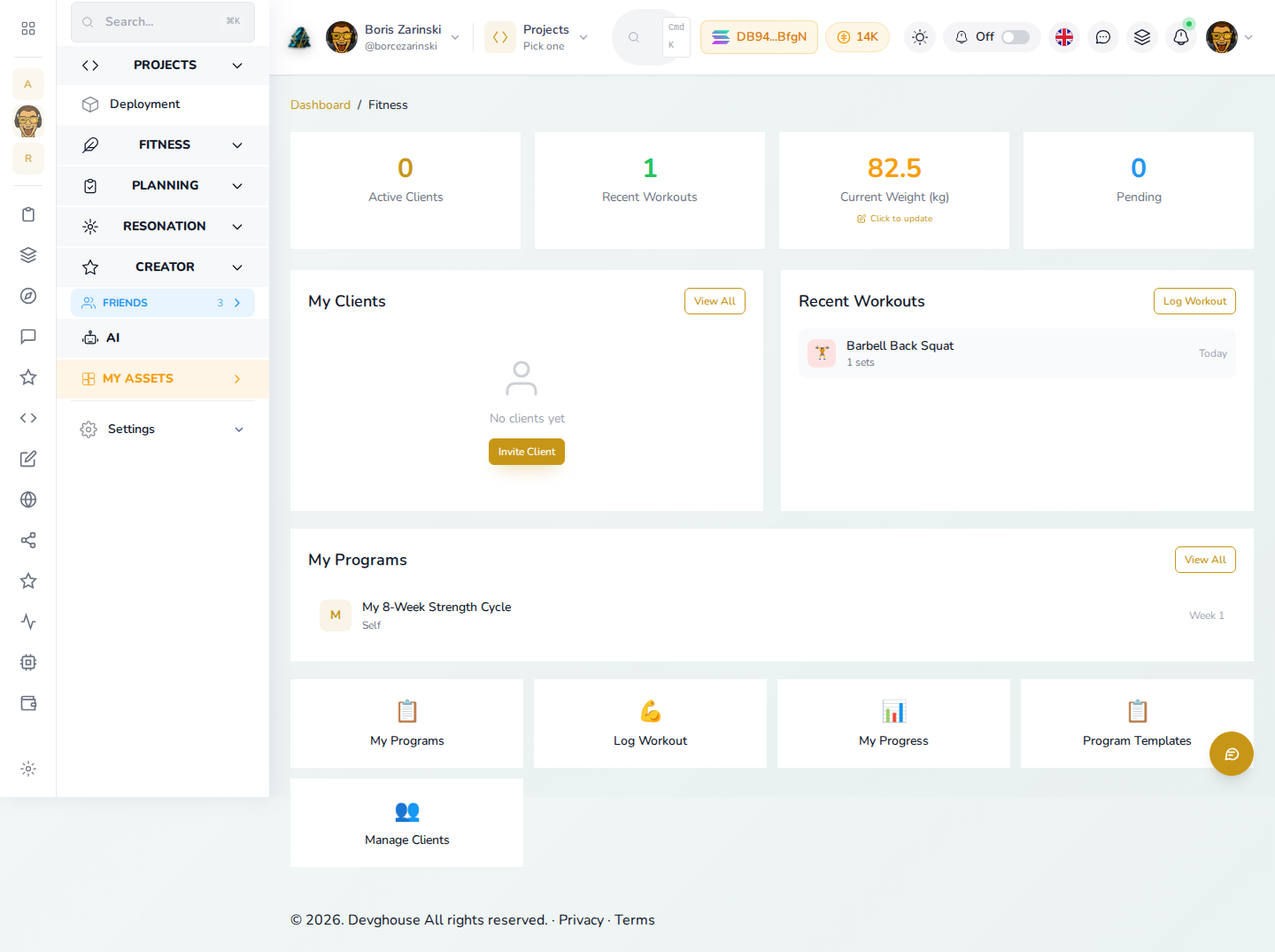
Log a workout
- Click Log Workout, or Log First Exercise if this is your first one.
- Enter the exercise name and type (strength, cardio, flexibility, or other), and the date.
- For strength work, add your sets with reps and weight. For cardio, fill in duration, distance, and calories instead.
- Add a note if you want, and click Log Exercise.
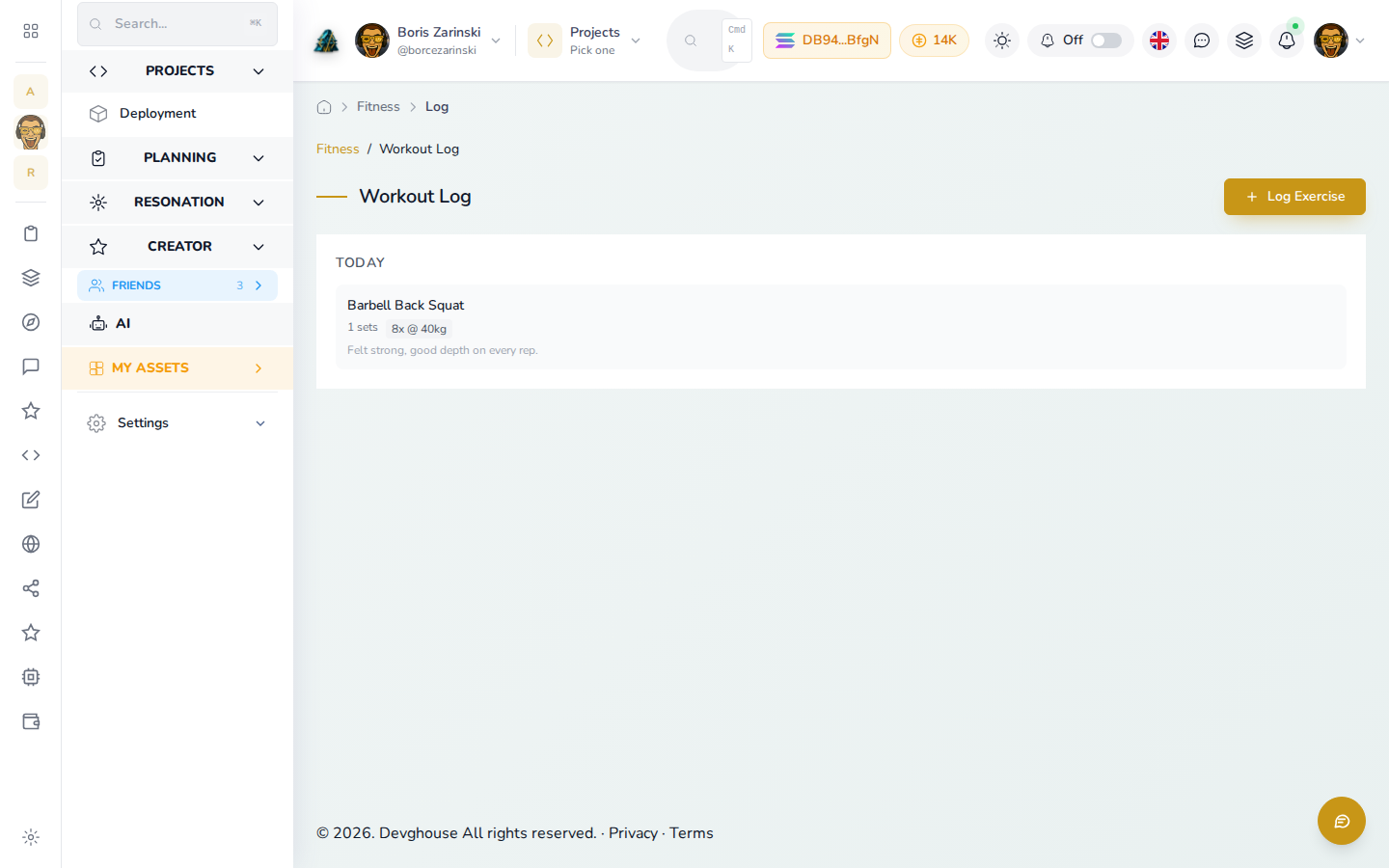
Every exercise you log appears grouped by day, most recent first.
Record your progress
Open My Progress to see your stats and add a new check-in.
- Click Record Check-in.
- Fill in your weight and, if you want, body fat percentage and body measurements (chest, waist, hips, arms, thighs).
- Add a note and click Save Check-in.
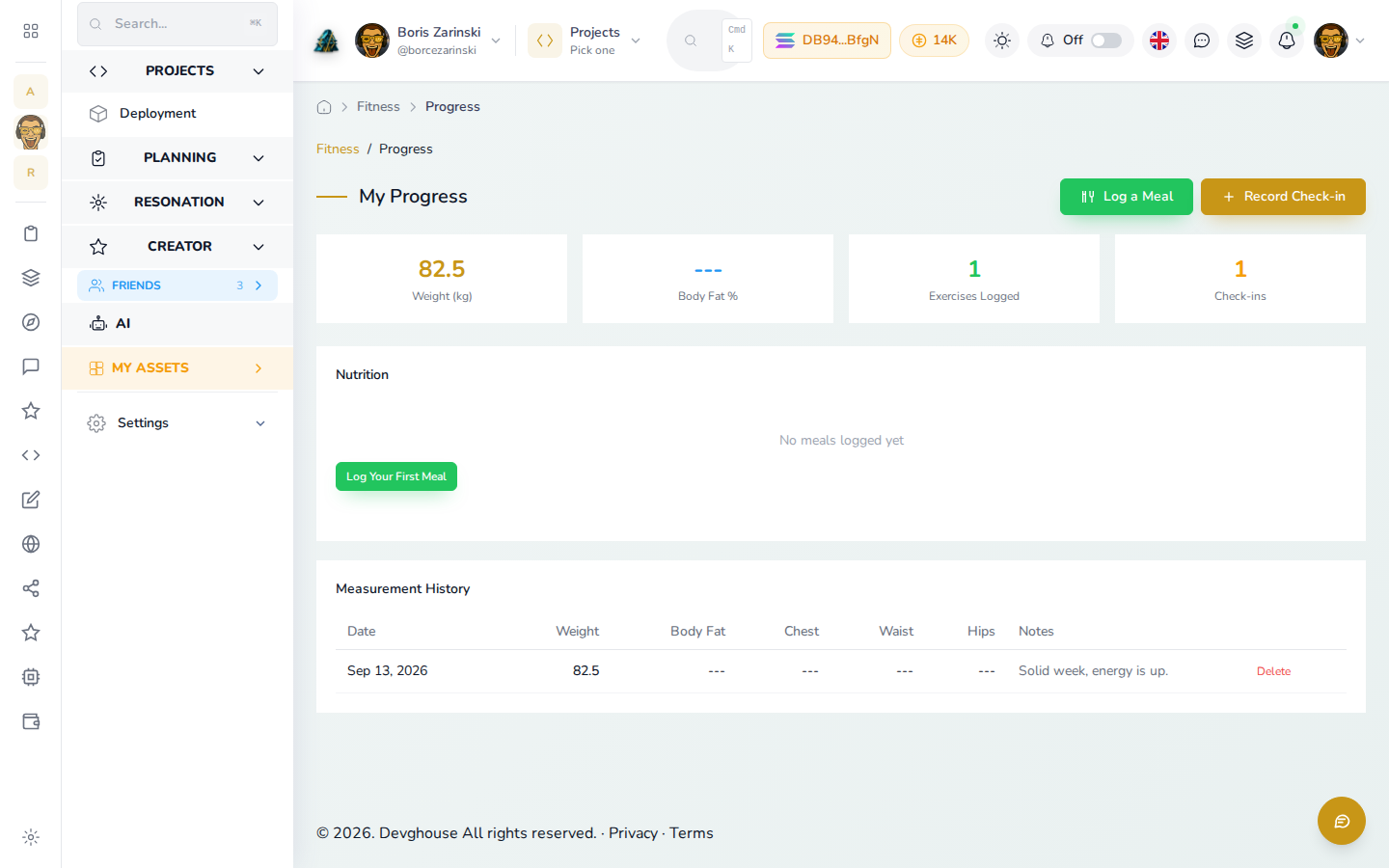
Your latest weight and check-in count update immediately, and every check-in is listed below with a Delete option if you log one by mistake. Use Log a Meal on the same page to record what you ate, with an optional photo for a trainer to review.
Your trainer settings
If you are a trainer, your Settings page here controls what clients see about you on the public directory.
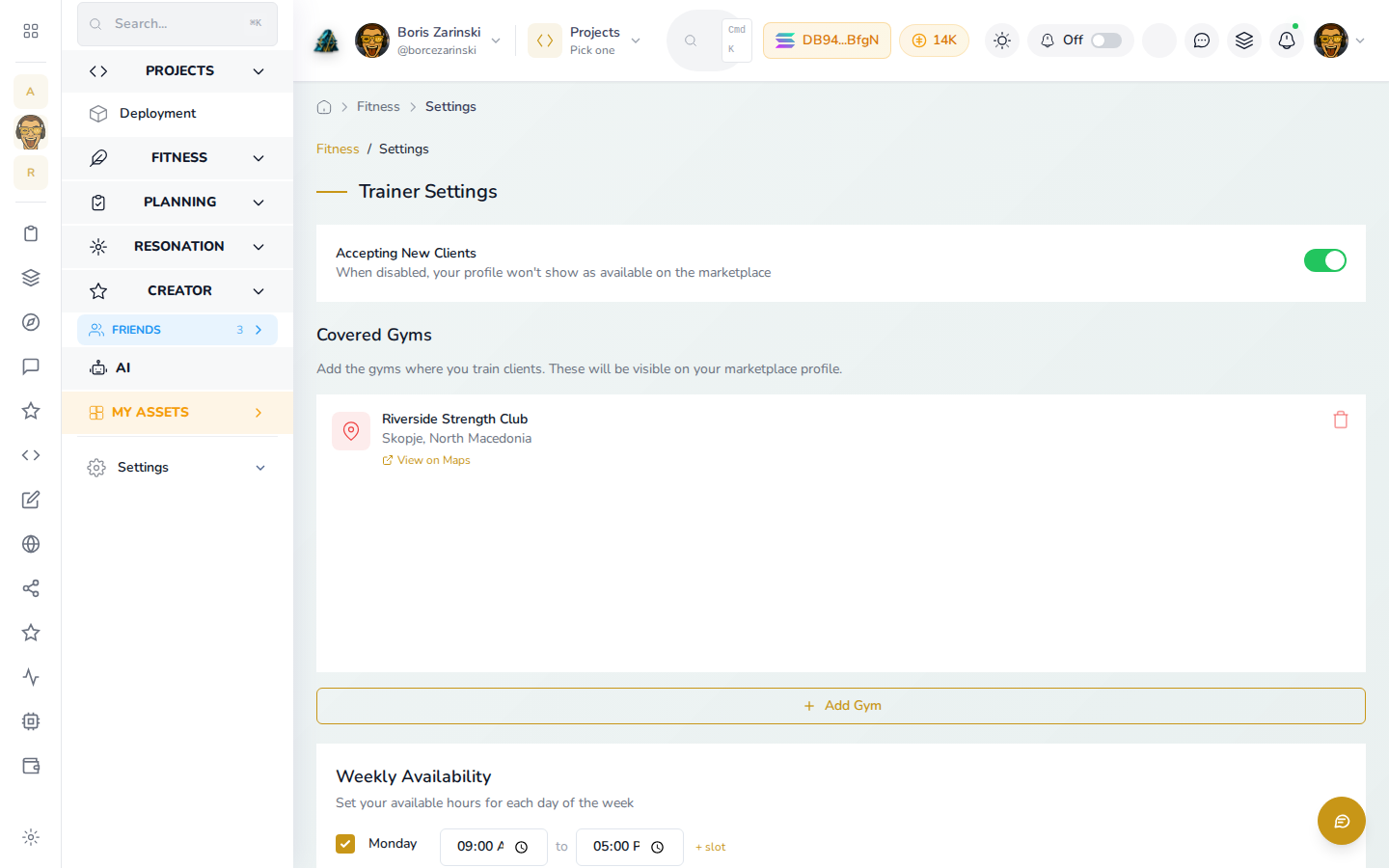
- Accepting New Clients: turn this off any time to disappear from the trainer directory without deleting anything.
- Covered Gyms: add the gyms where you train clients; each one shows on your public profile with a map.
- Weekly Availability: tick the days you are generally free and set hours; this is shown for reference on your profile, it does not book anything yet.
- Timezone: set once so your availability reads correctly to clients anywhere.
Click Save Settings after any change.