
Teaching a course
Anyone with a DevGhouse account can teach a course. This side of Courses lives in your main workspace, not on courses.devghouse.com itself, because a course is really a digital product like any other on DevGhouse.
1. Open My Courses
- Click Teach on DevGhouse on the Courses home page or catalog, or go straight to app.devghouse.com/my-courses.
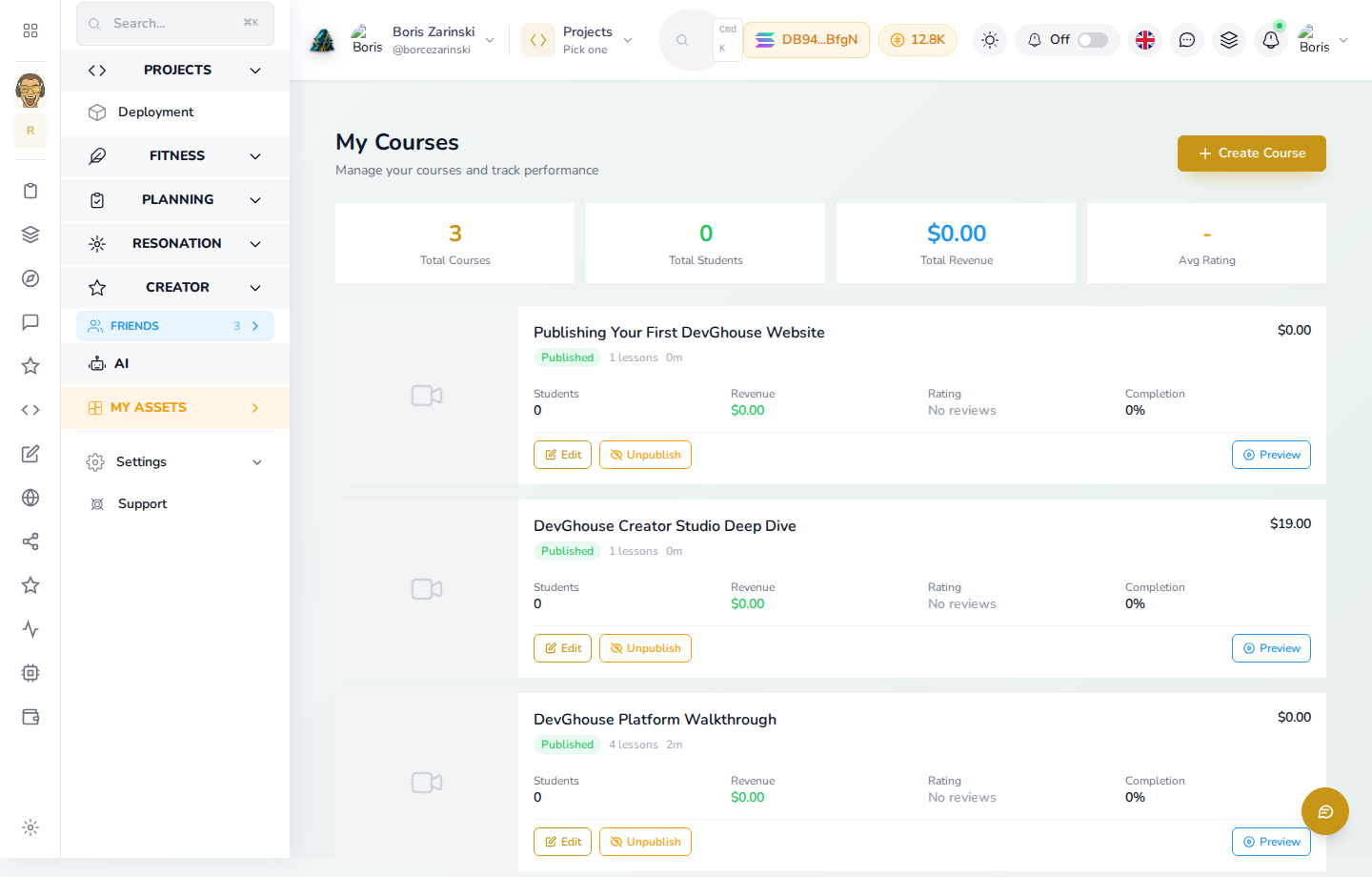
- Click Create Course.
2. Fill in the course basics
This opens the same New Project form every DevGhouse product uses for a listing, with Course / Videos as the project type.
- Under Project Purpose, leave Marketplace / Digital Product selected so it can be listed and sold; choose Showcase instead if you only want it on your profile, not for sale.
- Under Basic Information, name the project and set Product Type to Course / Videos, then fill in the headline and full description.
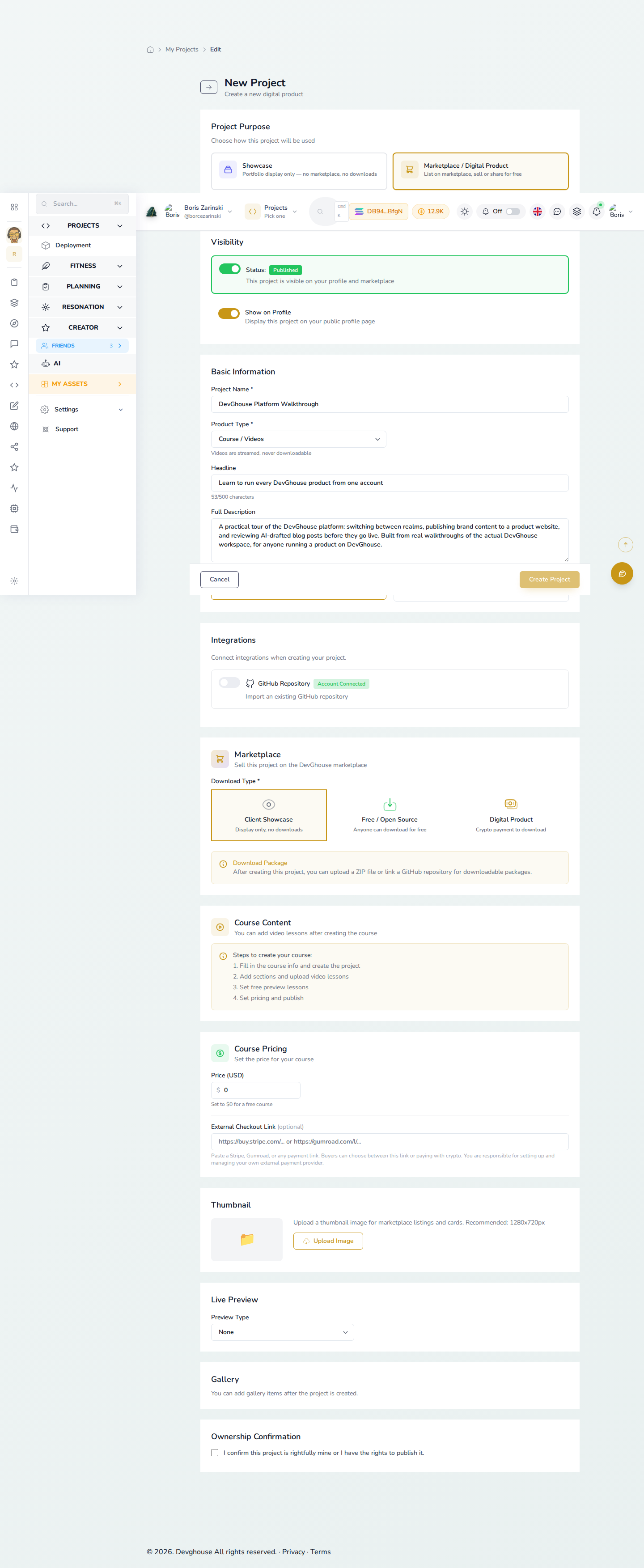
- Set your price under Course Pricing, or leave it at $0 for a free course.
Creating a project spends credits, and listing it on the marketplace spends a separate one-time credit fee the form shows you before you confirm. Both are shown up front; nothing is charged silently.
3. Add your lessons
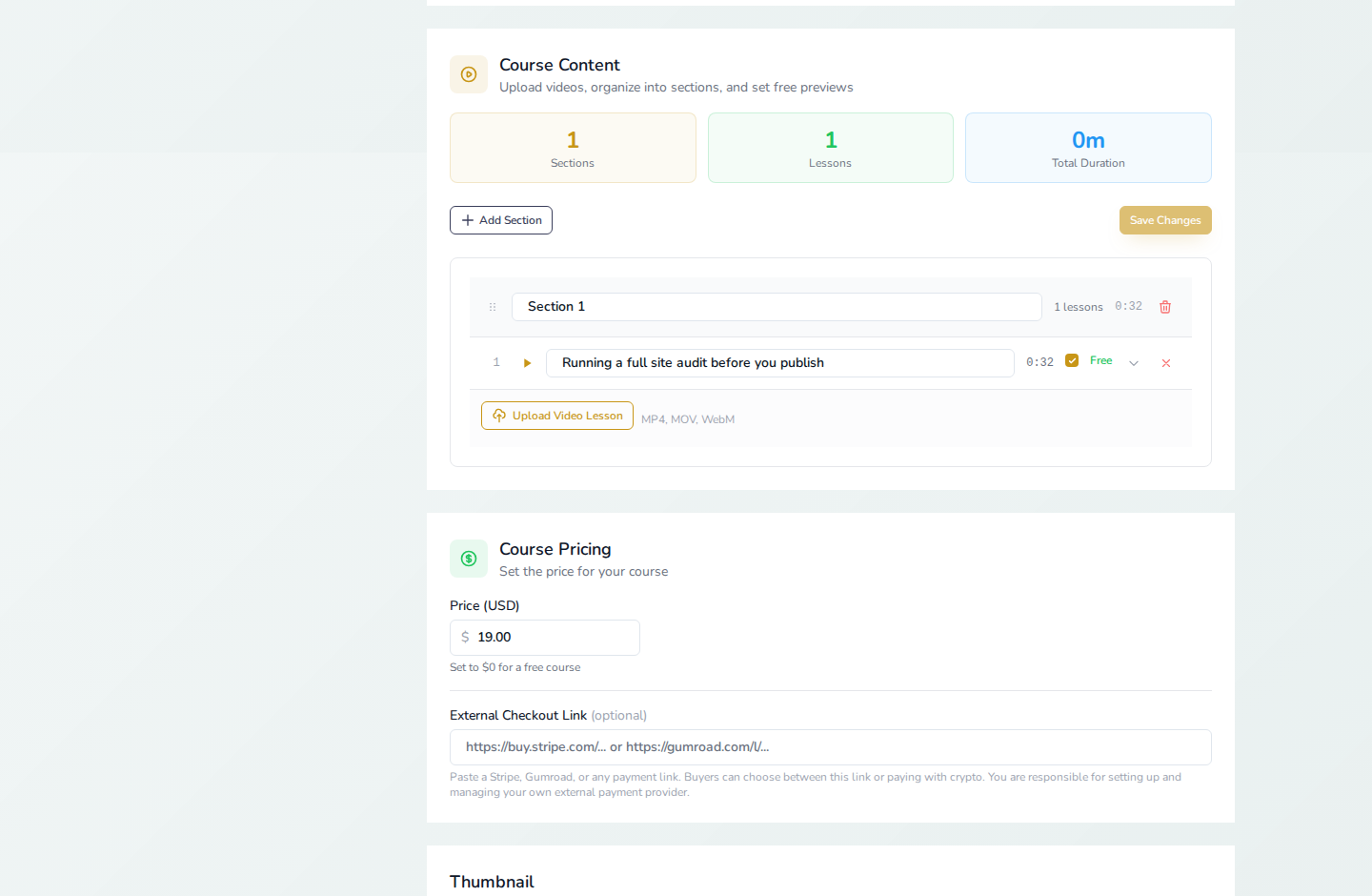
Video lessons are added after the project itself exists, not during this first form:
- Click Create Project to save the course.
- Open the course again from My Courses and use its Course Content manager to add sections, then upload a video file for each lesson. Each lesson's length is read from the video automatically.
- Mark any lesson you want non-buyers to watch for free as a preview, using the checkbox next to the lesson.
- Come back to Course Pricing to confirm the price, then publish.
What happens before learners can find it
A newly published course does not appear in the public catalog the instant you publish it; new marketplace listings, courses included, go through a review step first. Give it a little time, then check the catalog on courses.devghouse.com.
Learner tools stay separate
Being an instructor does not change how you learn. Your own purchases, hearts, and lesson progress on other people's courses still live in My Learning and your library, completely separate from the courses you teach.