Credits and the entry fee
DevGhouse credits are a shared balance you spend across every product, not something specific to Crypto. $1 is worth 100 credits.
What's free
Browsing coins, reading a coin's page, checking the leaderboard, saving and editing a coin draft, checking your launch gate, browsing and registering as a KOL, and watching a trading strategy's dashboard all cost nothing.
The one-time entry fee
The first time you try to launch or trade, you'll hit a one-time fee that unlocks the rest of Crypto for your account:
- Price: 1000 credits ($10), charged once per account.
- Pay with credits, if your balance covers it, or
- Pay with crypto instead: SOL, USDC, PUMP, or DGH (DGH carries a 30% discount). Picking a token highlights it and the button relabels to Pay with
<token>:
This fee unlocks launching and trading; it is separate from, and on top of, the smaller per-action costs below.
What costs credits after that
| Action | Cost |
|---|---|
| Mint a coin on Solana or Base | 100 credits, shown on the launch form before you confirm |
| Buy or sell on the bonding curve (pump.fun swap) | 10 credits, plus the on-chain amount you're trading |
| Collect a coin's accrued creator fees | 10 credits |
| Prefill a KOL profile from your X account | 1 credit (free if no X account is connected) |
| Seed a new prediction market | At least 10 credits, used as the market's starting liquidity |
Buying a coin through the Buy panel on its page, or connecting your own wallet through Jupiter, spends your own SOL directly and does not touch your DevGhouse credits at all.
Add credits
Click your credit balance in the top bar (the amber pill next to your account picture) from anywhere in Crypto to open Purchase Credits.
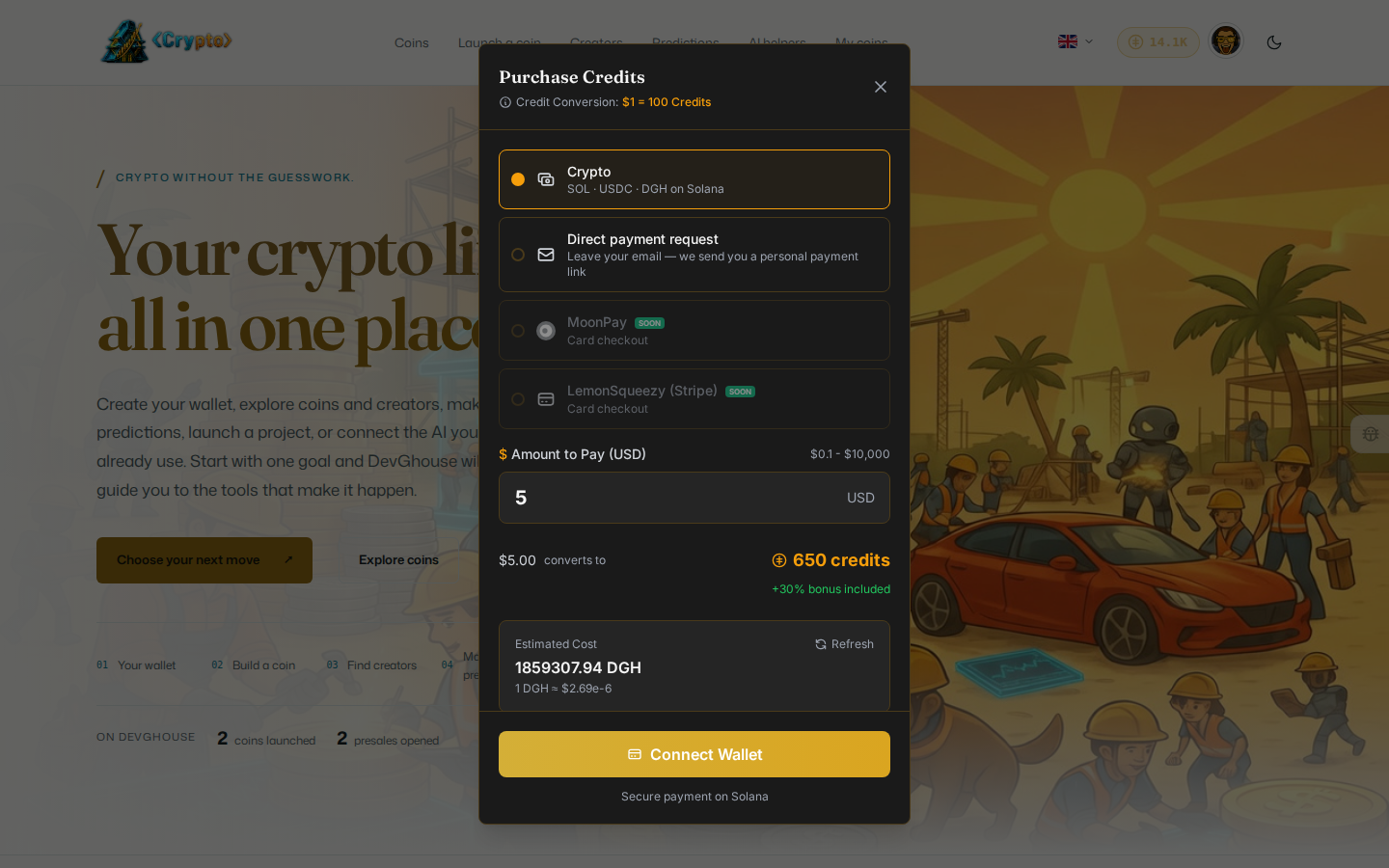
- Choose a payment method: pay with crypto (SOL, USDC or DGH on Solana) by connecting a wallet, or request a direct payment link by email. Card checkout (MoonPay, card via Stripe) is marked "Soon" and not available yet.
- Enter the amount in USD you want to spend.
- Confirm the credit total, then complete the payment with your connected wallet.
DevGhouse's own coin (DGH)
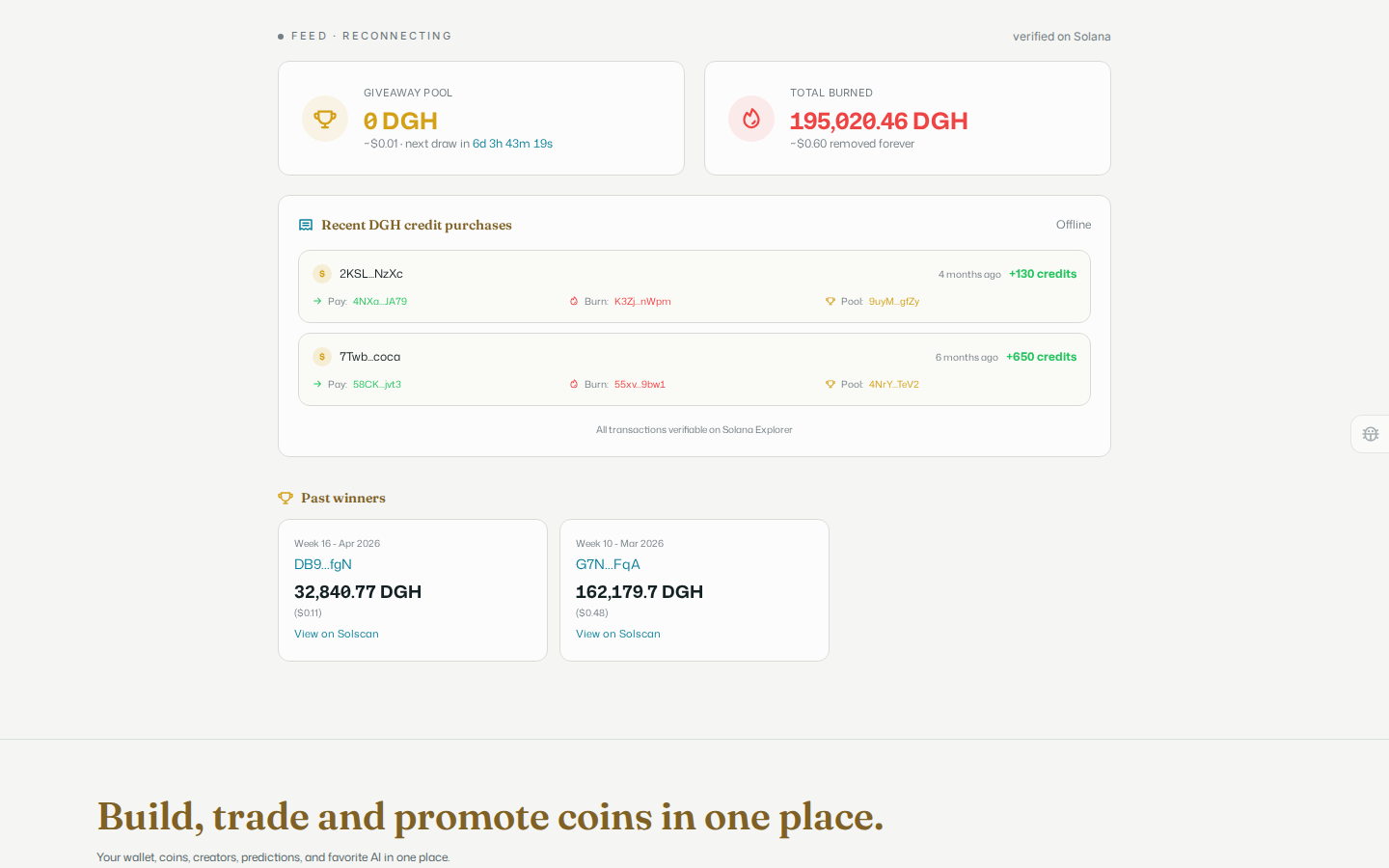
DevGhouse's own coin, DGH, is documented on the token page at devghouse.com/tokenomics: where it is accepted, how each DGH payment is split between a burn, a weekly giveaway pool, promotions, an optional referrer and the company wallet, and how the scheduled weekly draw works. That page is the only one that links the giveaway. This is separate from anything you launch yourself. Crypto's own Tokenomics page shows the live band with the real numbers, total burned, the recent purchases that fed it, and past weekly winners with their payout and a link to Solscan: