
Launching a coin
Launching happens in two stages: a free draft you can take your time on, and a paid mint that is final. Nothing is minted and nothing is charged until you deliberately click launch on a draft that has passed its checks.
Start a draft
- Click Launch a coin in the top navigation, then Start a draft (or go straight to
/tokens/drafts/new). Name it and pick a ticker in the dialog that opens, and the draft is created. - Upload a Coin image, then write its Story, at least 80 characters describing what it is, why it exists, and who it is for. The character counter turns green once you clear the minimum.
- Optionally add a website, an X handle, a link to your first post on X, and a theme music link.
- Click Save draft. Below the form, the launch gate checklist updates live as you fill things in.
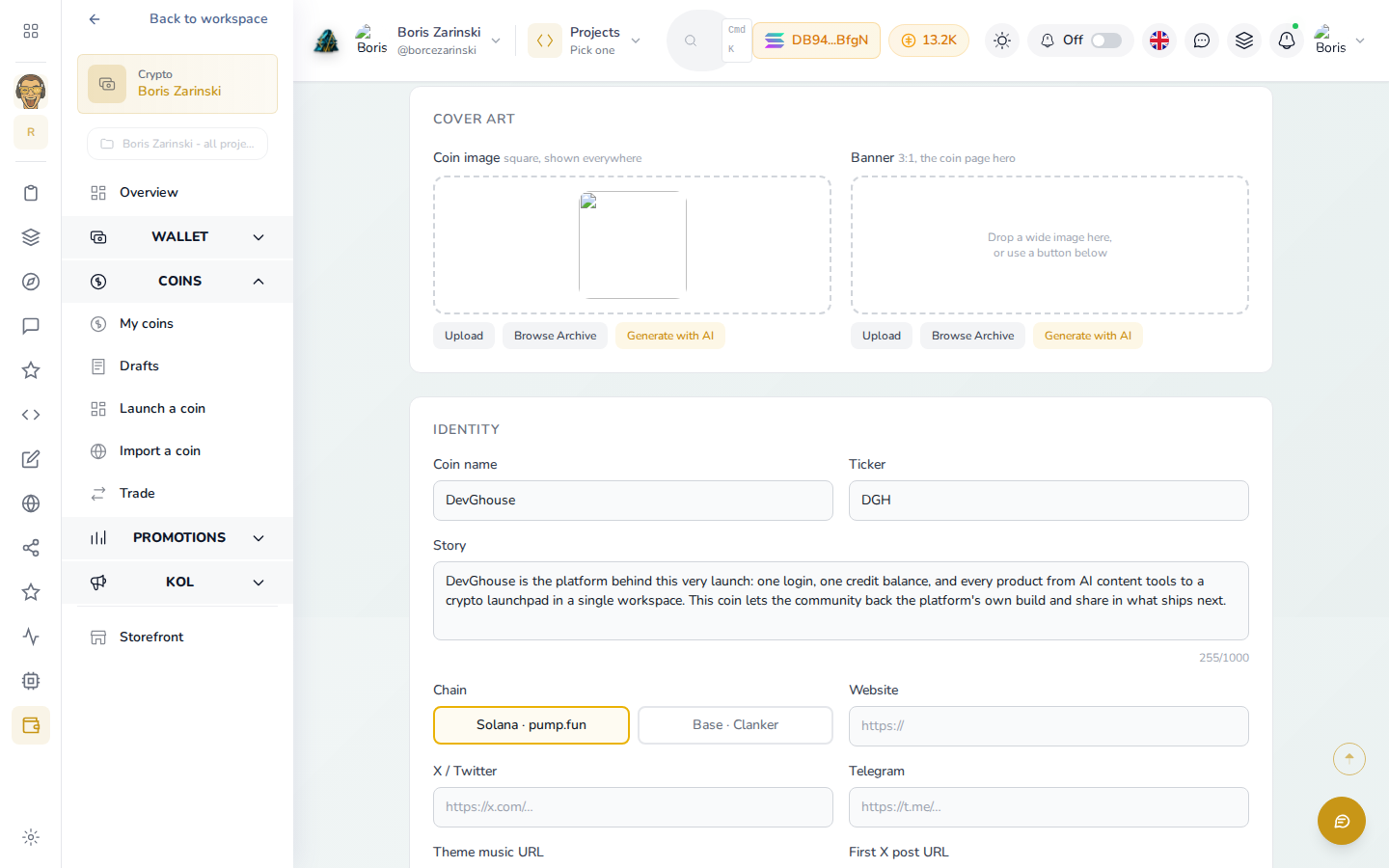
A draft is not a coin yet. It costs nothing, nothing is on-chain, and every field stays editable for as long as you want.
Check what's missing
Every draft carries a launch gate: a live checklist of what still blocks it from minting.
Three items are required before you can mint:
- Logo uploaded
- Story written (your 80-character minimum)
- Landing page published (see below)
Three more are optional and never block a launch, but are counted so you can see them at a glance: a connected X account, a first post on X, and theme music.
Publish the coin's page
The "landing page published" item needs its own step. Click Compose and publish the coin page on the gate; it opens the page builder in your workspace at app.devghouse.com/coins/design, where you add sections (about, roadmap, links, gallery, and more) and publish them. Once published, that item on the gate turns green and the page is what people see when they open your coin later.
Mint your coin
Once every required item on the gate passes, the Launch button on the draft unlocks. From there:
- Choose a chain: Solana (via pump.fun) or Base (via Clanker). Robinhood Chain is listed but not available to launch on yet.
- Confirm your coin's name, ticker, image and links carry over from the draft.
- Optionally set an initial dev-buy (an amount of SOL you spend right at launch to hold some of your own coin) and an automatic take-profit target.
- Review the platform fee shown on the form (100 credits on Solana) plus any on-chain cost, and confirm you have enough credits and, if you're doing a dev-buy, enough SOL in your platform wallet.
- Click Launch. This is final: your coin mints on-chain and the fee is charged immediately.
Before you can reach this step at all, your account needs to have cleared Crypto's one-time entry fee; see Credits and the entry fee.
Manage a coin after it launches
Every coin you have launched, plus every draft you have started, shows on My coins (/tokens/manage).
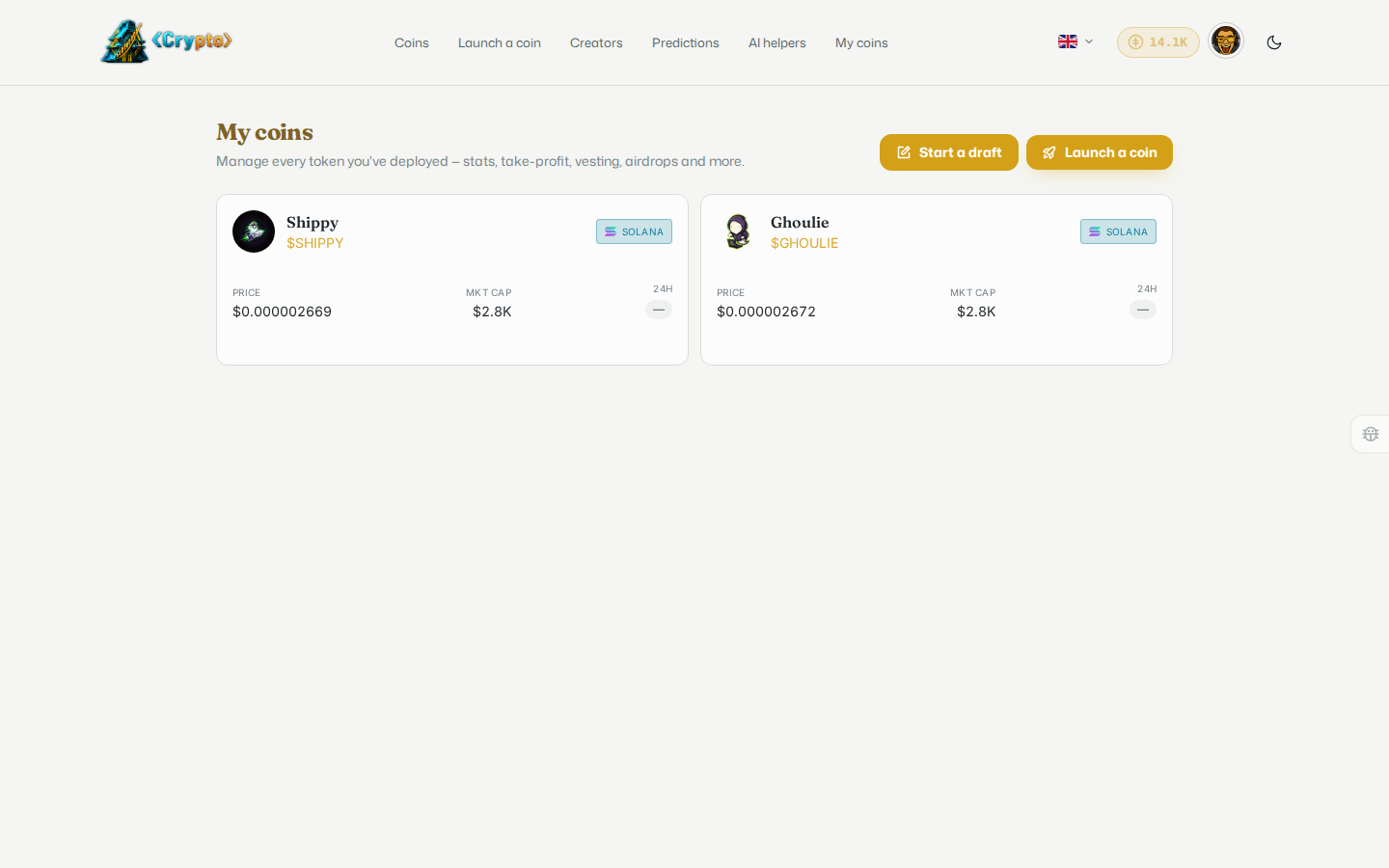
Open a launched coin from here to reach its management workspace: an Overview with its symbol, chain, launchpad and live market cap, plus a Coin section (page designer, public page) and a Money section (Presale, Vesting, Airdrops) and a Growth section (Blog, Forms, Promote, Growth) in the sidebar.
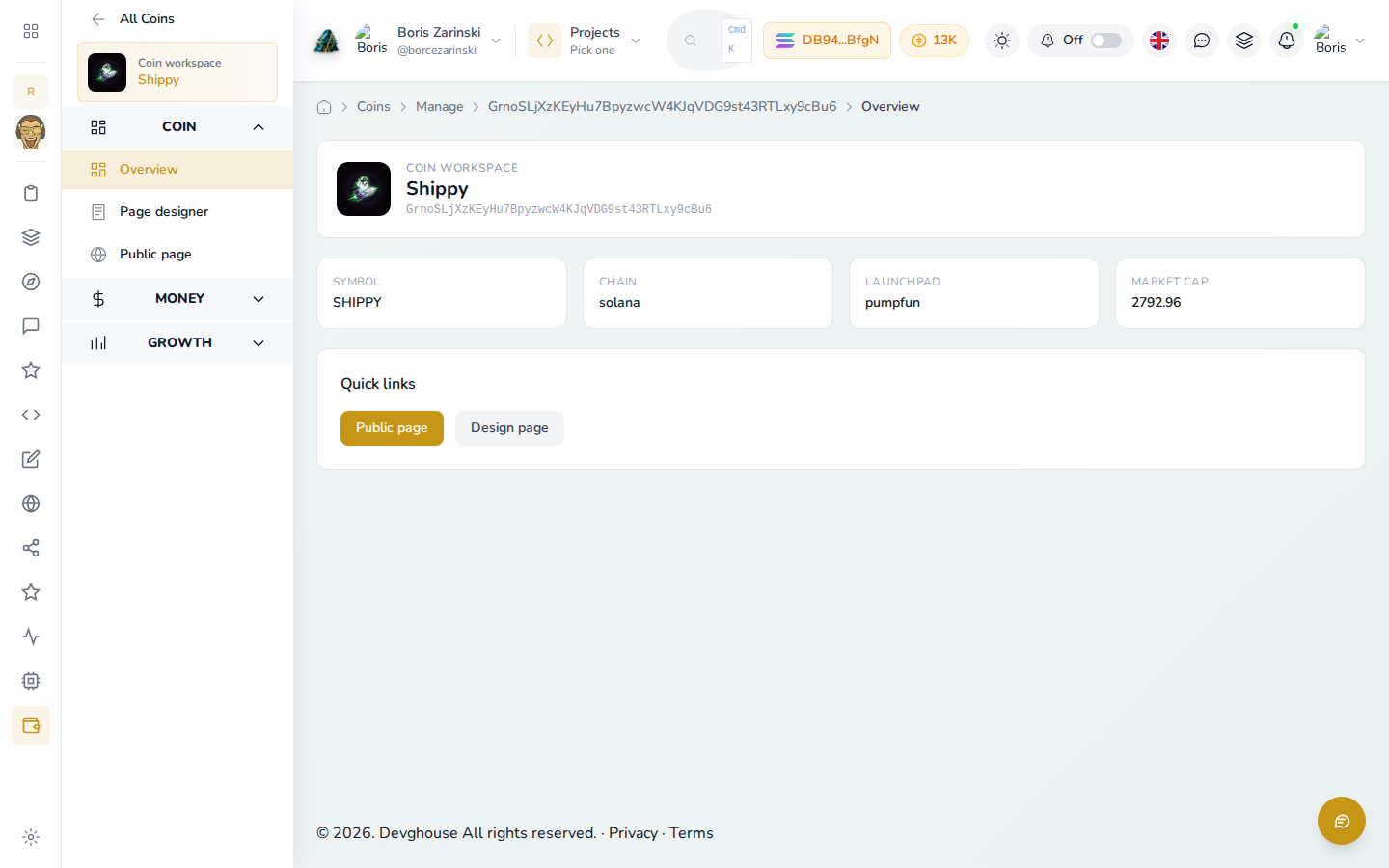
This is where you reach vesting schedules for team or investor allocations, send an airdrop of your own coin's supply to a list of wallets, open a presale, and manage the Promote tab to hire a KOL for this coin specifically.
Raising before you mint (presales)
If you'd rather raise funds first and mint once you've hit a target, use Presales instead of a straight launch: contributors send SOL to a pool wallet, the coin mints automatically once the deadline hits, and tokens distribute pro-rata with on-chain receipts. If the pool never reaches its softcap by the deadline, everyone is refunded automatically. A draft's Presale panel shows the softcap, hardcap and duration once its name, ticker and cover image are saved, with an Open the presale button that starts the raise. That button is a real, public commitment, not something to click through just to see what happens. Open the launchpad from the Presales page to start one; when none is running, the page simply says so.