
Getting started
Create your account
- Go to crypto.devghouse.com and click Create an account (or Sign in if you already have a DevGhouse account).
- Sign up with Google, GitHub, X or Discord, or fill in your name, username, email and a password.
- Agree to the terms and click Create account. You are signed in immediately. There is no email verification step to wait on.
Your account is the same DevGhouse account used across every other product: if you already have one from another product, use Sign in instead. Either way, the first thing you land on is the goal picker:

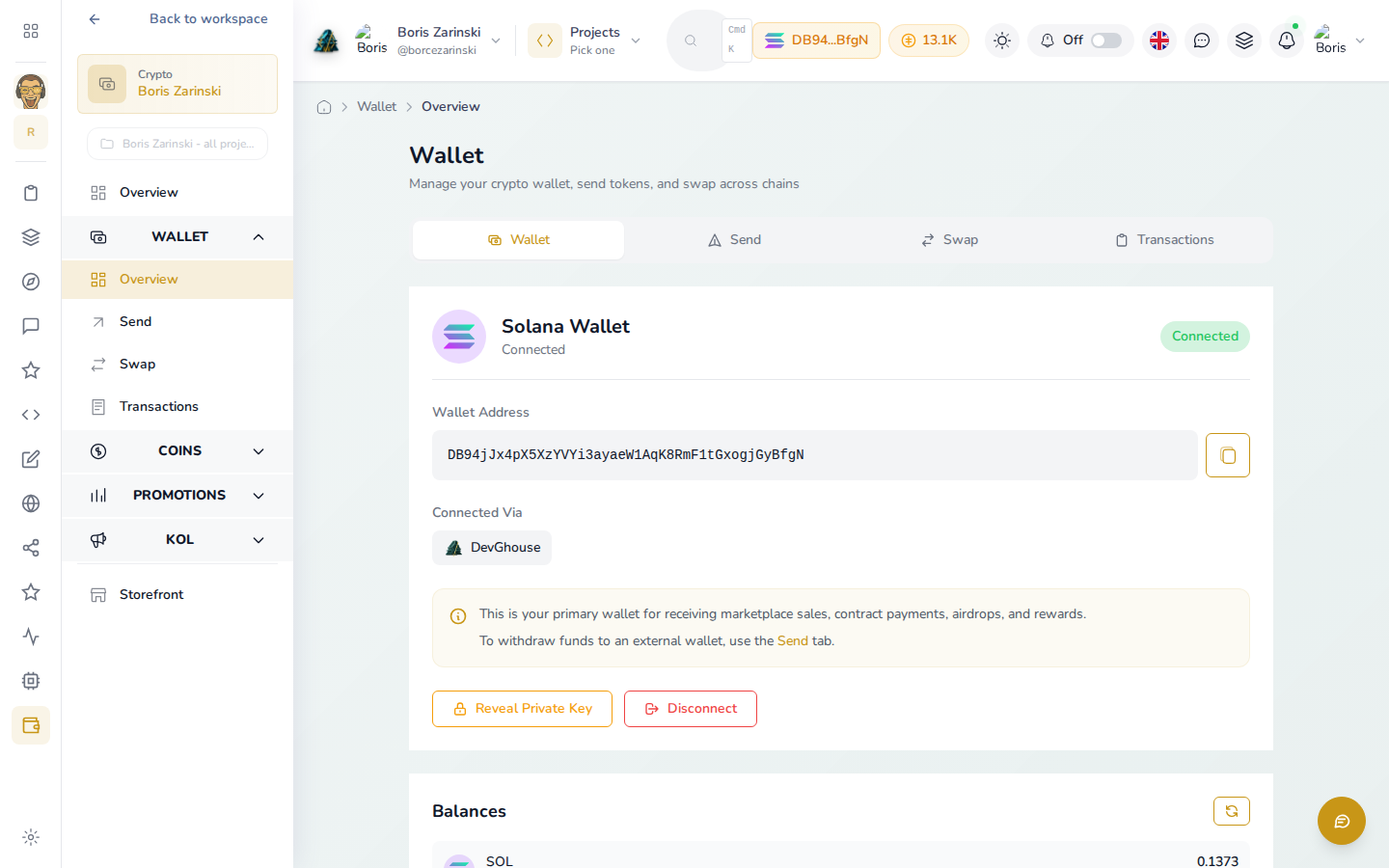
From here you can jump straight to your wallet. Click Wallet in the footer, or Choose your next move on the Crypto home page, to see it filled in with your own Solana address and balance:
Pick your first goal
Rather than guessing which page to open, start at /start. It asks what you actually want to do and only shows you what that needs.
- Open Choose your next move from the Crypto home page, or go to
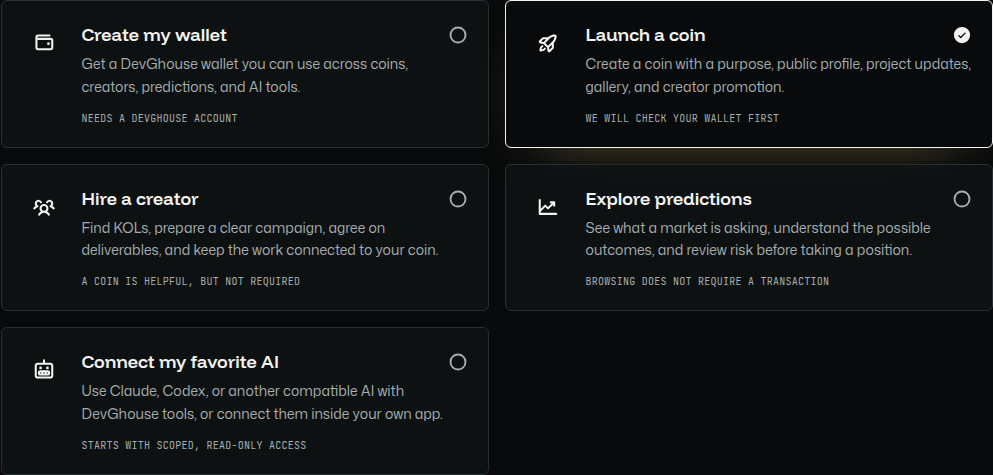
/startdirectly. - Pick one goal: create your wallet, launch a coin, hire a creator, explore predictions, or connect an AI assistant. Each card tells you upfront what it needs (for example, an account, or a wallet). Picking Launch a coin turns its radio on and opens a "Your path" panel below it:
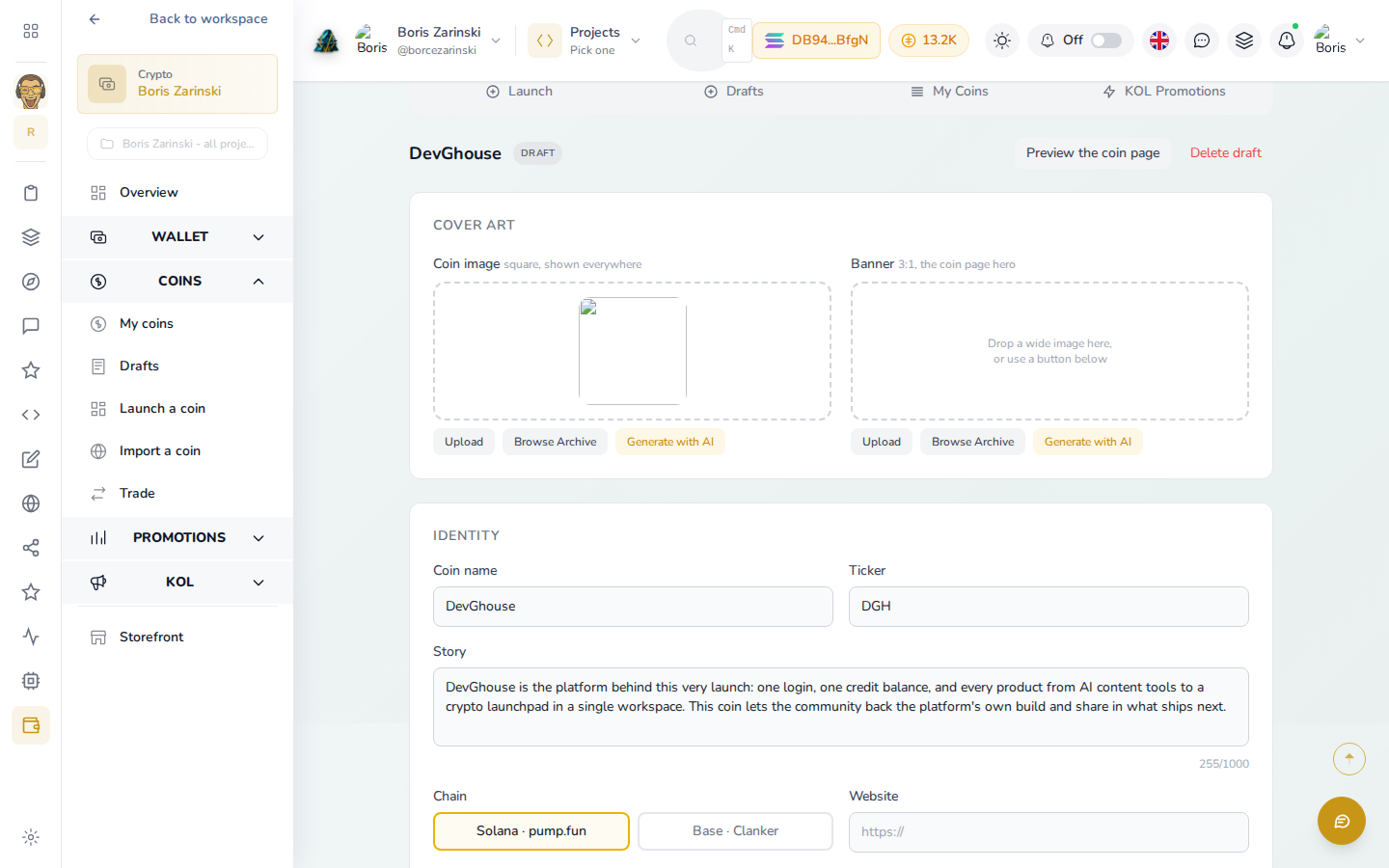
- Click Continue to launch a coin. It takes you straight into the real draft form: name, ticker, story, chain, cover art, and the launch gate checklist below it, already tracking what you've filled in:
You can come back and pick a different goal at any time. Picking a goal here does not commit you to anything or spend any credits, nothing mints until you pass the launch gate and click Launch on a finished draft.
What's next
- Not sure what is even out there yet? Start with Browsing coins.
- Ready to launch something of your own? Go to Launching a coin.
- Want to trade instead? See Trading.
Your credit balance shows in the top bar on every page (the small amber pill next to your account picture). Nothing you do while just browsing or filling in a draft spends any of it; see Credits and the entry fee for what actually costs credits.