
Trading
Crypto's trading screen is a set of ready-made, one-click strategies for perpetual futures (leveraged positions on markets like SOL, BTC and ETH), not a raw order ticket. Every preset comes with its risk already dialled in, so you are choosing a strategy, not configuring leverage and stop-losses from scratch.
Pick a strategy
- Click Trading in the top navigation (or Automation cards elsewhere that link here), or go to
/trading. - Read each preset's card: what it does, its leverage, its size per trade, its take-profit and stop-loss percentages, an exposure cap, and how often it checks in.
- Click a strategy and its card marks itself Selected while the full deploy form opens below, prefilled with that preset's numbers, every field still editable:
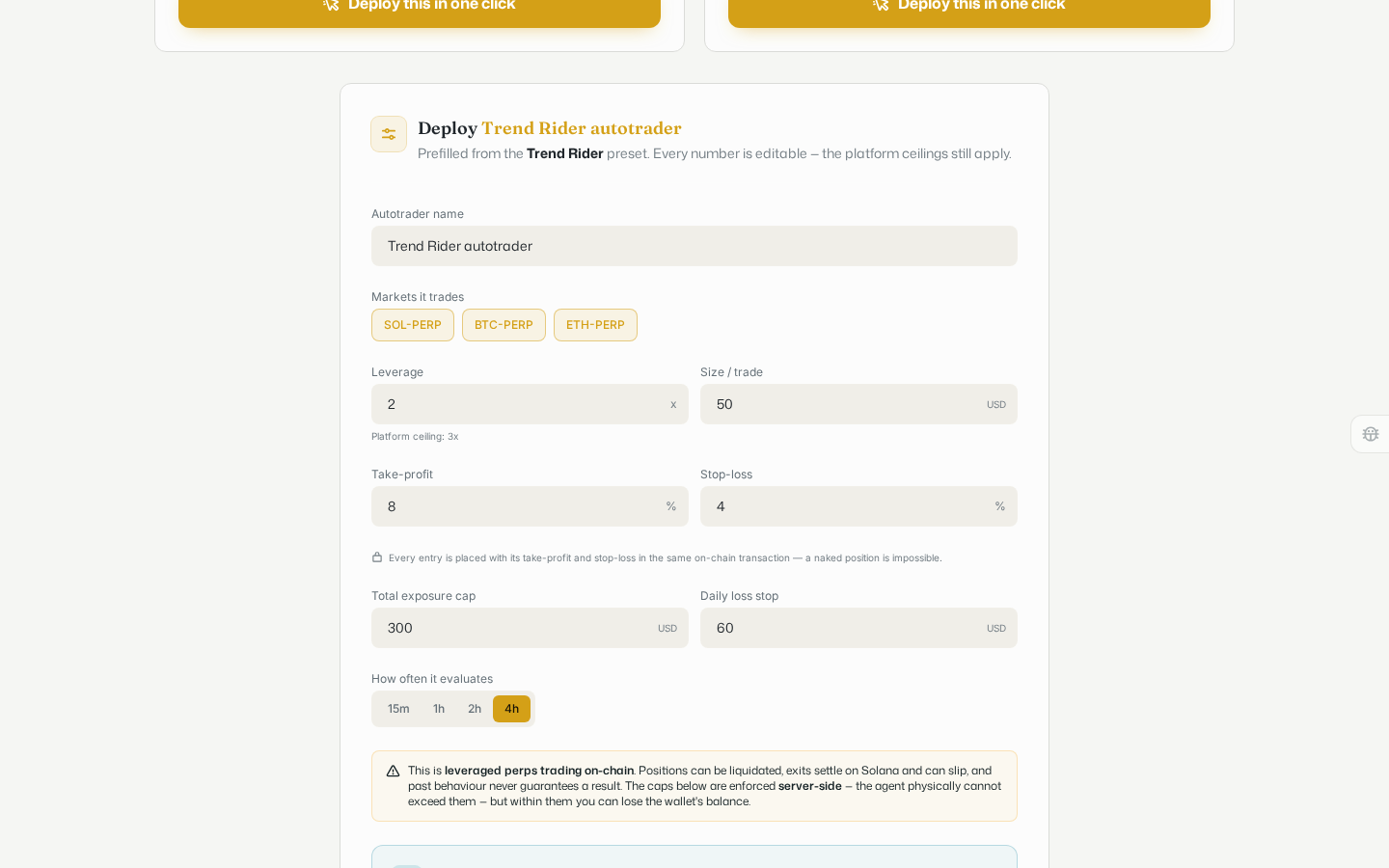
Below the form, a capped trading wallet step asks how much to fund it with, that amount is the strategy's entire blast radius, it can never lose more. Confirm the wallet and the cap before you fund and deploy; the caps are enforced on the server, not just suggested.
Every preset only ever risks the wallet and the cap you confirm. It never widens its own risk on its own.
Watch what's running
Once a strategy is deployed, open the Dashboard tab to see it live: open positions, their take-profit and stop-loss brackets, profit and loss, and a one-click halt if you want to stop it. Before anything is deployed, the dashboard just tells you that and links back to the strategy list.
Trading a coin directly
To buy or sell a specific coin yourself rather than run a strategy, use the Buy panel on that coin's own page instead; see Browsing coins. That is a manual, wallet-to-wallet swap through Jupiter, separate from the automated strategies on this page.