
Common problems
"My render failed"
Open the project from Your projects. Its page shows the reason in plain terms, for example the source track being flagged, or a provider hiccup. Your credits for the unfinished part are refunded automatically; you don't need to ask for that separately.
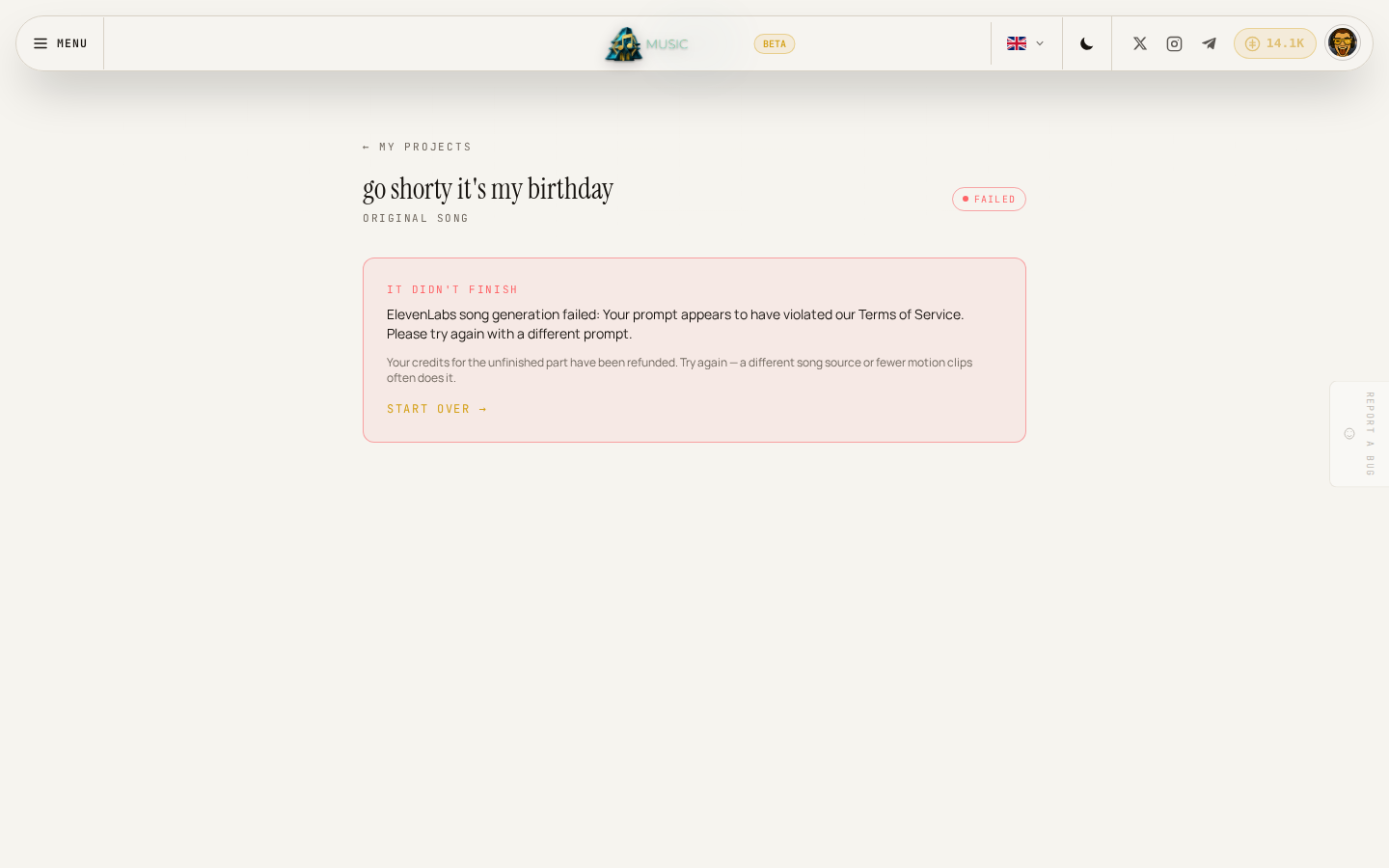
Click Start over and try again. If the same source or wording keeps failing, try a different reference track, simpler wording, or a lower motion-clip budget.
"The Create button is greyed out"
Each mode needs its minimum filled in before Create becomes clickable:
- Write a song from scratch needs a Style.
- Build a video on your own track needs a YouTube link or an uploaded audio file.
- Reimagine a song needs both a reference track and a description of how to change it.
If you're mid-upload (audio or a photo), Create stays disabled until the upload finishes.
"I got an insufficient credits message"
You don't have enough balance for what you're trying to make. A message points you to buy more credits; see Buying more credits. Nothing is charged when a creation is blocked this way.
"The video's motion clips don't match what I expected"
Only your longest lyric lines become full motion clips; the rest render as a still image with a slow Ken-Burns pan. Raise the motion-clip budget before you create to get more of the video in motion, keeping in mind that costs more credits. This can't be changed after a video finishes rendering; you'd need to render again with a higher budget.
"I can't edit a song or video after it's made"
That's expected today: Music works at the whole-song and whole-video level, with no way to change one section of an existing project. If something needs to change, make a new one with an updated description or direction.
"I signed in but I'm still asked to sign in again"
Make sure you're signing in with the same DevGhouse account you registered with. If you're part of a shared workspace, check the account menu in the header to confirm you're in the context (personal account or workspace) you meant to be in; credits and projects don't carry over between them.