
Reimagine a song
This mode takes a real track as a starting point and makes something new and personal from it: new lyrics, sung in a sound you describe, with the original's hook as the creative anchor.
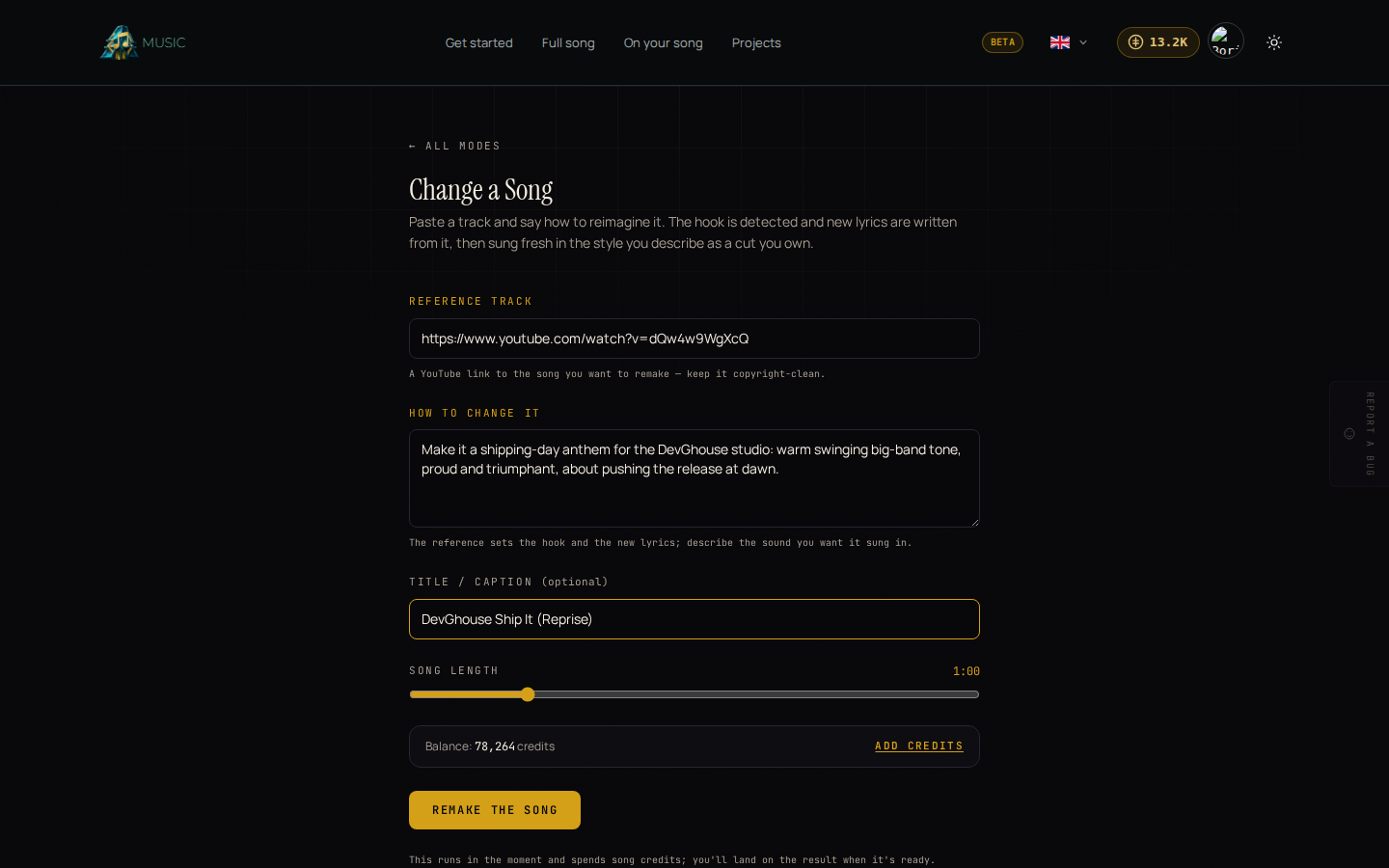
Remake a song
- From the Music home page, open Reimagine a song under "Choose your starting point."
- Under Reference track, paste a YouTube link to the song you want to remake. Keep it to a track you have the right to reuse this way.
- Under How to change it, describe the new direction in plain English, for example "make it about a builder shipping at dawn, warm swinging big-band tone." This is where you set the story and the sound; the reference track supplies the hook.
- Optionally give it a Title / caption so it's easy to find later in Your projects.
- Set Song length (30 seconds to 3 minutes).
- Click Remake the song.
What Music does with the reference track
Music finds the track's real chorus or hook using word-level transcription, not just the first few seconds of the file, and locks the new recording's tone to that clip. It then writes new lyrics following your direction and sings them fresh. The result is a new song project, not an edit of the original file.
What happens after you click Create
This mode runs while you wait rather than in the background: you land on the finished result once it's ready, with the new lyrics shown as proof of what changed. It spends song credits the moment you click Create; see Credits and your own AI account for the amount. From there, you can also turn this new song into its own music video; see Your projects.