
Write a song from scratch
This is Music's "from nothing" mode: you don't need any audio of your own. Describe how the song should sound, and Music writes it, sings it, and renders a matching video, all from one form.
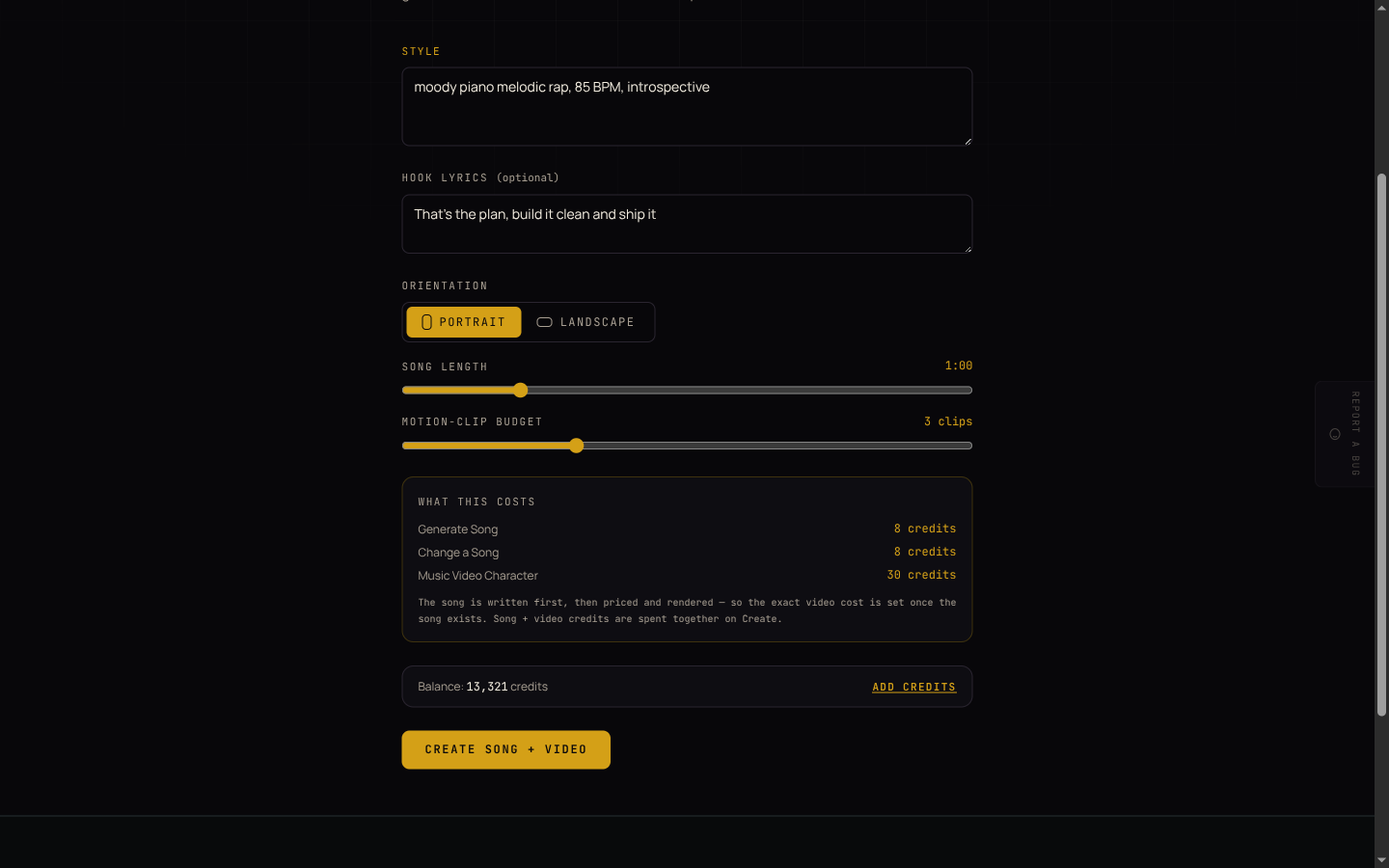
Create a song and video
- From the Music home page, click Start a song, or open Write a song from scratch under "Choose your starting point."
- In Style, describe the sound you want, for example "moody piano melodic rap, 85 BPM, introspective." Be as specific as you'd be describing a song to a producer: genre, tempo, mood, and instruments all help.
- Optionally add Hook lyrics, a line or two you want sung. Leave it blank and Music writes lyrics for you.
- Choose Orientation: Portrait for phones and Reels/TikTok/Shorts, Landscape for YouTube or a wider screen.
- Set Song length (30 seconds to 3 minutes) and the Motion-clip budget (0 to 10). More motion clips means more of the video's scenes get real AI motion instead of a still image with a slow pan, and costs more credits.
- Click Create song + video.
What happens after you click Create
The song is written first, as part of the same request; the video is then queued to render on top of it. You're taken straight to the project's page, where you can watch the video's stages complete. See Your projects for what that page shows and does.
This mode doesn't show a running cost estimate while you fill in the form: the exact video cost depends on the song once it exists, so both the song and the video are priced and charged together the moment you click Create. Check Credits and your own AI account for what a song and a video typically cost, so you have a rough number in mind before you start.