
Forms and leads
If your site's only way for a customer to reach you is a contact form, checking it regularly matters: a message that sits unread for a few days can mean a customer who has already gone to someone else.
Open a site from app.devghouse.com/websites, then Forms in the sidebar.
Linking a form
- New form builds a form for this site from scratch, with the fields you choose.
- Link existing attaches a form you already built elsewhere in your workspace to this site.
Once a site has at least one form, this section shows its stats (forms, submissions, unread, active) and a row per linked form, each with Submissions, Edit, Settings, Unlink and Delete permanently actions.
Reading and clearing submissions
Open a form's Submissions to see every message in an inbox, newest first, a dot marking the unread ones.
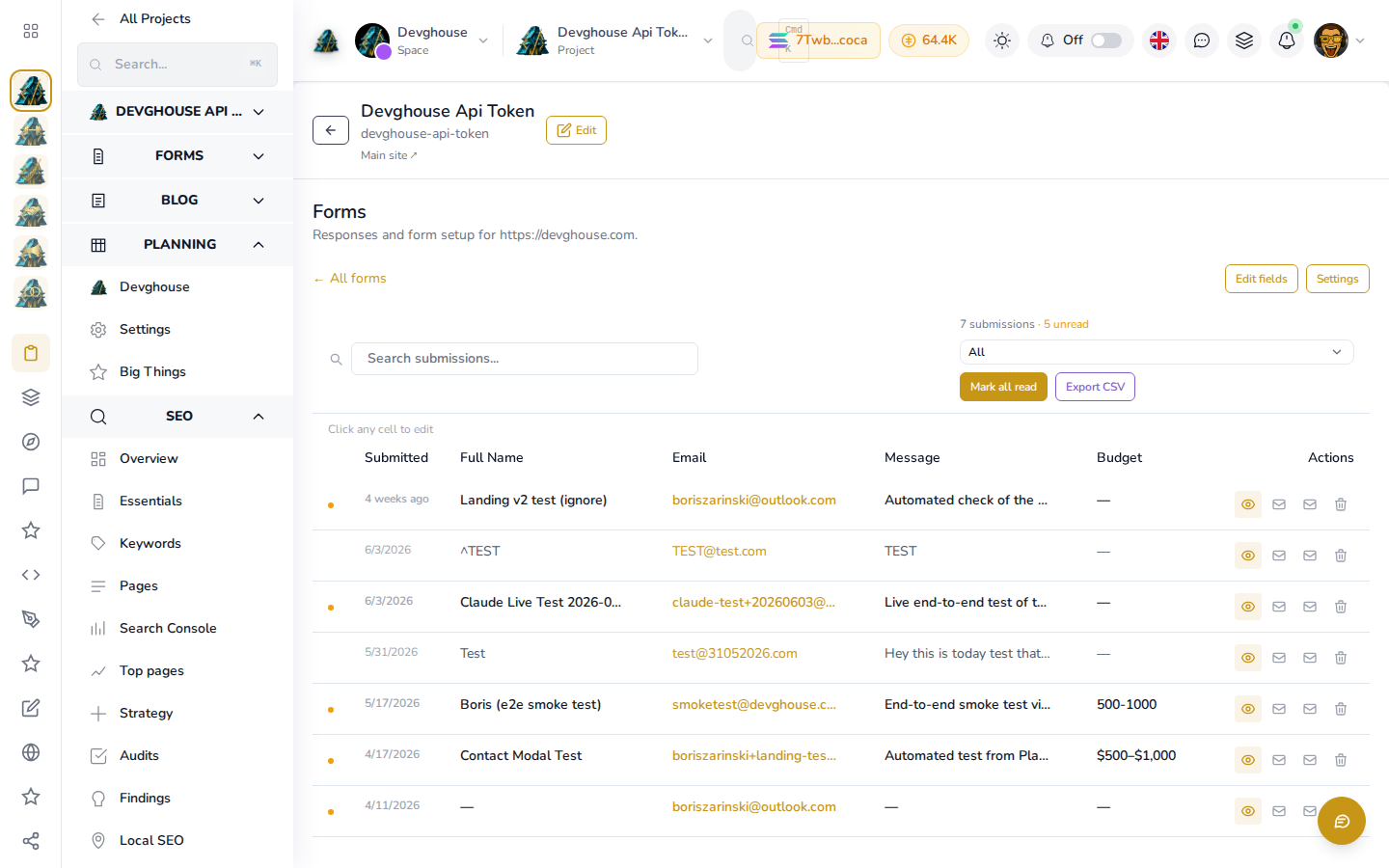
Click any cell to edit it in place, use the eye icon to open and read the full message, Mark all read once you have gone through the batch, or Export CSV to pull every submission out at once. If a submission is spam or you no longer need it, delete it from the same view.
Nothing here spends credits: reading, marking read and deleting are all free, however often you check.