
Credits and billing
Getting started is free
Signing up, opening the studio, and creating a project are all free. New accounts start with signup credits already in the balance, so there's something to spend before you need to buy anything.
What actually spends credits
Everyday editing costs nothing: typing dialogue, rearranging pages and panels, adjusting frames, and saving a version are all free. Credits are spent only when the studio does AI work on your behalf:
- Planning a new project (turning your story description into a page and panel plan).
- Generating or regenerating a panel's art.
- Translating a line of dialogue with the AI.
Before any of these run, the studio shows you which model and effort level will be used, and what your balance looks like right below it, stopped one click before anything is charged.
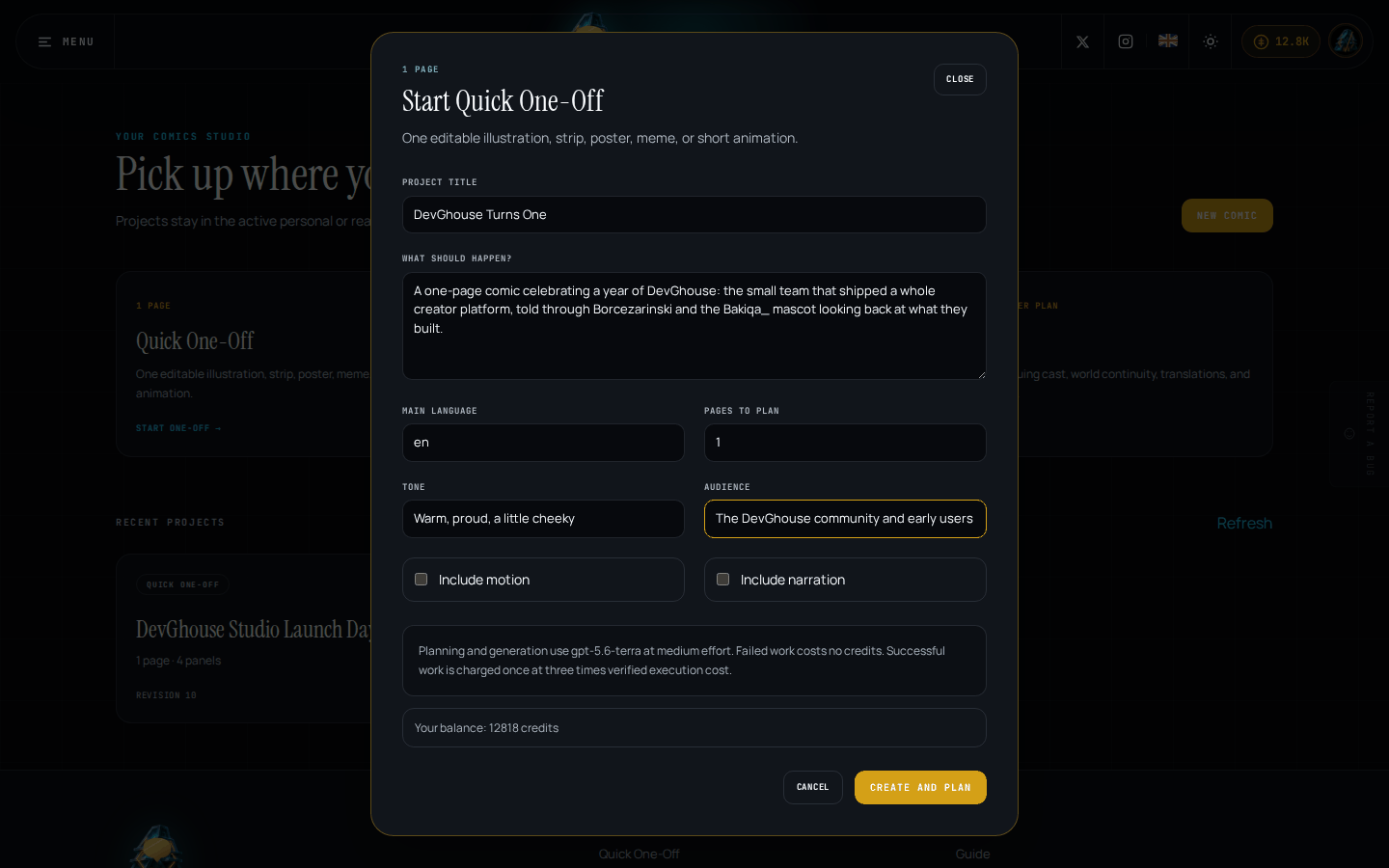
Failed work costs no credits. Successful work is charged once, from the real, verified cost of running it.
Your balance and buying more
Your balance shows as a credits pill in the top right of every page, in the studio header and inside a project. Click it to open the purchase screen.
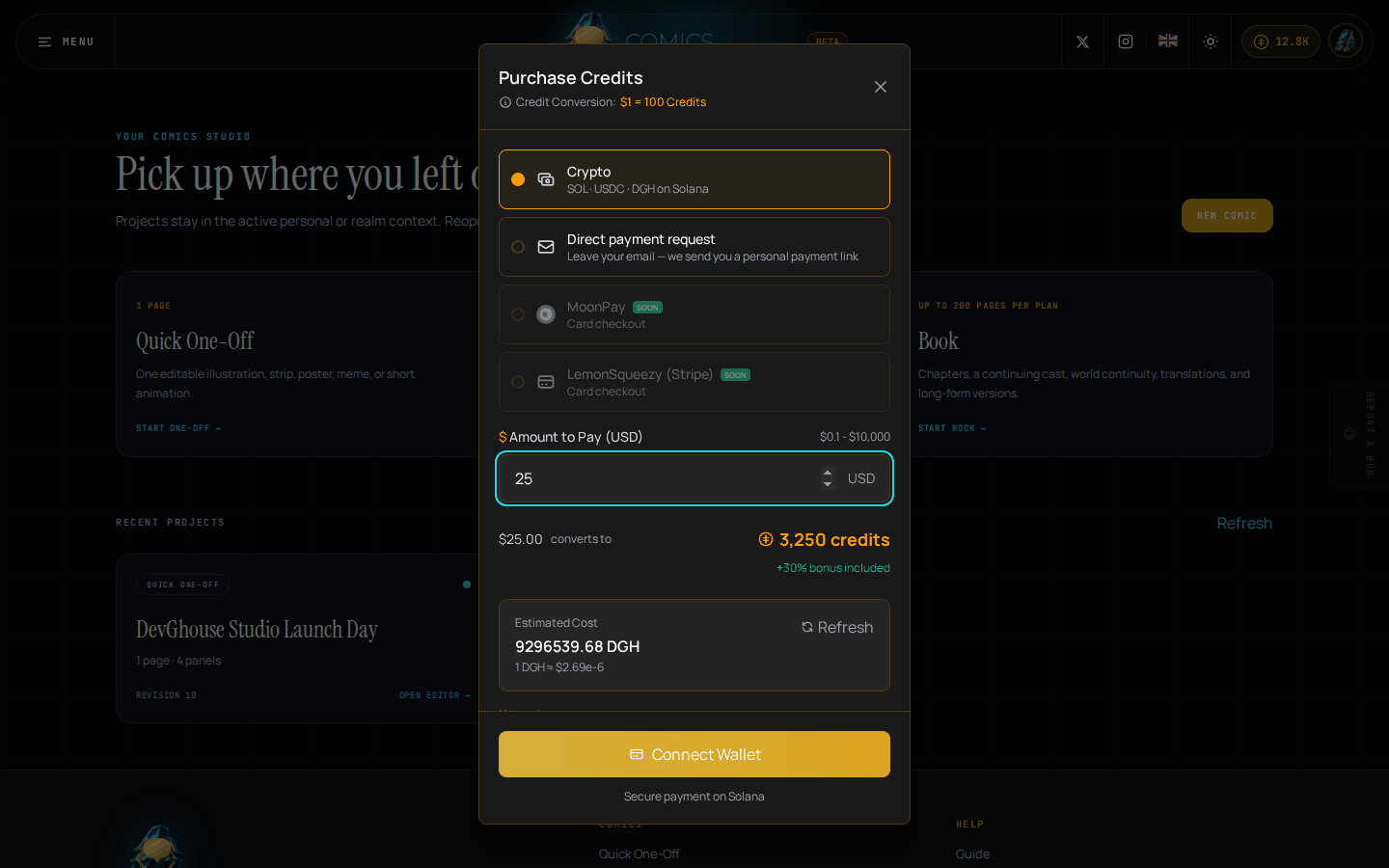
If you're working inside a shared workspace, this screen also lets you transfer credits from your personal balance into that workspace. Credits are shared across every DevGhouse product: credits you buy or transfer here work the same way in any other DevGhouse app.
If you try to start a project and your balance is too low, the Top up credits link next to your balance in the start form opens this same screen, right where you are.
If a generation fails
If planning, a panel generation, a translation, or an asset regeneration fails partway through, nothing is charged. Your project keeps whatever it had before the attempt, so you can fix the prompt and try again without losing anything or paying twice.
What's next
Running into something that doesn't work the way you expect? See Common problems.