
Getting started
Create your account
- Go to comics.devghouse.com and click Sign in in the top right, then Create an account on that page. You can also go straight to
/register. - Fill in your name, email, and a password of at least 6 characters, then agree to the Terms and Privacy Policy.
- Click Create account. You are asked for a 6-digit code sent to your email to verify it. Verifying isn't required before you can start working: your account signs in right away, and you can already open the studio and start a comic while the code is waiting in your inbox.
Your account is the same DevGhouse account used across every other product. If you already have one from another product, use Sign in instead.
Find your way around the studio
Once you're signed in, /app is your studio: "Pick up where you left off." It shows three ways to start a comic, and a list of your recent projects underneath.
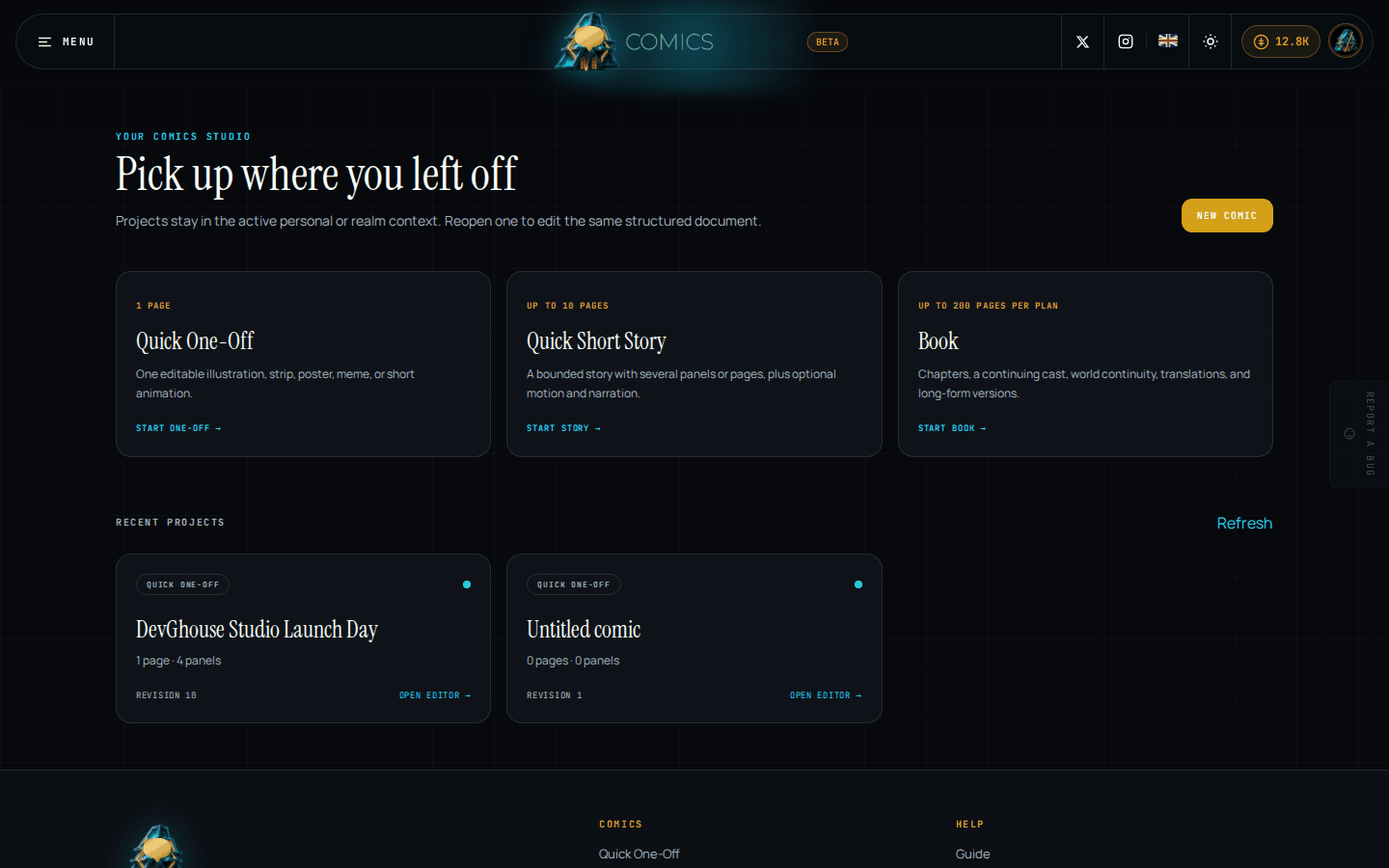
- The credits pill in the top right (the amber pill with a coin icon) shows your current balance. Click it to buy more.
- The theme toggle (the sun or moon icon) switches between light and dark.
- Menu, in the top left, opens quick links to start each comic size and to your open projects.
- Each card under Recent projects names its mode, its page and panel counts, and its revision number; a project you haven't planned yet, like the one on the right above, sits at "0 pages · 0 panels" until you open it and start adding pages.
- The first time you sign in, Recent projects is empty and shows a single Start a comic button instead of the grid.
What's next
- Ready to describe your first story? See Starting a comic for both ways to begin.
- Want to know what's free and what costs credits first? See Credits and billing.