
Design Files
The Assets module is DevGhouse's media library: every file you upload or generate lives there, always on, no setup needed. Figma is the one connection you add to it, so a real design file becomes something your workspace (and your assistant) can read from directly.
Connect Figma
- From your workspace home, open My Assets, then Figma.
- Click Connect with Figma and follow the sign-in prompt. Figma connects with a personal access token rather than a full account login, so you paste a token from your Figma account settings instead of signing in with a password.
- Once connected, the page shows your Figma account and a Scrape Figma File form.
Pull a file into DevGhouse
- Copy the URL of a Figma file (for example,
https://www.figma.com/file/abc123/My-Design). - Paste it into the field under Scrape Figma File.
- Leave Export Frames and Export Components checked to bring in both, or uncheck either one.
- Choose an image format (PNG is the default) and a scale (1x or 2x).
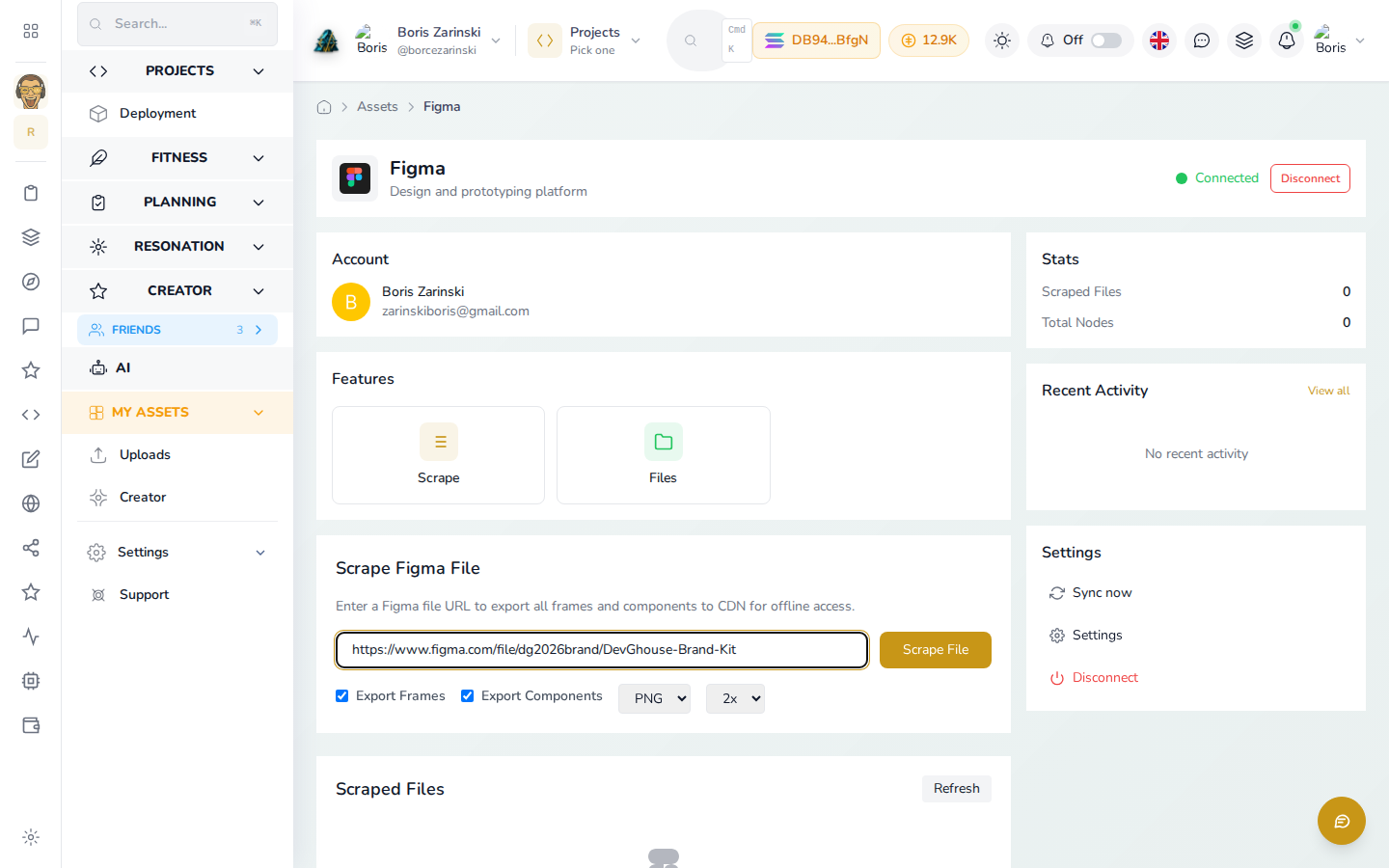
- Click Scrape File.
The frames and components land under Scraped Files below, saved to your CDN so you (or anyone with access to the file) can reuse them anywhere in DevGhouse, without opening Figma again.
Figma connects for reading and organizing your designs. DevGhouse does not create, edit, or delete anything inside Figma itself.
For agents and routines
With Figma connected, an assistant using your MCP Server can read a file's layers with figma_get_file, pull specific frames with figma_export_images, and read or post design review comments with figma_get_comments and figma_post_comment. That makes "match the button styles from our homepage design" or "list what's changed on this file since last week" something you can just ask for.