
Creating a market
Anyone signed in can create a market. You need to seed it with your own credits, which also become its starting liquidity, so think of it as opening a small pot the board then trades against.
Create the market
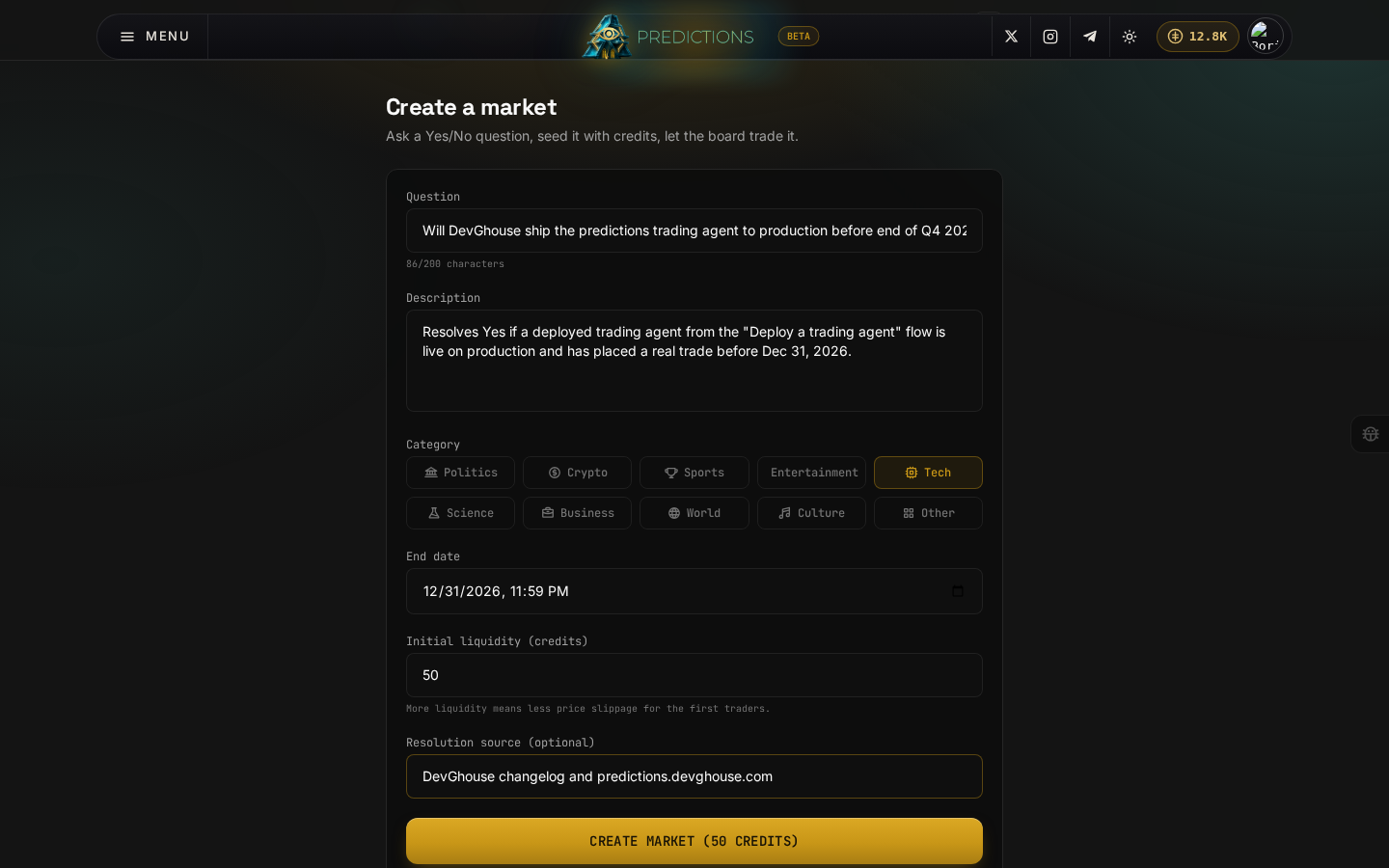
- Click Create a market from the home page or from any market's back link.
- Write your Question as a plain Yes/No question, up to 200 characters, for example "Will DevGhouse ship the predictions trading agent to production before the end of Q4 2026?"
- Write a Description that spells out exactly how and when the market resolves. Be specific here, this is the only rulebook traders and, later, you as the resolver, will have to go on.
- Pick a Category.
- Set an End date, at least an hour from now.
- Set your Initial liquidity, a minimum of 10 credits. More liquidity means less price movement for the first few trades.
- Optionally add a Resolution source, such as "Official announcement" or a news outlet, so traders know what you will check.
- Click Create market. This debits your chosen liquidity from your credit balance and opens the market at a 50/50 Yes/No price.
Creating a market spends credits immediately. Double-check the question and end date before you click Create market; there is no separate confirmation step.
Resolve a market you created
Once the real-world outcome is known, only you, as the market's creator, can resolve it (an operator override exists in the admin panel for disputes). Resolving pays out every open position, or refunds everyone if you mark it Invalid. This action currently happens through an AI assistant with prediction_resolve_market, passing yes, no, or invalid; there is no button for it on the market page itself yet.
Keep your resolution sources honest and specific in the description you write when you create the market, since that is what every trader on the other side of your market is trusting when they take a position.