
Common problems
"My payment method isn't working"
Card payment (MoonPay and LemonSqueezy) is marked Soon on the entry fee screen and isn't available yet; use crypto or PayPal instead. If one of those two isn't going through, click Contact us right on the entry fee screen, or reach the team directly.
"I signed in but I'm back at setup instead of my dashboard"
If you've already paid and finished the six-step setup, refresh the page. If you're still asked to finish a step, that means setup genuinely isn't complete yet, whatever step you land on is exactly where you left off; finish it to reach your dashboard.
"A guest says they can't RSVP"
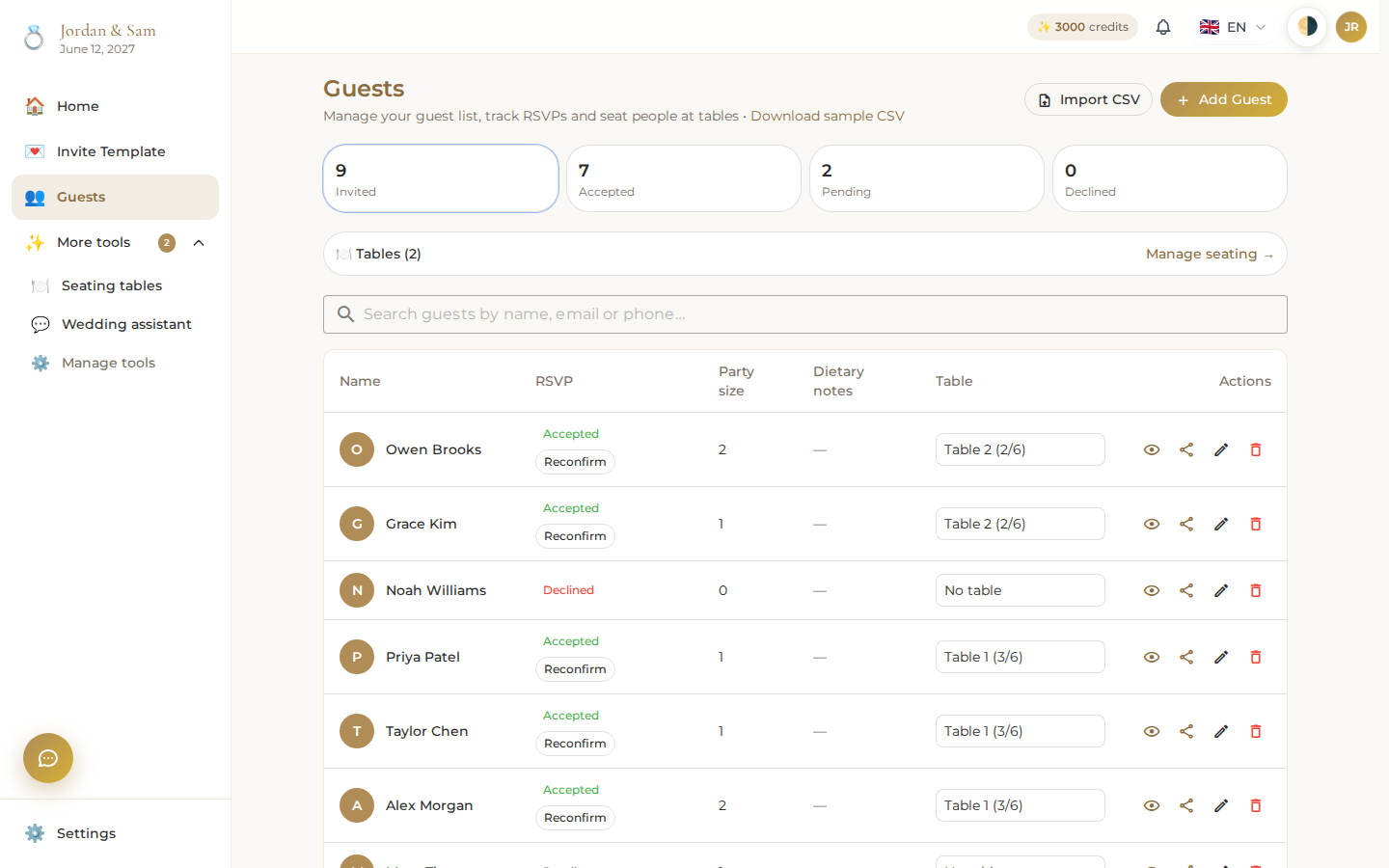
Make sure the link they're using is your invitation's current link (check Settings → the couple's invitation card, or a guest's own personal link from Guests and RSVPs). A guest doesn't need an account to RSVP; if the page loads but the button won't respond, they likely haven't picked Yes or No yet, both are required before Send Response works. Each guest's RSVP status is right there on your guest list, so you can see who still needs a nudge:
"My invitation doesn't show a change I made"
Changes in the invite builder save automatically; watch for the Saving… then Saved label near the title. If it still doesn't appear, open View live to check your actual public page rather than the builder preview, and confirm the section with your change is toggled on in the sections rail.
"I'm out of credits"
Top up any amount from Settings → Preferences; see Credits and billing for what things cost. Reading your invitation, checking RSVPs, and chatting with the wedding assistant don't cost anything by themselves; only the changes it makes do.
"I don't see my partner's changes"
Confirm they've actually accepted your partner invite from Settings, connected partners show up there with their name and photo. If they're connected but a change still seems missing, have them refresh; both of you are editing the same wedding, not separate copies.