
Wedding assistant
Weddings includes an AI assistant that can make changes for you instead of clicking through menus, in two forms: a chat built right into the app, and a connection you can hand to your own AI assistant.
Turn it on
Wedding assistant is one of the Advanced tools, switched off for every new wedding. Turn it on first:
- Open Settings from your dashboard.
- Scroll to Advanced tools and switch on Wedding assistant.
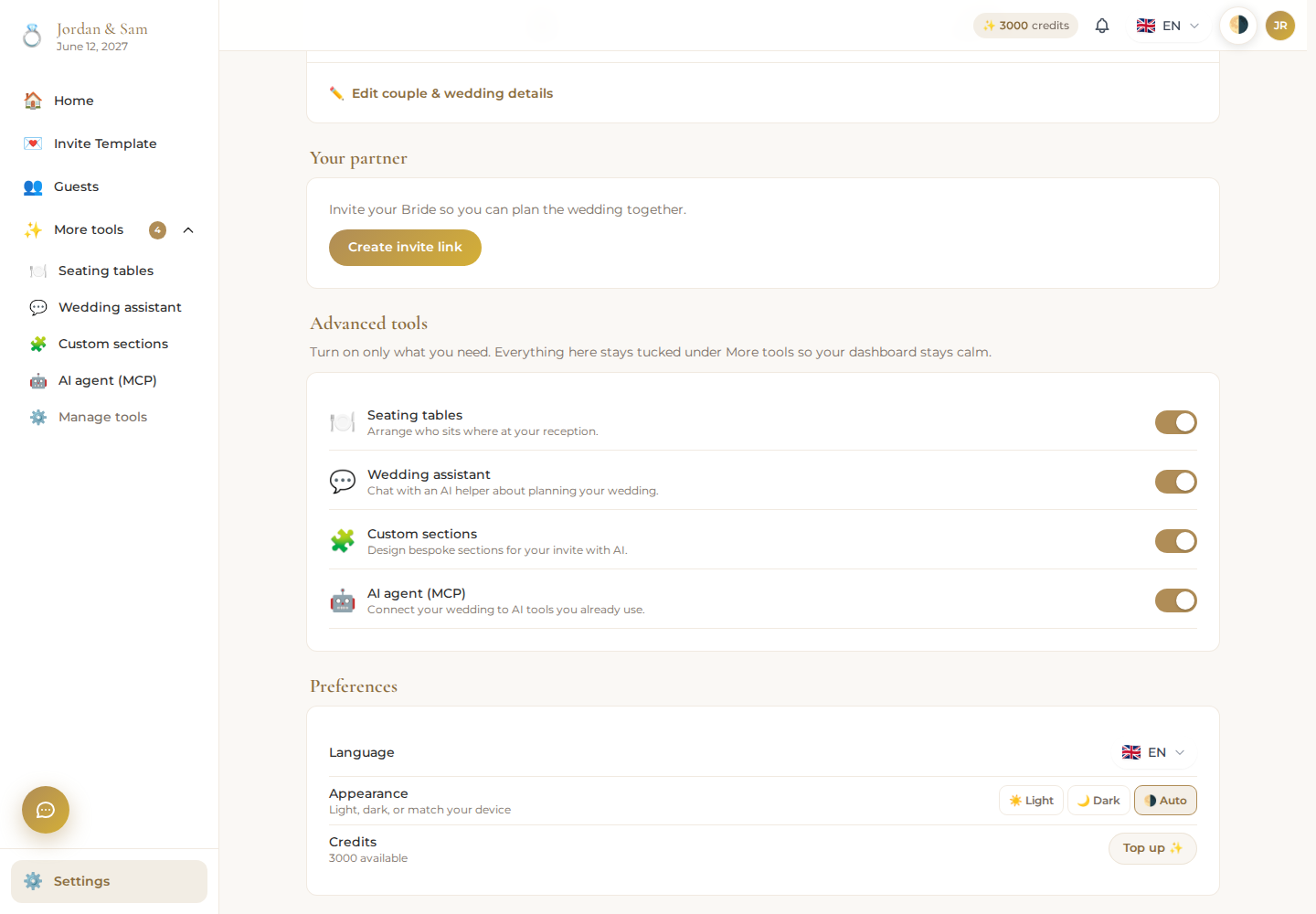
- It now appears under More tools in your sidebar.
Chat inside Weddings
Open Assistant from More tools for a concierge-style chat scoped to your wedding. A few suggested starters are offered if you're not sure what to ask; from there, describe what you want in plain language, for example rewriting a section of your invitation or getting help balancing your seating chart. The same chat is available directly inside the invite builder and the seating page, scoped to that screen.
Connect your own AI assistant
Prefer to use Claude, Codex, Kimi, or another tool that supports MCP (Model Context Protocol)? AI agent (MCP) is a separate Advanced tool, also off by default: switch it on the same way as above (Settings → Advanced tools → AI agent (MCP)), then open it from More tools (or Assistant → Connect your own tool) to set it up.
- Create a new key, giving it a name so you remember what it's for.
- Copy the connection block shown on the page.
- Paste it into your AI tool's MCP configuration and reconnect.
Your assistant can then read your wedding's invitation and guest list and make changes on your behalf, for example: "Read this wedding's invitation and suggest clearer welcome text. Do not contact guests or change seating."
A key you create here only sees and changes this one wedding, never any other wedding on the platform. Create a separate key for each assistant or person you connect, and revoke any key from the same page the moment you no longer want it to have access.
What it can spend
Chatting is included; only the changes it actually makes (an AI-generated image or a written section, for example) spend from your wedding credits, the same way making that change yourself would. If you'd rather run the assistant on your own Claude, OpenAI, or Kimi account instead of DevGhouse's, that's supported too, at a flat rate of 1 credit per successful action and nothing for one that fails.