
Dashboard and settings
Your dashboard
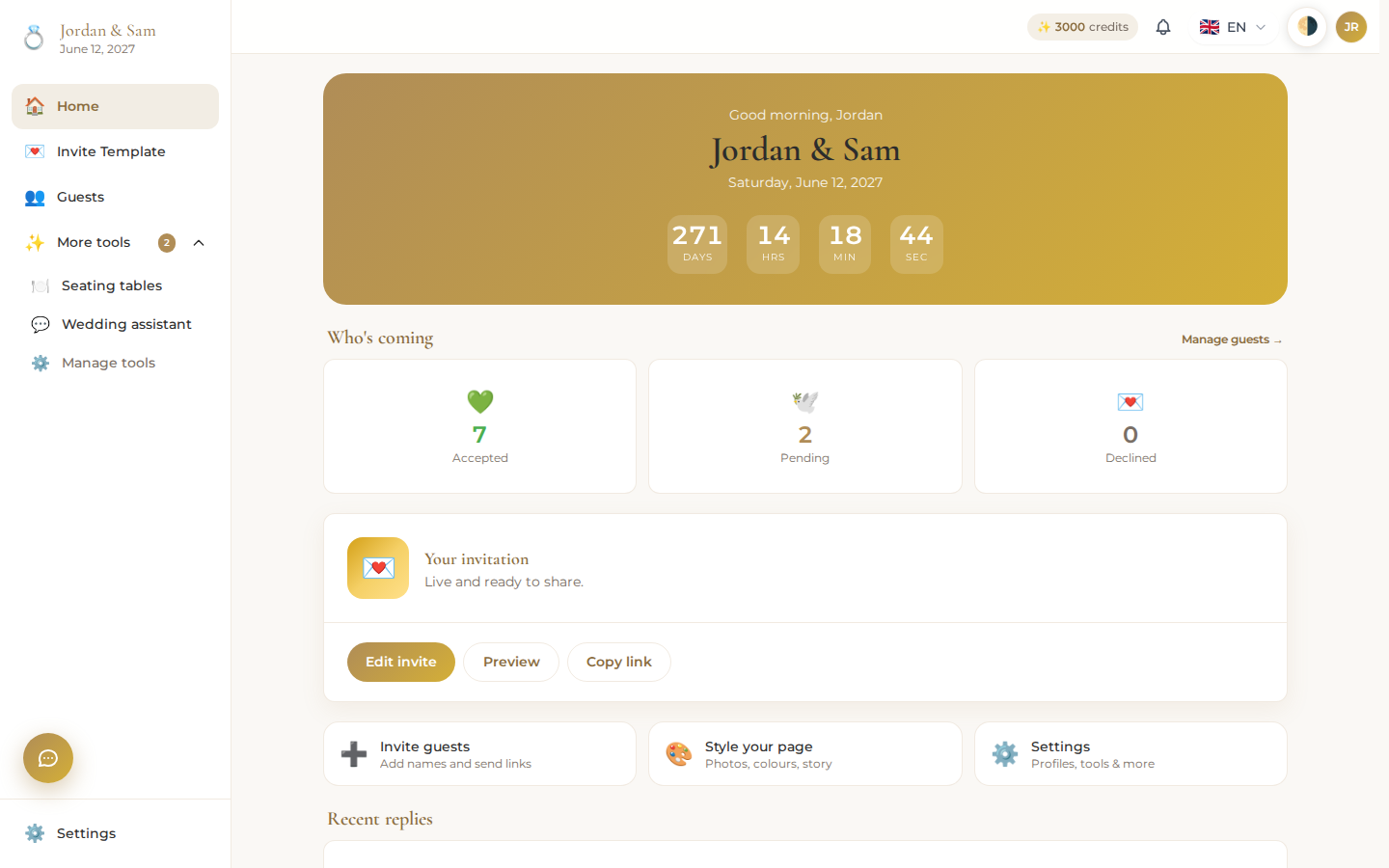
Signing in takes you to your wedding's dashboard, built around a few things:
- A greeting with your names and a live countdown to your wedding day (or a congratulations message if the day has passed).
- Who's coming – accepted, pending, and declined counts, with a link straight to Guests and RSVPs.
- Your invitation card, showing whether it's live or still a draft, with buttons to build or edit it, preview it, copy its link, or share it directly.
- Quick actions to jump to guests, seating, or the invite builder.
- Recent RSVP activity, so you can see who just answered without opening the full guest list.
Edit the couple details
Open Settings → Edit couple to change the bride's and groom's names, your date and start time, your venue name, and a short note. These feed the same details shown throughout your invitation, so a change here updates your invitation too.
Invite a partner to co-plan
The Settings page shows your partner's connection status. If they haven't joined yet, generate an invite link and send it by WhatsApp, Telegram, or copy; once they accept, they can edit the wedding right alongside you. Already connected? Their name and photo show here instead.
Advanced tools
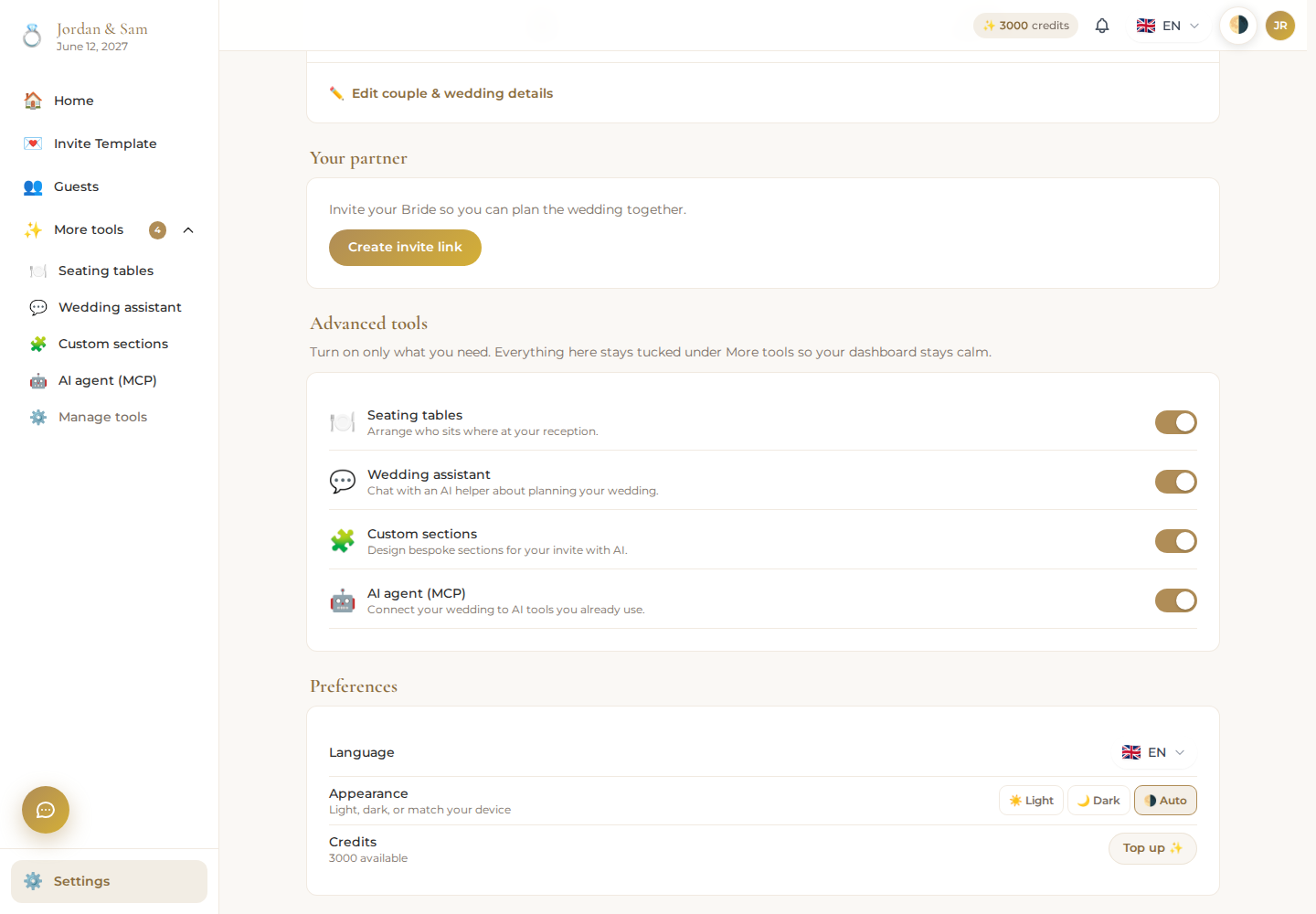
Four extra tools exist beyond the basics, and every one of them starts off for a new wedding so your dashboard stays simple until you need them:
- Seating charts – lay out tables and seat your guests.
- Wedding assistant – the built-in AI chat for your invite and guest list.
- Custom sections – build a one-off section no template offers.
- AI agent (MCP) – connect your own Claude, Codex, or Kimi to this wedding.
Switch any of them on from this list, and it appears right away under More tools in your sidebar. Switch one off and it disappears from the sidebar again, though nothing you built with it is lost.
Preferences
Set your preferred language and light or dark appearance from Settings → Preferences. Your current wedding credit balance is also shown here, with a Top up button; see Credits and billing for what things cost.