
Guests and RSVPs
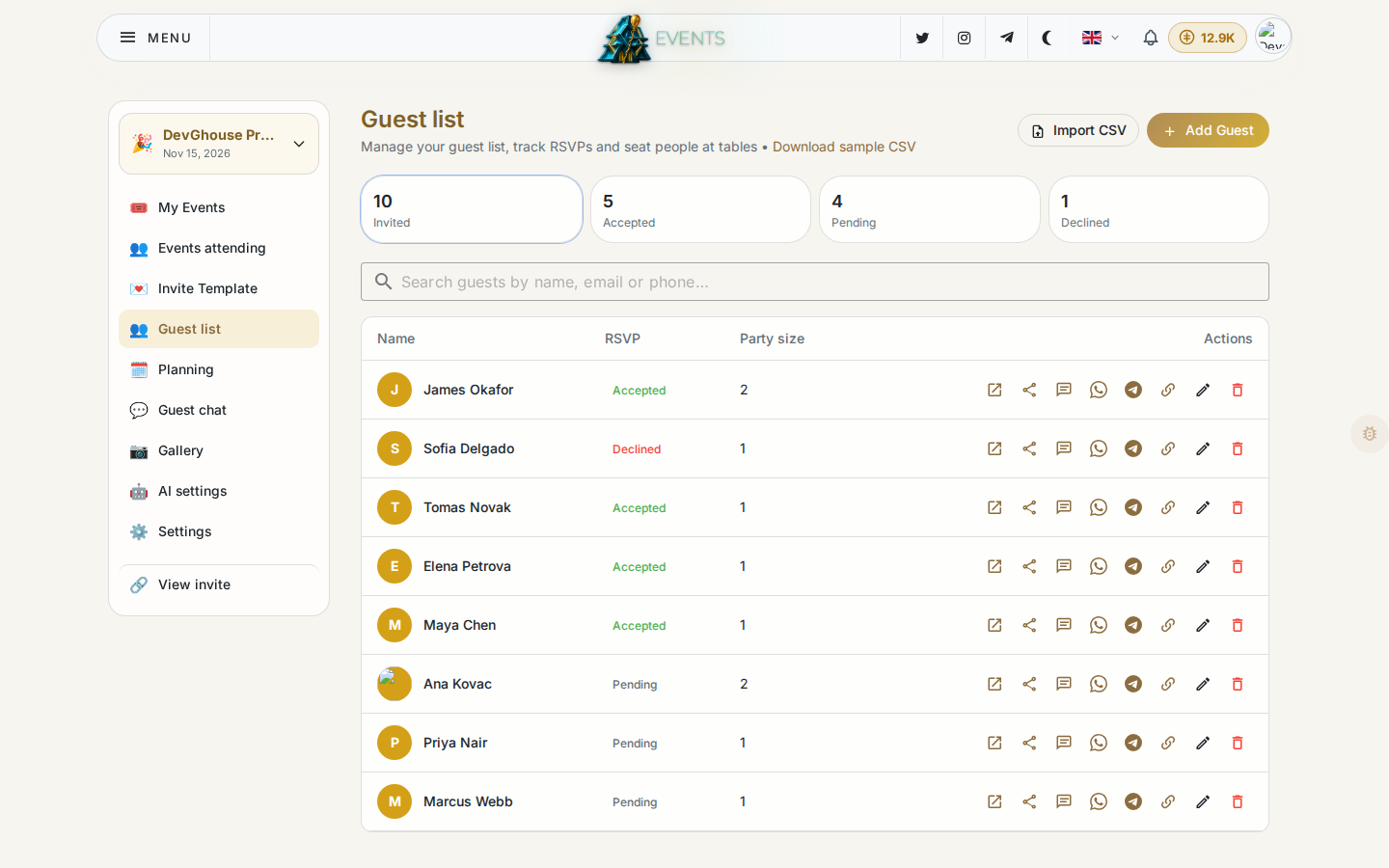
Open Guest list in the sidebar to manage who's invited to your event.
Add guests
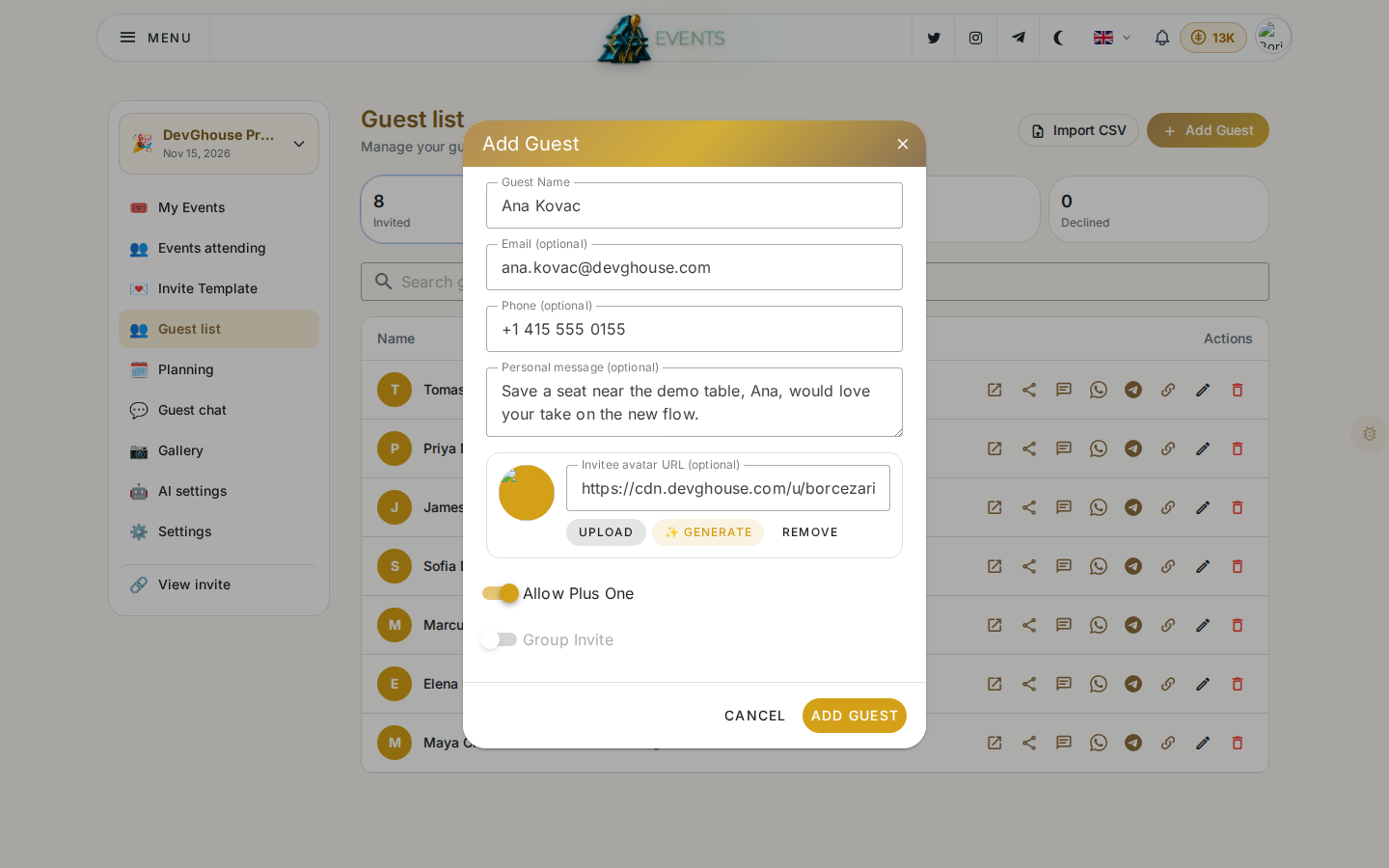
- Click Add Guest and fill in at least a name; email or phone lets them receive their own invite link.
- Optionally add a personal message. It's a short note only that guest sees on their invite, good for a personal touch like "So glad you can make it, Grandma!"
- Optionally set an avatar for the guest: paste a URL, click Upload to add your own photo, or click Generate to have AI create one.
- Turn on Allow Plus One if this guest can bring one extra person. Turn on Group Invite instead if this one invite covers several people at once (a family, a table); when it's on, enter how many additional people to count alongside the guest. A guest can have a plus one or be a group, not both.
- Click Add Guest to save.
Or click Import CSV to add many at once. Use Download sample CSV first to get the exact column headings the importer expects.
Each guest gets their own coded invite link the moment they're added, so you can copy a single guest's link if you want to send it yourself instead of relying on Events to deliver it.
Track replies
The four counters at the top (Invited, Accepted, Pending, Declined) update live as guests respond. Use the search box to find one guest by name, email or phone once your list grows.
If you turned on the Maybe option in Settings, you'll see a fourth reply state alongside Accepted and Declined.
Events attending
Events attending, just above Guest list in the sidebar, is a separate list from the events you host: it's every invitation you personally received from someone else's event. It stays empty until someone invites you; once they do, each row shows the event name, date, host and your own RSVP status.
Guest privacy
By default, guests don't see each other's names on the invite page. Turn on Show members in Settings if you want your guest list visible to other guests, for example so people can see who else is coming.