
Settings
Open Settings in the sidebar for everything about how your event behaves, as opposed to what it looks like (that's Designing your invite).
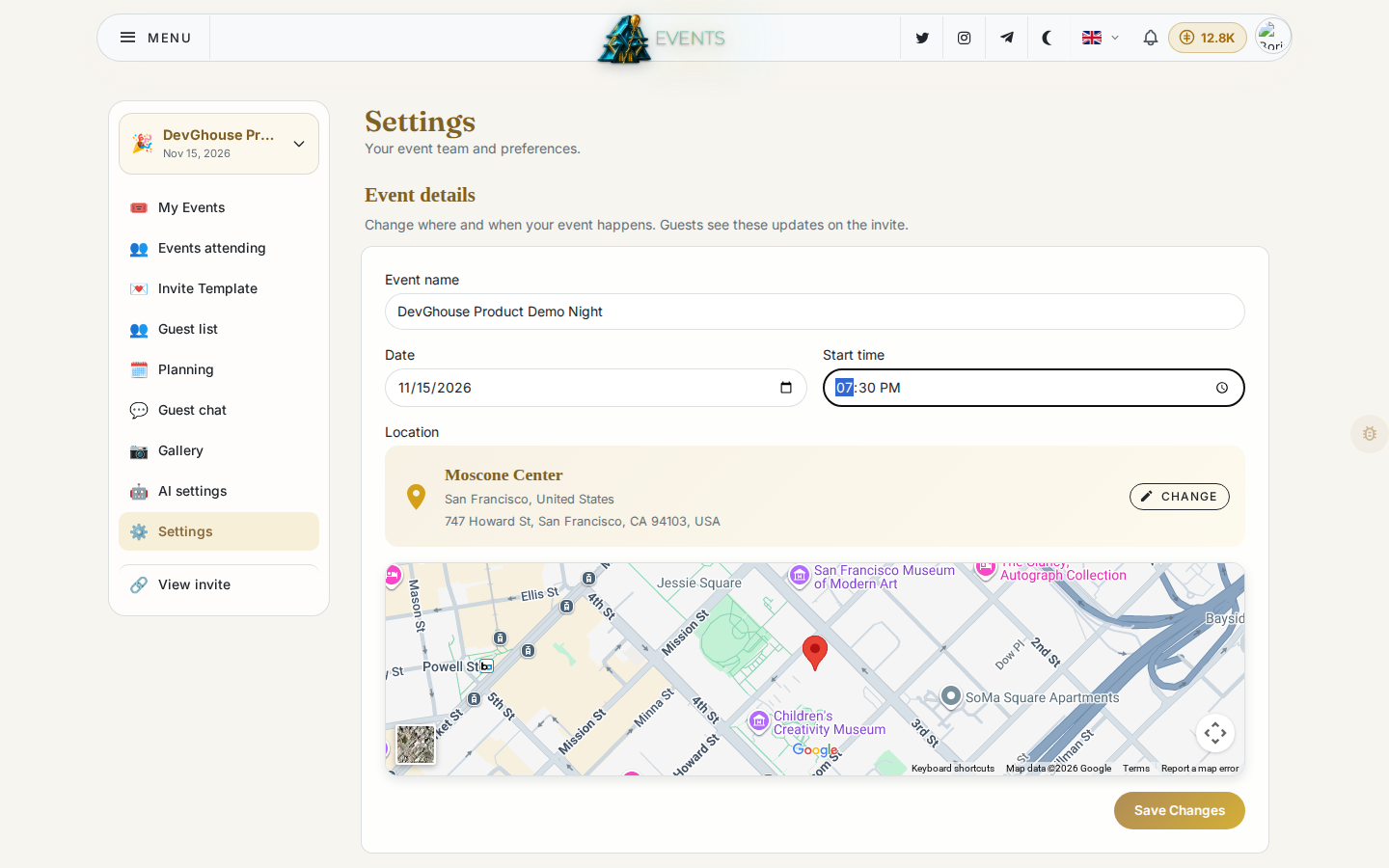
Event details
Change the name, date, start time or location after creation. Guests see these updates on the invite the moment you save, so this is also how you handle a postponed or moved event.
Invite languages
Pick a default language for your invite and, optionally, extra languages guests can switch to. Guests always land on your default language first.
RSVP options
Guests reply Yes or No by default. Turn on Offer a Maybe option if you want a third option.
Invite privacy
What your guests can see about each other. Both are off until you turn them on.
- Show members: shows everyone on the invite as avatar rows: going, pending and not going. Off by default, so your guest list stays private from other guests.
- Guest chat: off by default. Turn it on to add the guest chat thread and quick polls to your invite page.
Join link
By default, guests join through their own personal invite link (see Guests and RSVPs). If you'd rather share one link with a whole group instead of inviting people one by one:
- Click Enable next to Join link.
- Copy the link and share it anywhere.
- Optionally set a maximum number of uses, so the link stops working once that many people have joined.
- Regenerate replaces the link with a fresh one (the old link stops working); Disable turns it off entirely.
Anyone new who joins through this link gets their own free Events account with 100 credits, so think about who you're sharing it with before you post it somewhere public.
Regenerating or disabling asks you to confirm first, since it breaks the old link immediately.
Co-hosts
The same Co-planners panel as on the Planning page: invite someone by email and pick their role, either Collaborator or Admin, then choose what they can do (edit, invite guests, manage the guest list).
Shared album
A shortcut to the same two switches covered in Photo gallery: turning the album on, and whether uploads need your approval before they're public.
Preferences
- Language: the language of your own dashboard, separate from the invite's guest-facing language above.
- Appearance: Light, Dark or Auto (matches your system).
- Credits: shows your current balance for this event and a Top up button. See Credits and billing for what things cost.