
Categories
Categories group posts on a blog so readers can browse by topic instead of scrolling through everything you have written.
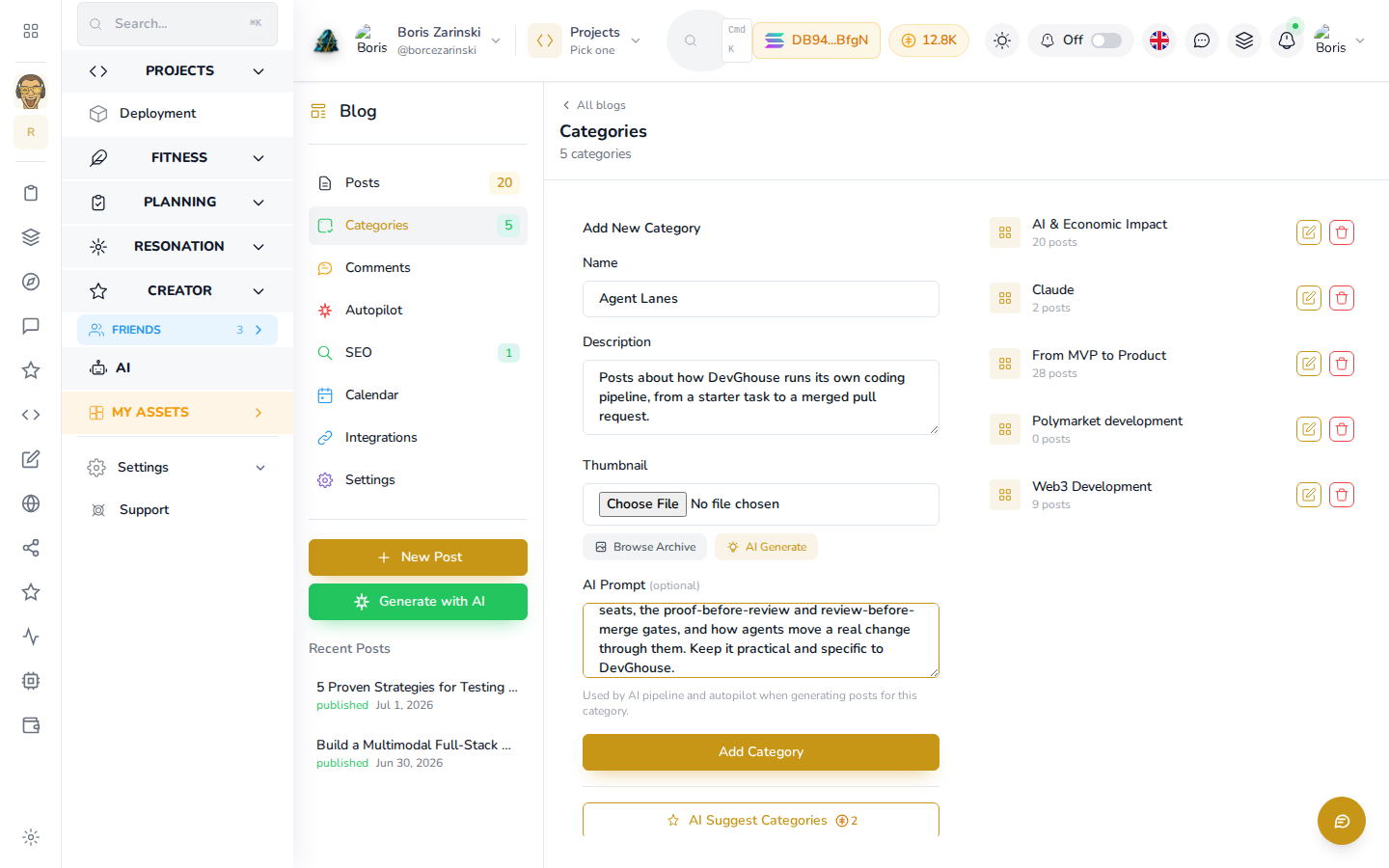
Adding a category
- Open a website's blog (or Marketplace) from the Blog screen.
- Click Categories in the left panel.
- Fill in a Name and, optionally, a Description and a Thumbnail image.
- The AI Prompt field is optional. It is not shown to readers; it is a note for AI writers (autopilot, or an assistant using
blog_create_post) about what this category is about, so anything AI-written for it stays on topic. - Click Add Category.
Editing, reordering and deleting
Each category in the list has an edit (pencil) and a delete (trash) icon. Deleting a category does not delete the posts in it; they just lose that category.
AI Suggest Categories
If you already have posts but no categories yet, click AI Suggest Categories. It reads your existing posts and proposes a set of categories that fit them. This uses a small amount of credit; see Credits.