
Common problems
I turned Blog on, but I do not see it anywhere
Blog does not add its own top-level entry to the left-hand menu. Go straight to app.devghouse.com/blog instead, and bookmark it. If your account also has the Marketplace module on, Blog additionally shows up as a link inside the Marketplace section of the left-hand menu. See Getting started.
The Save button says "Choose a home" and will not let me save
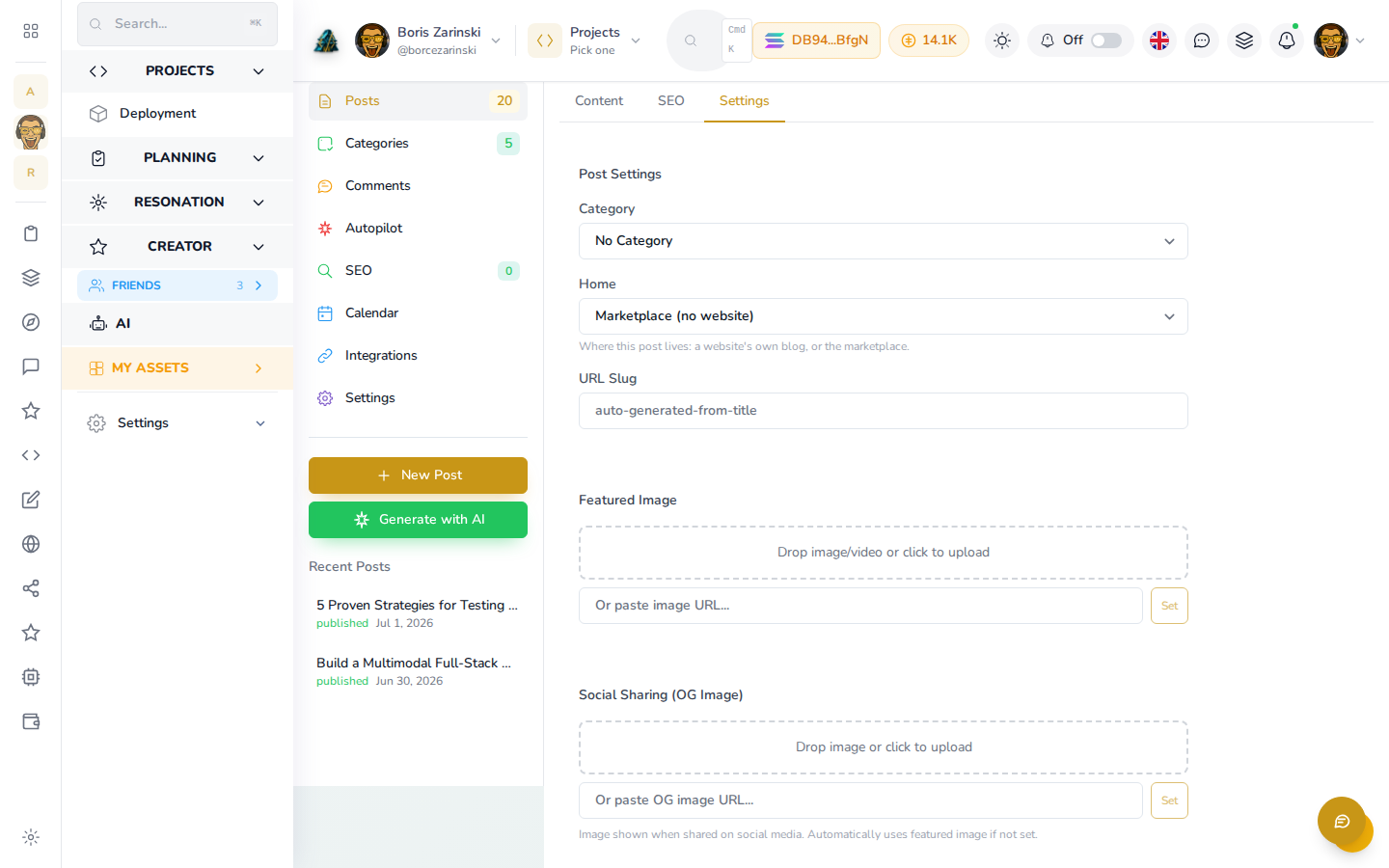
That is expected, not stuck. A post needs a home before it can be saved. Open the Settings tab, and under Home, choose a website or Marketplace (no website). The button switches to Save as soon as you pick one.
The post count in the sidebar looks wrong right after saving
Right after your first save, the left panel's Posts count and the Home field can briefly show stale numbers even though your post saved correctly. Reload the page (or go back to the blog's list and reopen it) and the numbers catch up. Your post is safe either way; this is a display timing issue, not a data problem.
I published a post but nobody can comment on it
Public commenting is not available yet. Readers can subscribe to your posts by RSS instead; see Reading and sharing. The Allow Comments toggle and the Comments moderation screen in the editor are there for when that opens up.
Autopilot is on but nothing is being written
Check that the blog has at least one category. Autopilot discovers what to write about from your categories and profile, and has nothing to draw on without one. Open Categories in the blog's left panel and add a few, or click Generate Now on the Autopilot screen to fire a run manually and test it (an assistant can do the same with blog_run_autopilot).
I do not have a website. Can I still blog?
Yes. Choose Marketplace (no website) as the post's home. Your posts still publish under your name at blog.devghouse.com and on your author page; they just are not tied to a website of your own.