
Integrations
Integrations connects your blog to outside platforms. Today that means X (Twitter): once connected, a published post can turn itself into a tweet thread, written in your voice, automatically.
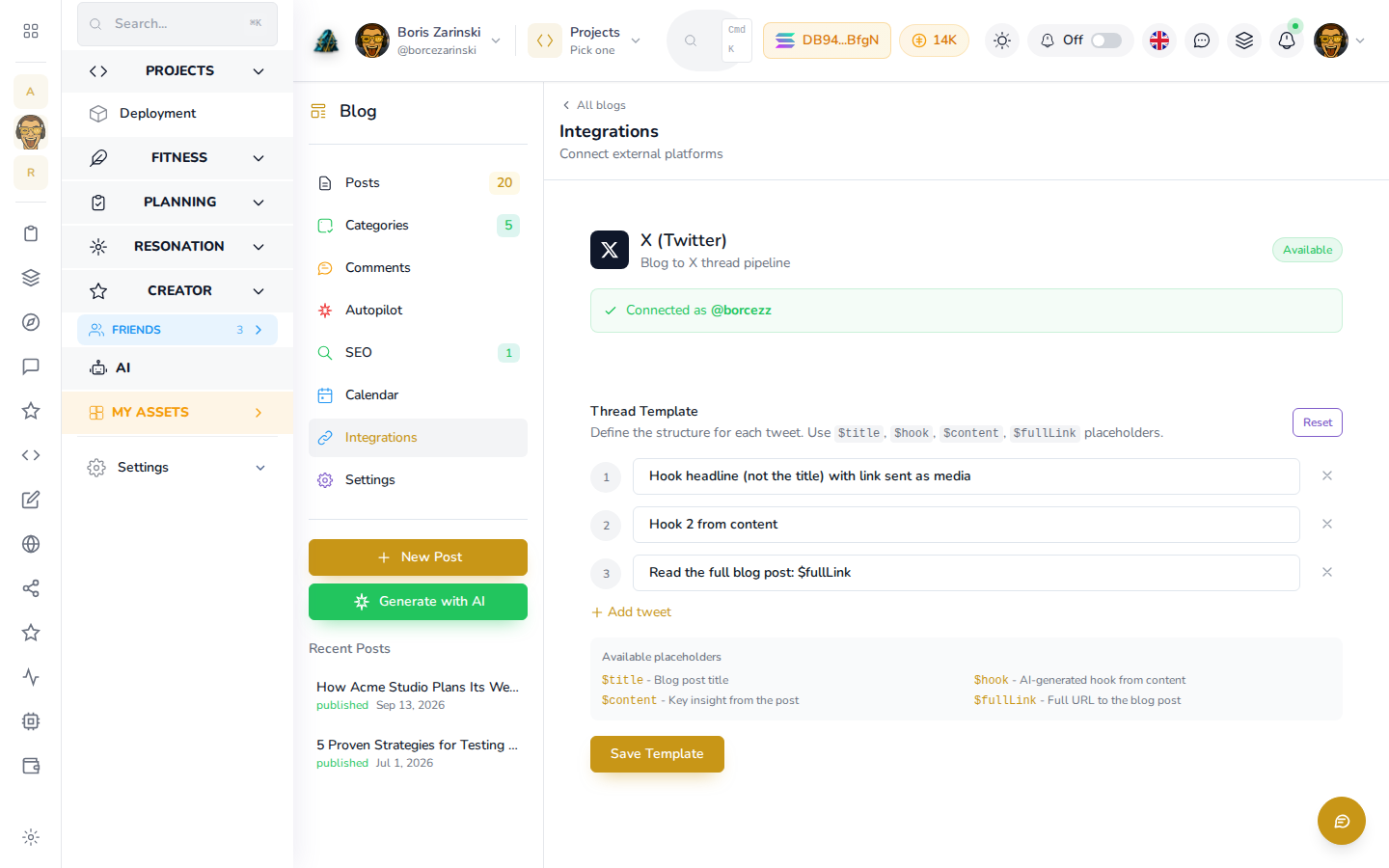
Connecting X (Twitter)
- Open a website's blog (or Marketplace) and click Integrations in the left panel.
- If you see a banner saying X is not connected, follow its link to Settings in your workspace (not the blog's own Settings screen) to connect your X account first.
- Once connected, this screen shows Connected as @your-handle.
With X connected, you can share any single saved post as a thread yourself: open it in the editor, go to the Settings tab, and click Tweet This Post under Share on Twitter/X (see Writing and publishing a post). An assistant connected through MCP can do the same with blog_tweet_post. To have every future post from Autopilot share itself automatically, turn on Sync to Twitter on the Autopilot screen (only available when Autopilot's Publish Mode is Auto-Publish).
The Thread Template
A thread is built from a short list of tweets, one line each, and you control the structure:
- Under Thread Template, each numbered line is one tweet's instruction to the AI, for example "Hook headline with the featured image as media" or "Read the full post: $fullLink".
- Use the placeholders
$title,$hook,$contentand$fullLinkinside a line; AI fills them in from the post being shared. The placeholder list at the bottom of the card reminds you what each one means. - Click Add tweet to add another line (up to seven), or the X next to a line to remove it.
- Click Reset to go back to the default three-tweet template.
- Click Save Template to save your changes.
Voice, examples and hashtags for your tweets
Below the template, a Voice, Examples & Hashtags panel lets you fine-tune the tweets themselves:
- Twitter Voice: a short description of how your tweets should sound, separate from your blog's own writing voice.
- Example Tweets and Example Threads: real examples you add, grouped by category, so AI learns your style instead of guessing at it.
- Hashtag Strategy: let AI choose hashtags automatically, supply your own custom list, or turn hashtags off entirely.
Click Save Settings on this panel after any change.
More integrations coming
WordPress sync and a Squarespace embed widget are listed on this screen as Coming Soon. Neither is available yet.