
Settings
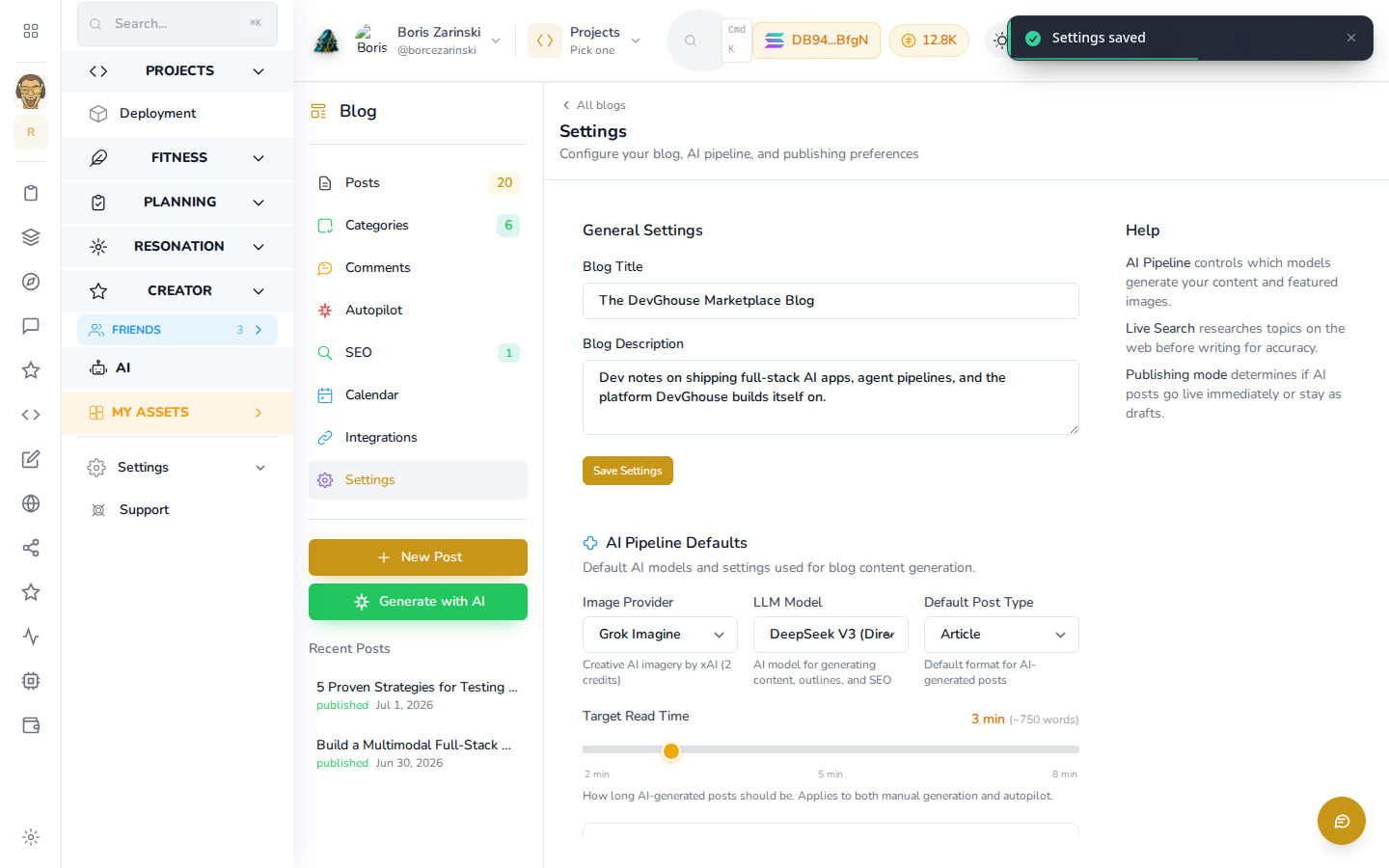
Each blog (a website's own, or the shared Marketplace one) has its own Settings screen. Open a blog and click Settings in the left panel.
General settings
- Blog Title and Blog Description: shown at the top of this blog's section on the public site.
Click Save Settings after any change.
AI pipeline defaults
These control what AI-written content looks like, whether it comes from clicking Generate with AI in the editor or from Autopilot:
- Image Provider: which AI image tool generates cover and featured images.
- LLM Model: which AI model writes the post text.
- Default Post Type: the format new AI-written posts default to (for example, Article).
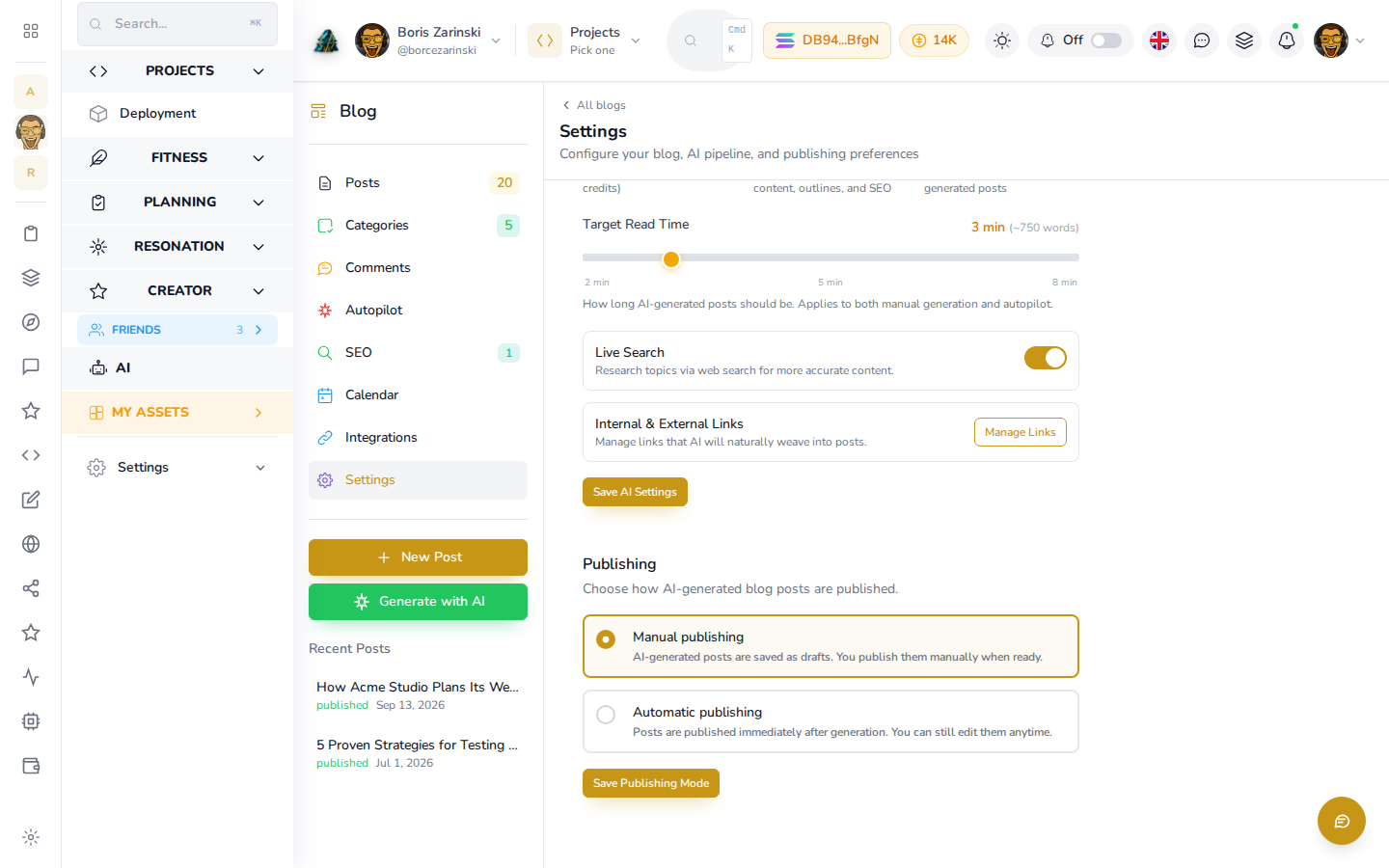
- Target Read Time: how long an AI-written post should take to read, from 2 to 8 minutes. Applies to manual AI generation and autopilot alike.
Live Search and links
Further down the same panel:
- Live Search: a switch that has AI research a topic on the web before writing, for more accurate, current posts.
- Internal & External Links: click Manage Links to add pages of your own (Internal Links) and authoritative outside pages (External Links) that AI should naturally weave into a post when the topic fits. Each link takes a URL, a title, and an optional note on when to use it. Click Save Links after adding or removing any.
Click Save AI Settings to save Live Search and the AI pipeline defaults above it.
Publishing
The Publishing panel decides what happens the moment AI finishes writing a post, whether from the in-editor generator or from autopilot:
- Manual publishing: posts are saved as drafts for you to review before publishing.
- Automatic publishing: posts go live immediately, no review step.
Pick one and click Save Publishing Mode.
Comments moderation
If you allow comments on a post (the Allow Comments option in that post's Settings tab), new comments wait here for approval before anyone else can see them. See Reading and sharing for the current state of reader comments.