
Run it with an agent
Everything you can click through in Communication, an AI assistant or a scheduled routine can do too, using the exact same connections and the exact same rules. Nothing sends on your behalf that you haven't approved, unless you explicitly ask an assistant to send it.
Connecting an assistant
If you use Claude, Codex, or another assistant that supports MCP (Model Context Protocol), connect it to your workspace the way you would for any other module. Once connected, it can see and use whichever mailboxes and chats you've already linked, nothing more.
Some of what it can call:
| What you'd ask for | The tool behind it |
|---|---|
| "What needs my attention today?" | get_communication_actions, get_communication_action_stats |
| "Reply to that email from DevGhouse saying I can start Monday" | execute_communication_action |
| "Watch my contract thread with DevGhouse and draft replies" | fixer_add_watch_target, fixer_scan_watchlist |
| "Turn that message into a task instead" | fixer_create_task |
| "Check my Gmail for anything unread from a client" | gmail_list_emails, gmail_search_emails |
| "Send that reply" | gmail_send_email, outlook_reply_email, imap_send_email |
| "Message that Telegram chat" | telegram_send_message |
| "Only scan my Clients label, not my whole inbox" | update_communication_settings, add_communication_monitored_item |
| "Build a subscriber list and draft a launch email" | newsletter_list_create, newsletter_ai_generate, newsletter_campaign_create |
| "Send that newsletter campaign now" | newsletter_campaign_send_now |
| "How is my Google Ads campaign doing?" | google_ads_campaigns, google_ads_campaign_metrics |
An assistant working through your inbox on Gmail, Outlook or IMAP always uses a real, drafted-and-reviewable message, the same way you would if you were doing it yourself. It never has access to a mailbox you haven't connected. See Campaigns for the full newsletter and Google Ads tool list.
Scheduled routines
A routine is an automation that runs on its own, on a schedule (say, every morning at 8am) or when something happens (a new form submission, for example), without you needing to ask for it each time. Routines live under Agents in your workspace sidebar.
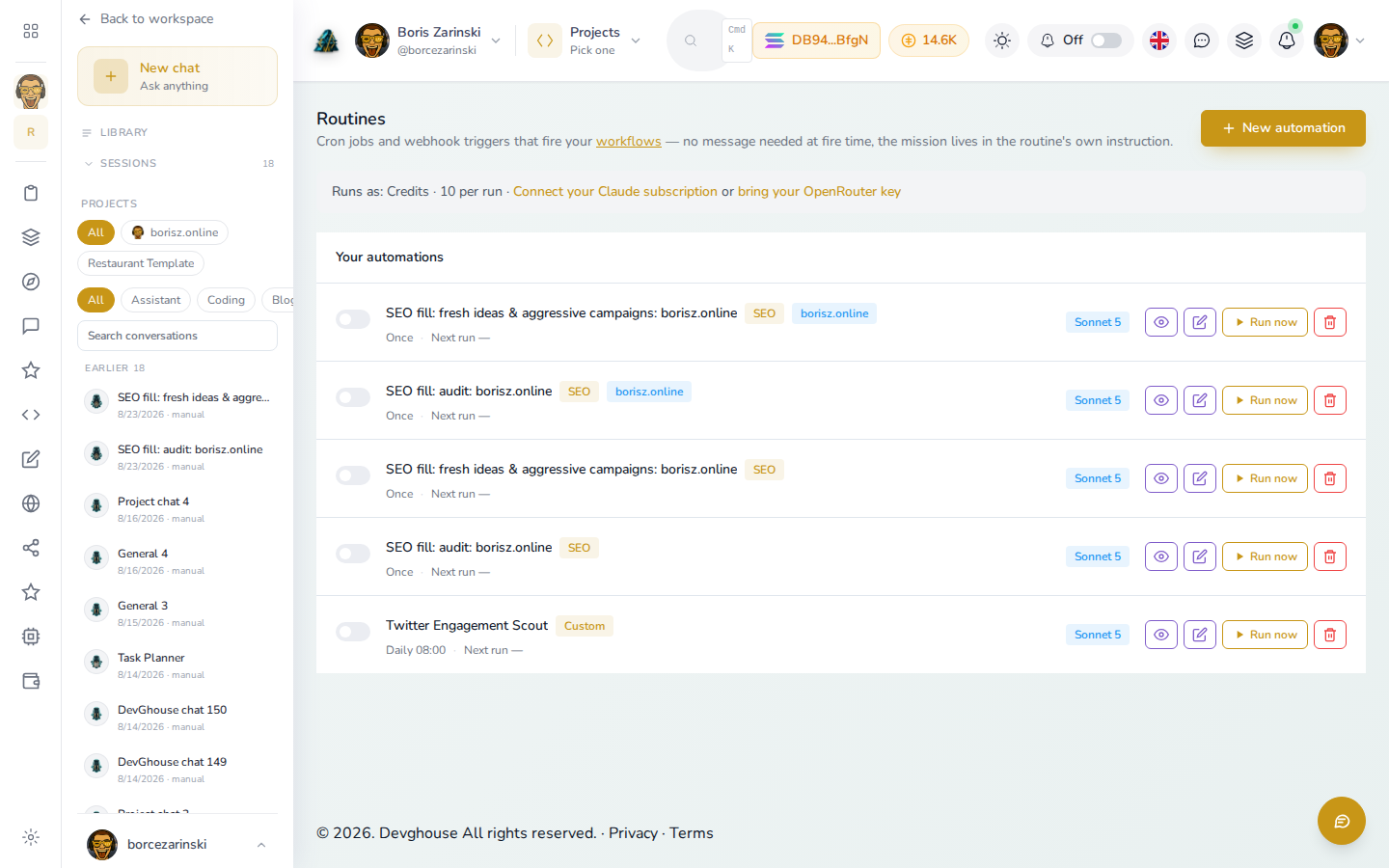
A useful pattern for Communication: a daily routine that scans your followed conversations first thing in the morning and turns anything urgent into a task, so your queue is already sorted before you sit down.
- Open Agents in your workspace sidebar and click New automation.
- Give it a schedule (or a trigger) and an instruction, for example: "Scan my watchlist. Draft replies for anything routine, and create a task for anything that needs a real answer. Send nothing without my approval."
- Save it. It runs on its own from then on; you can check in on Run now, pause it, or edit it any time.
Routines that touch Communication use AI credits the same way a manual scan does; see Credits on the overview page.